18
VLC-3 rev.04
VLC-3
8.6 SUNSET
The sunset is the duration of the transition from maximum to minimum
light intensity in a program. Values range from 0 to 11 hours 59 min-
utes.
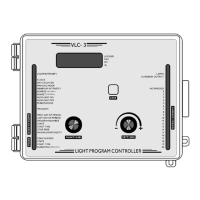
Turn the function selector until the SUNSET pilot light turns on. The
current value of the rising transition is displayed.
Press the push-button. The hours value flashes.
Use the adjustment knob to set the hours. Press the push-button to
store the hours in memory. The minutes value flashes.
Use the adjustment knob to set the minutes.
Press the push-button to store the minutes in memory.
8.7 AUXILIARY LIGHT OUTPUT
The VLC-3 can be programmed to activate or deactivate a fluorescent
light output at a specified light intensity. Two modes of operation are
possible. In the first case, the fluorescent lights are turned on when the
light intensity increases above a certain level (AUXILIARY ON). When
the light intensity falls below the turnoff level (AUXILIARY OFF), the
fluorescent lights are turned off. In the second case, the fluorescent
lights are activated when the light intensity falls below a certain level
(AUXILIARY ON). When the light intensity increases above the turnoff
level (AUXILIARY OFF), the fluorescent lights are turned off. The two
cases are illustrated in the figures below.


 To Next Page
 Loading...