Thinklink - Recording
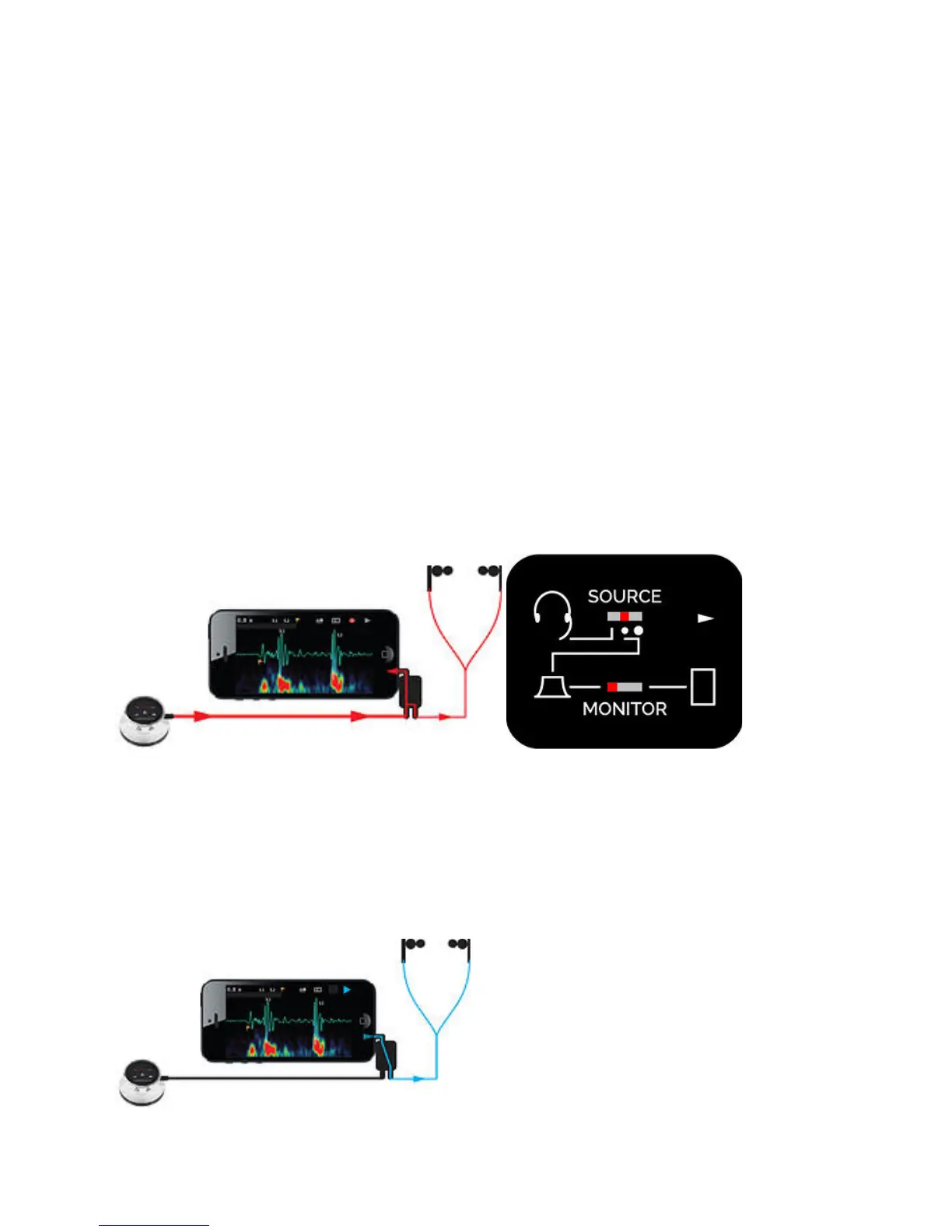
To Record, Set the Monitor switch to the left (monitor One).
Set the Source switch to the center or right position. The center position reduces
the signal level to the mobile device. This is usually necessary, since the One is
usually too loud for most recording devices. You may also find that reducing
One's volume level to a 0 to 2 range is necessary during recording, to reduce
clipping and distortion.
Note that you can record from a headset microphone by switching the Source
switch to the left position. This will connect your headset mic to the mobile device
input, rather than connecting One as the audio source. This can be useful for
dictating voice to annotate recordings. Note that you must be using headphones
that have a built-in microphone to perform this function.
Thinklink - Playback
To Play back recording and listen to your recording device via the headphones,
Set the Monitor switch to the right (mobile).
Adjust the volume on the playback device itself.
20


 To Next Page