11
English
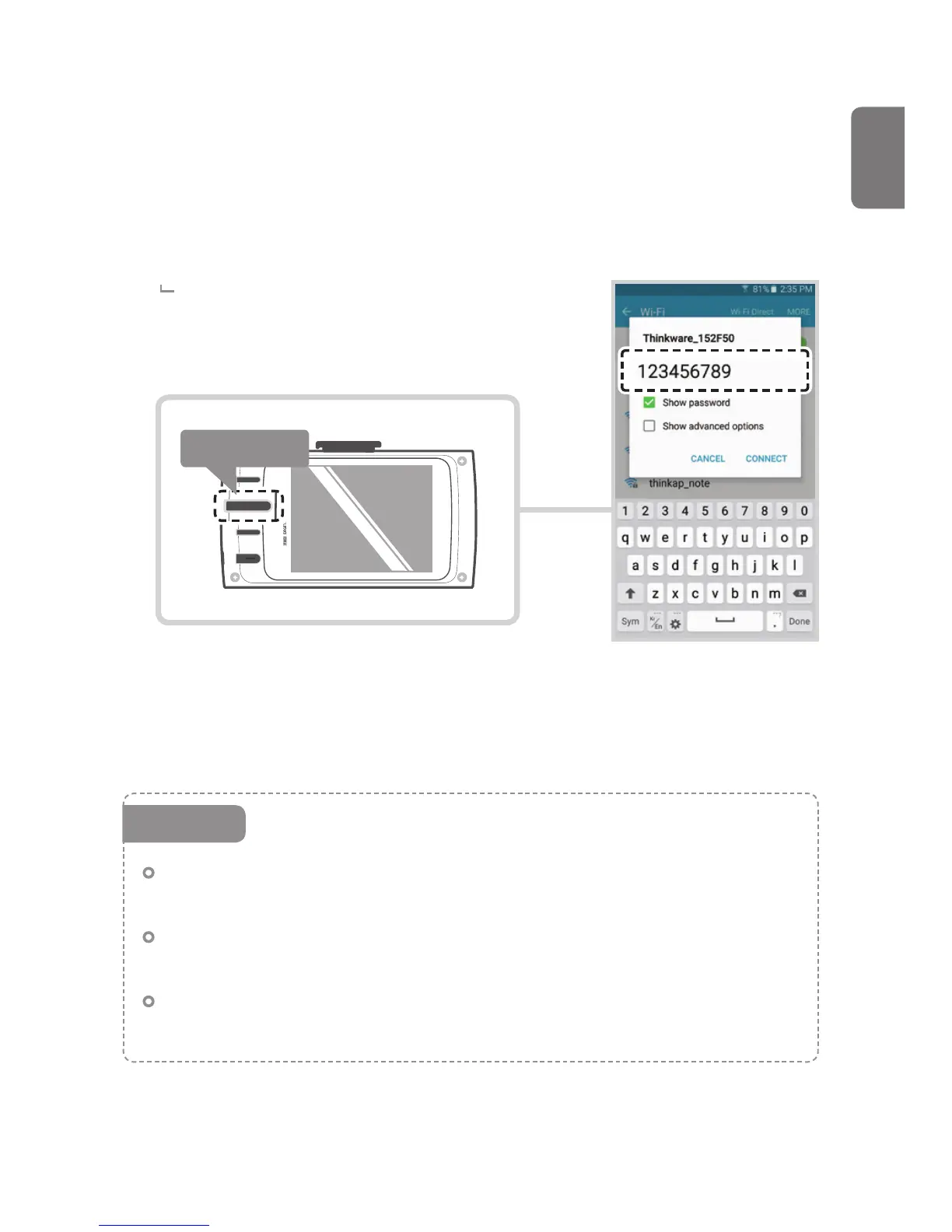
(Make sure to turn on the Wi-Fi in the device setting for iOS devices)
In the Thinkware Dash Cam Mobile Viewer application, turn on the
Wi-Fi option, select "thinkware" from SSID list, and enter password as
"123456789"
Password is only required during rst time you
try to connect. The device will auto-connect in
subsequent connections.
Press Briey
Dash cam will automatically turn o the Wi-Fi connection mode if not connected
within 2 minute.
The distance range between the dash cam and connecting smart
device is approximately 10 meters (33ft) in an open eld environment.
When device and mobile phone are connected over Wi-Fi, all control
buttons of device will not be working, except power button.
After device and mobile phone are disconnected, all control buttons
of device will not be working for a few seconds.
Cautions



 To Next Page