6 Control panel and connections
USB TO HOST
SUSTAIN
LINE OUT
PHONES
R
DC1
2
V
1
A
POWER
L(
M
O
N
O)
* + , - . /
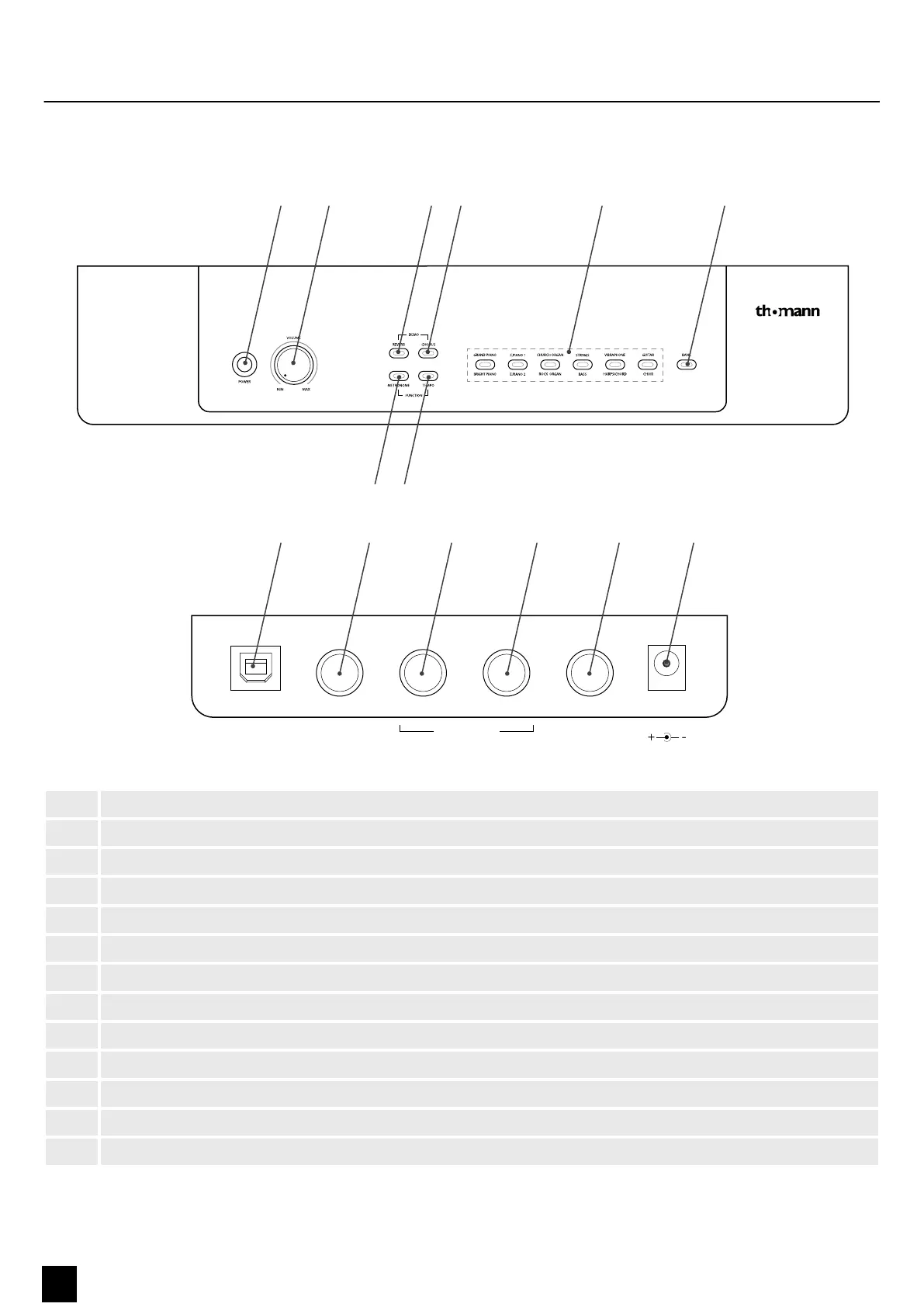
1 [POWER] | Main switch. Turns the device on and o.
2 [VOLUME] | Volume control for the built-in speakers and connected headphones.
3 [DEMO/REVERB] | Button to engage the Reverb eect.
4 [DEMO/CHORUS] | Button to engage the Chorus eect.
5 [FUNCTION/METRONOME] | Button to turn the metronome on and o.
6 [FUNCTION/TEMPO] | Button to adjust the metronome tempo.
7 [GRAND PIANO / BRIGHT PIANO] | Voice select button Grand Piano / Bright Piano
[EPIANO1/EPIANO2] | Voice select button EPIANO1 and EPIANO2.
[CHURCH ORGAN/ROCK ORGAN] | Voice select button Church Organ / Rock Organ.
[STRINGS/BASS] | Voice select button Strings / Bass.
[VIBRAPHONE/HARPSICHORD] | Voice select button Vibraphone and Harpsichord.
[GUITAR/CHOIR] | Voice select button Guitar and Choir accompaniment.
8 [BANK] | Toggle button to change the sound banks.
Control panel and connections
14
SP-320
Digital Piano



 To Next Page