19
Operation
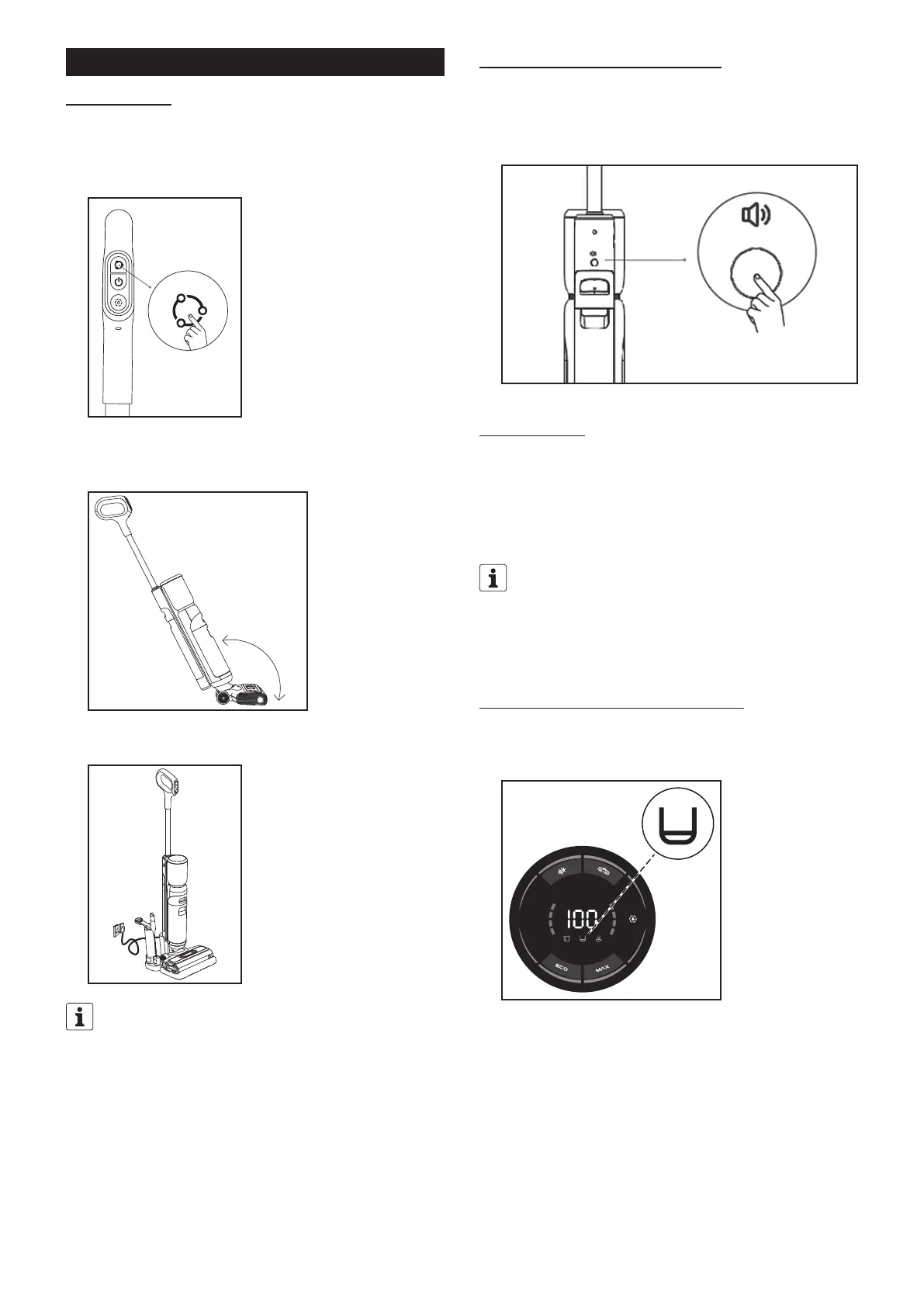
1. Starting to clean
① Place the appliance on the surface to be cleaned. Press the power button to
start the appliance. The default switch-on mode is ECO mode. You can select
the mode depending on actual usage requirements and switch between ECO
mode, MAX mode and vacuum mode.
② The appliance is equipped with a vertical switch. Please tilt the appliance
after starting. Do not tilt the appliance more than 145° degrees to prevent
water leakage.
145°
③ Press the power button to switch off the appliance. It is recommended to
place the appliance vertically on the charging base again after use.
The appliance will continue to run for a few seconds after being switched
off in order to transport the residual water from the suction channel to the
waste water tank. It is recommended to place the appliance vertically on
the charging base again after use.
2. Function of the language selection button
① Briefly press to turn the language function on or off.
② Press the button for three seconds to set the language. Then briefly press
to change the language, and press and hold the button to confirm your
language selection.
3. Start of cleaning
① Start cleaning by moving the appliance back and forth.
② Make sure that you move the appliance in a forwards direction when picking
up dirt particles.
If dirt is located behind the appliance while cleaning, it might not be possible
to pick it up by moving backwards.
1. Do not drop the appliance on the floor or tilt it on its side. This may
cause water to leak out.
2. If an object is sucked up by accident, press the power button to switch
off the appliance.
4. “Clean water tank” display indicator flashes
① The “clean water tank” indicator starts flashing when the clean water tank
is empty. Switch off the appliance and fill the clean water tank (see the
“Getting Started/3. Filling the clean water tank” section).
② Then re-start the appliance.



 To Next Page