20
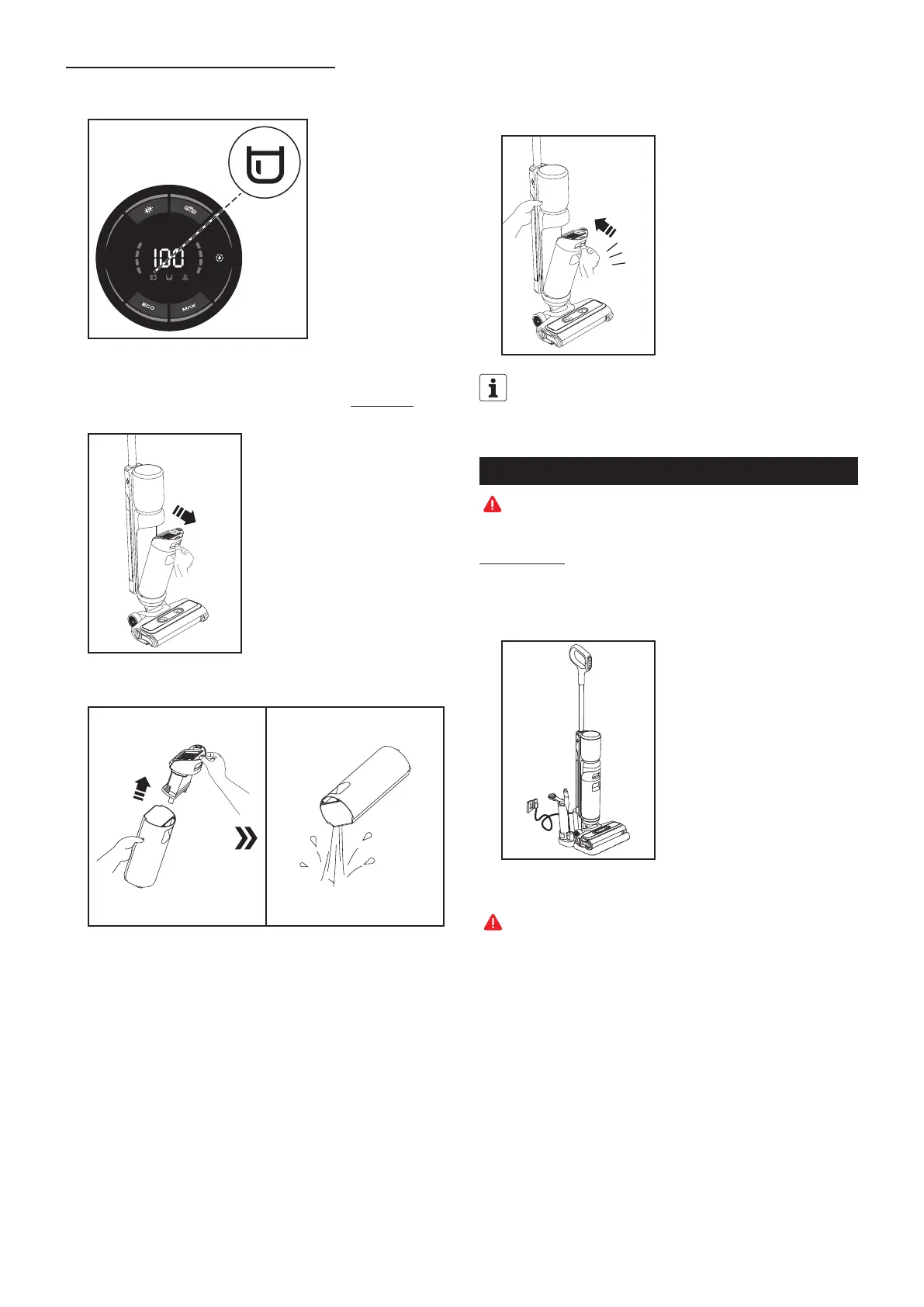
5. “Waste water tank” display indicator flashes
① When the waste water tank is full, the “waste water tank” indicator starts
flashing and the appliance ceases operation.
② To empty the waste water container, press the release button on the waste
water tank to remove it. To prevent the appliance from toppling over, hold it
upright with one hand and remove the waste water tank by the handle with
your other hand.
③ Press the release button to remove the lid of the waste water tank, then
empty out the dirty water. Make sure that no water overflows or is spilled.
④
After that rinse out the empty waste water tank and the lid under running water.
Then push the tank back into the appliance, until you hear a clicking sound. To
prevent the appliance from toppling over, hold it upright with one hand and insert
the waste water tank with your other hand. Now you can carry on cleaning.
Click
To prevent the waste water tank from dropping out during cleaning, make
sure that it is correctly positioned and locked into place.
Cleaning the appliance
Note: Place the appliance on the charging base for all cleaning procedures.
1. Self-cleaning
In self-cleaning mode, the appliance generates electrolytic water in the clean
water tank, which is used for self-cleaning.
① Please place the appliance on the charging base after vacuuming.
② Fill the clean water tank with fresh water (see the “Getting Started/3. Filling
the clean water tank” section).
Note: Do not add any cleaning agent in sterilisation mode!
③ Empty the waste water tank.



 To Next Page