12
Info Menu
EN
Using the Info Menu
You can display information about the disc during playback using the Info menu. It will also allow
you to access certain functions.To display the menu, press
PLAY to start playback and then press
the
INFO button on the remote control. Select the various options using the and buttons.
Then follow the instructions which appear on the screen and use the or buttons on the
remote control to scroll through the options.
Note:When one of the icons is greyed out, this means that the relevant function is not available on the disc
being played.
The invalid symbol indicates that the function selected or the button used is not available
at this stage.
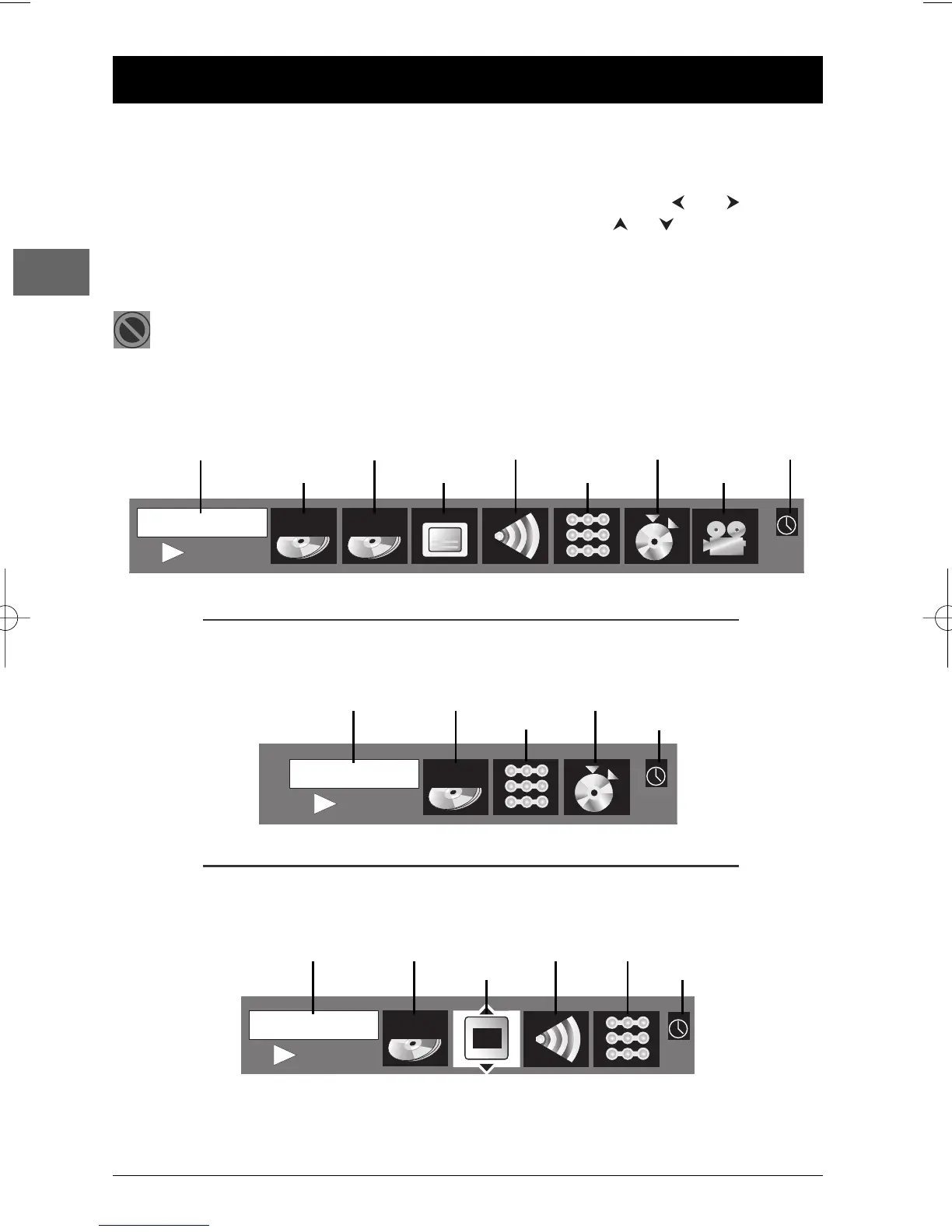
Info menu (DVD)
Time display Chapter Audio Bookmark Sleep
Title Subtitles Play mode Camera angle
Info menu (audio CD)
Time display Track Play Bookmark
mode Sleep
Info menu (VCD and SVCD)
Time display Track PlayBack Audio Play mode
Control Sleep
.
.
.
.
.
.
.
.
.



 To Next Page