Connections and setup
8
EN
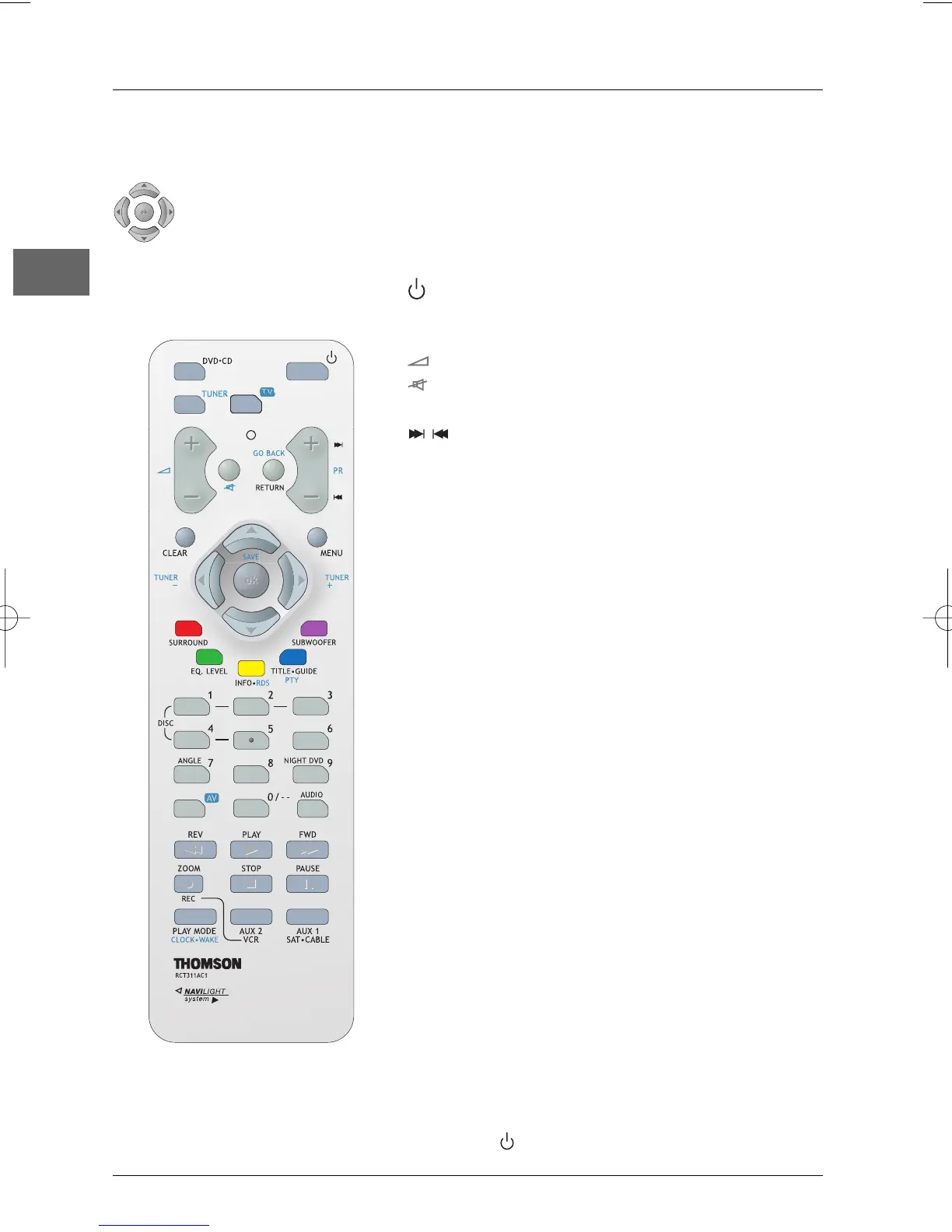
Functions in DVD
.
CD mode
To switch the appliance on and off.
DVD
.
CD To select the DVD player.
To toggle between available media.
+/- To adjust the sound volume.
(mute) To mute and restore the sound.
RETURN To return to the previous menu.
To directly access the next or previous
chapter (DVD) or track (CD).
CLEAR To hide the
Info
menu. Return to main menu.
MENU To access the Disc menu during play (if there
is one).
SURROUND (red) To change the Surround sound setting.
EQ. LEVEL (green) To toggle between equaliser, BASS/TRE and
channel settings.
Note:The EQ.LEVEL function is not available in AUX1,AUX2
and TV modes.
INFO (yellow) To access the
Info
menu.
TITLE
.
GUIDE (blue) To access the disc menu.
SUBWOOFER (purple) To select among subwoofer output levels.
0-9 Number input.
ANGLE To access the Camera angle function in the
Info
menu.
AUDIO To access the Audio function in the
Info
menu.
REV To start reverse accelerated play or reverse
slow motion.
PLAY To start playing a disc.
FWD To start forward accelerated play or forward
slow motion.
STOP To stop play and access the main menu.
PAUSE To activate freeze frame, frame advance or
slow motion.
ZOOM To access the Zoom function.
PLAY MODE To access the Play mode function in the
Info
menu.
AUX1 / AUX2 To select various audio/video sources or the
optical input
The remote control
Navigating through menus
Use the direction buttons to navigate through the menus. Press the OK button
on the remote control to confirm any selection you make.
Note: In AUX1,AUX2 and TV modes, you need to press the button twice within two seconds to turn off
the appliance.



 To Next Page