9
EN
EN
OUTDOOR 1080P IP WIFI CAMERA
C - INSTALLATION
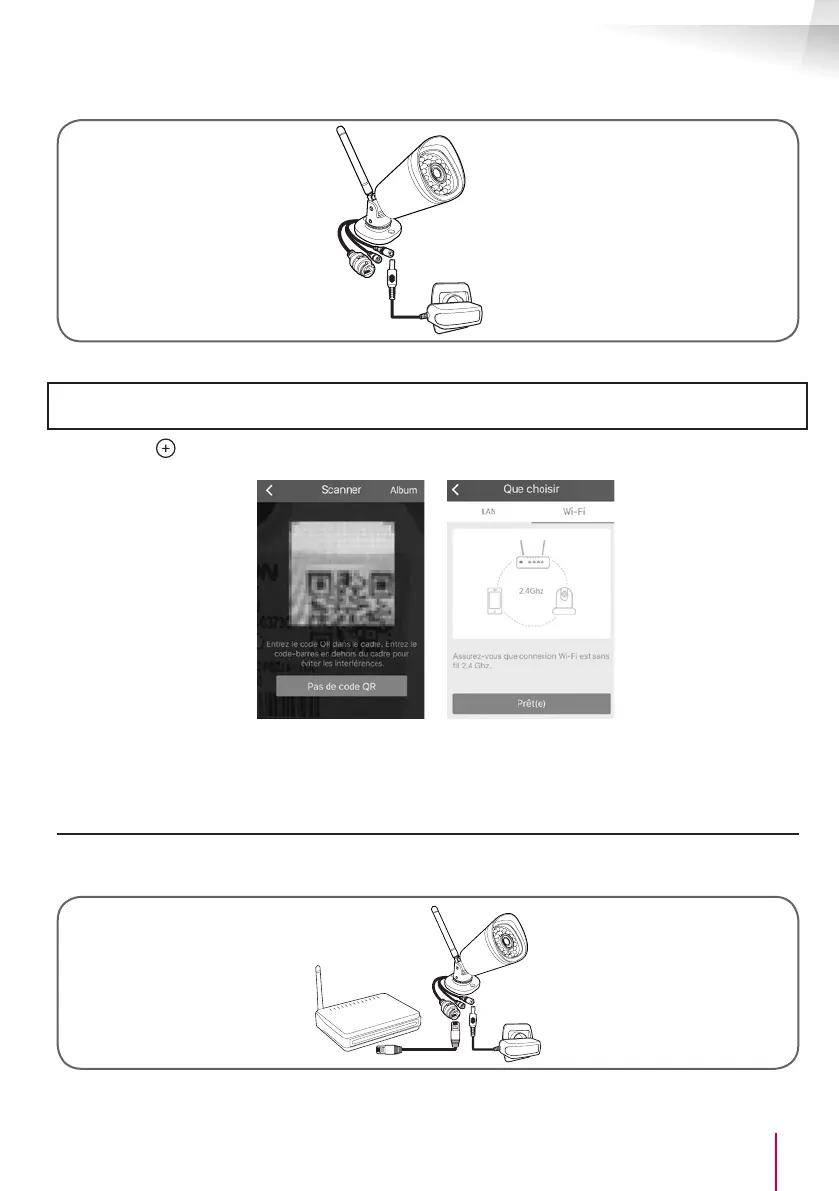
camera
Mains adapter
• Then connect your smartphone or tablet to the WiFi network that your camera will then use.
Important note: Your camera is not compatible with 5 GHz wireless networks (802.11ac WiFi network). Do not
connect your smartphone or tablet to this type of network.
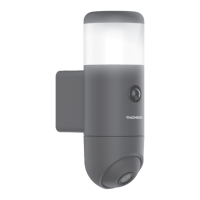
• Click the icon then scan the QR code on the camera.
Once the code has been read, your smartphone or tablet will ask you to choose between LAN and WiFi.
Select WiFi and press "prêt(e) " (ready), please enter the key to the WiFi network you are connected to, to
be able to transmit it to the camera.
2.2 - WIRED CONNECTION
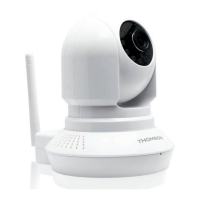
If you do not want to use a wireless connection, connect your camera to the Internet using an RJ45
network cable.
camera
Modem/router
connected to
the internet
Mains adapter
IMPORTANT: Do not connect your camera to your computer. This will not provide it with access to the
internet.


 To Next Page