42
Universal remote control
Universal remote control setting
You have the option to set your remote control to control your video-recorder, TV set, satellite
receiver or amplifier. This enables you to control your video devices with a single remote control.
2 Look for the 3-digit code of your device's brand in the table
of brands on the next page (Highlight it with a pencil, for
example).
3 Hold the menu key (19) down and key in the 3-digit code
corresponding to the make of your TV set. Depending on
your TV set model, it may be necessary to try several of the
proposed codes.
4 Release the menu key (19).
• Try to operate the device by switching it on / off with the
BB
key.
• If it does not work, repeat from step 2 with another 3-digit
code.
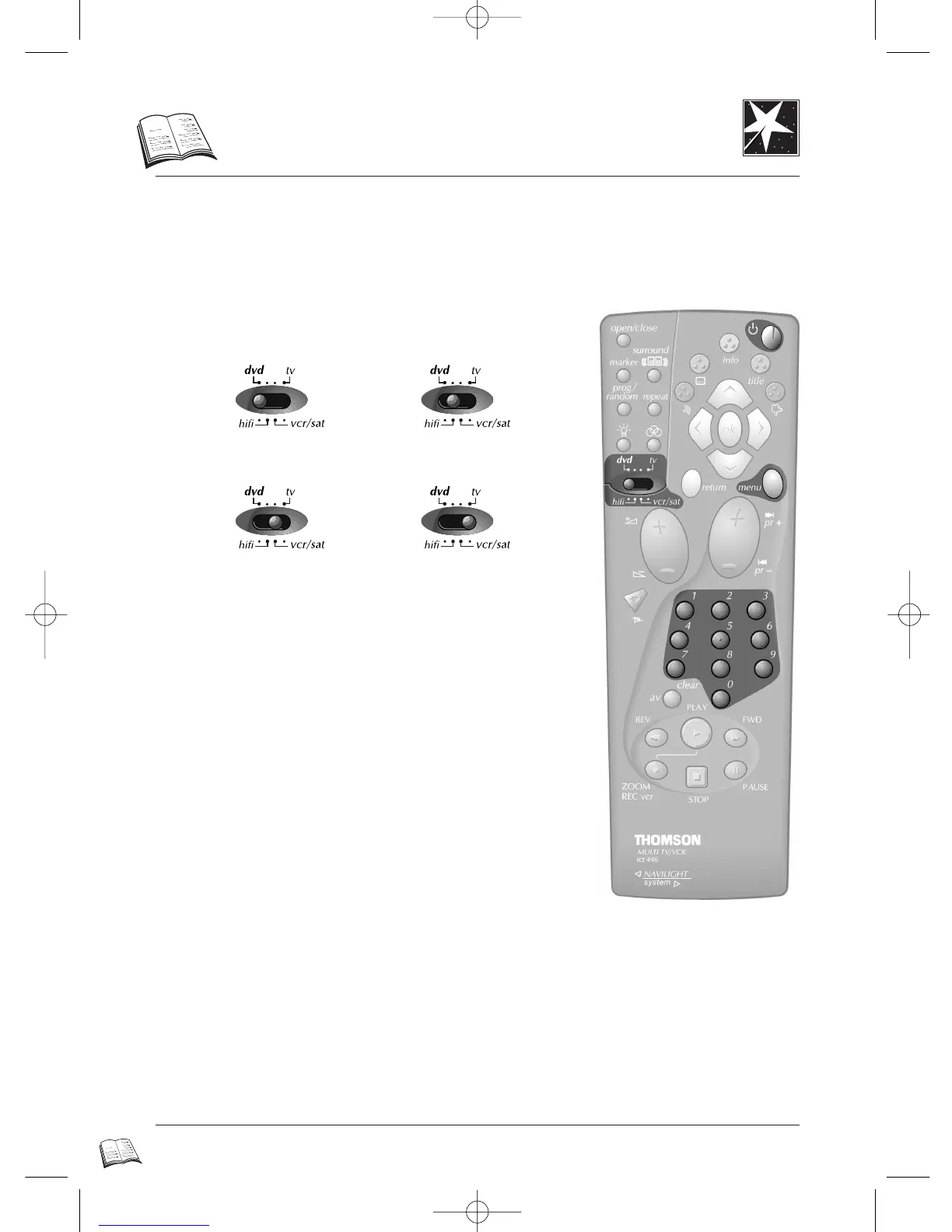
DVD Amplifier
TV setVideo recorder or
satellite receiver
1 Place the switch dvd • hifi • vcr/sat • tv on the device you
want to control.
• Not all TV, VCR, satellite receiver, amplifier models can be operated with this universal remote
control.
• Try out which functions you can control with the remote control.
• Try to find the most efficient code for your brand (for brands with several codes).
•
If you have replaced the batteries of the remote control, perform the remote control
set-up again.
DTH4500-GB 7/09/00 13:34 Page 42



 To Next Page