24
25
h p://www.ovh.co.uk/telephony/ Mon - Fri: 9am to 6pm
020 7357 6616
h p://www.ovh.co.uk/telephony/ Mon - Fri: 9am to 6pm
020 7357 6616
OVH Limited - 3 Southwark street - London - SE1 1RQ - Registration number: 5519821 - VAT number GB 918 7594 74.
G. Move in and out of a conference call
H. The call signal
When a caller tries to reach you while you are already on another call, its number will
appear on the screen and a beep will alert you. Press “Answer” [middle selec on bu on
(4)] to take this new call.
Note: your line doesn’t sound as busy.
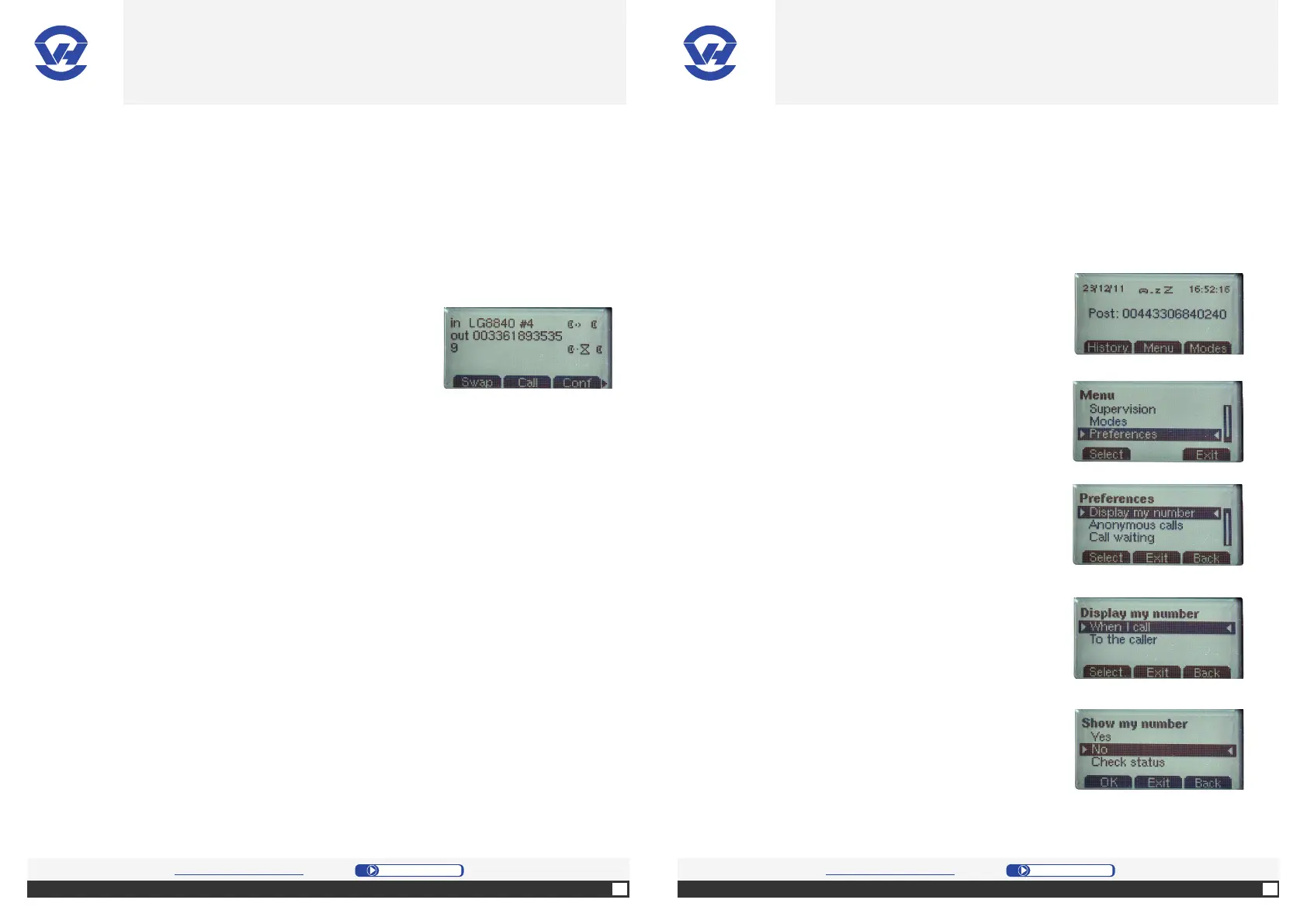
1. Press “Swap” [le selec on bu on (4)] as many mes
as needed to select the desired number (the number
appears in the list) and press [le selec on bu on (4)].
During the private conversa on, the other interlocutors
will be put on hold.
2. To return to a general conference, press “Conf”
[right selec on bu on (4)].
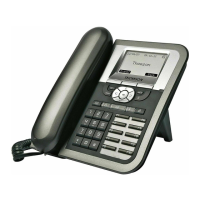
4. Select the desired option in the menu (2 choices:
“When I call” and “To the caller”), and press the OK
bu on (1).
5. Choose “Yes” (1).
I. Hide number
1. Press “Menu” [middle selec on key (4)].
2. On the screen, select “Preferences” from the menu,
and press the OK bu on (1).
3. On the screen, select “Display my number” in the
menu, and press the bu on OK (1).
OVH.CO.UK OVH.CO.UK
OVH Limited - 3 Southwark street - London - SE1 1RQ - Registration number: 5519821 - VAT number GB 918 7594 74.


 To Next Page