16
17
h p://www.ovh.co.uk/telephony/ Mon - Fri: 9am to 6pm
020 7357 6616
h p://www.ovh.co.uk/telephony/ Mon - Fri: 9am to 6pm
020 7357 6616
OVH Limited - 3 Southwark street - London - SE1 1RQ - Registration number: 5519821 - VAT number GB 918 7594 74.
Tip: you can also use numbers in shortcut keys following the following procedure:
-Pick up the call,
-Press the shortcut key (e.g. F1)
-Select “Transf” at the bottom of the screen
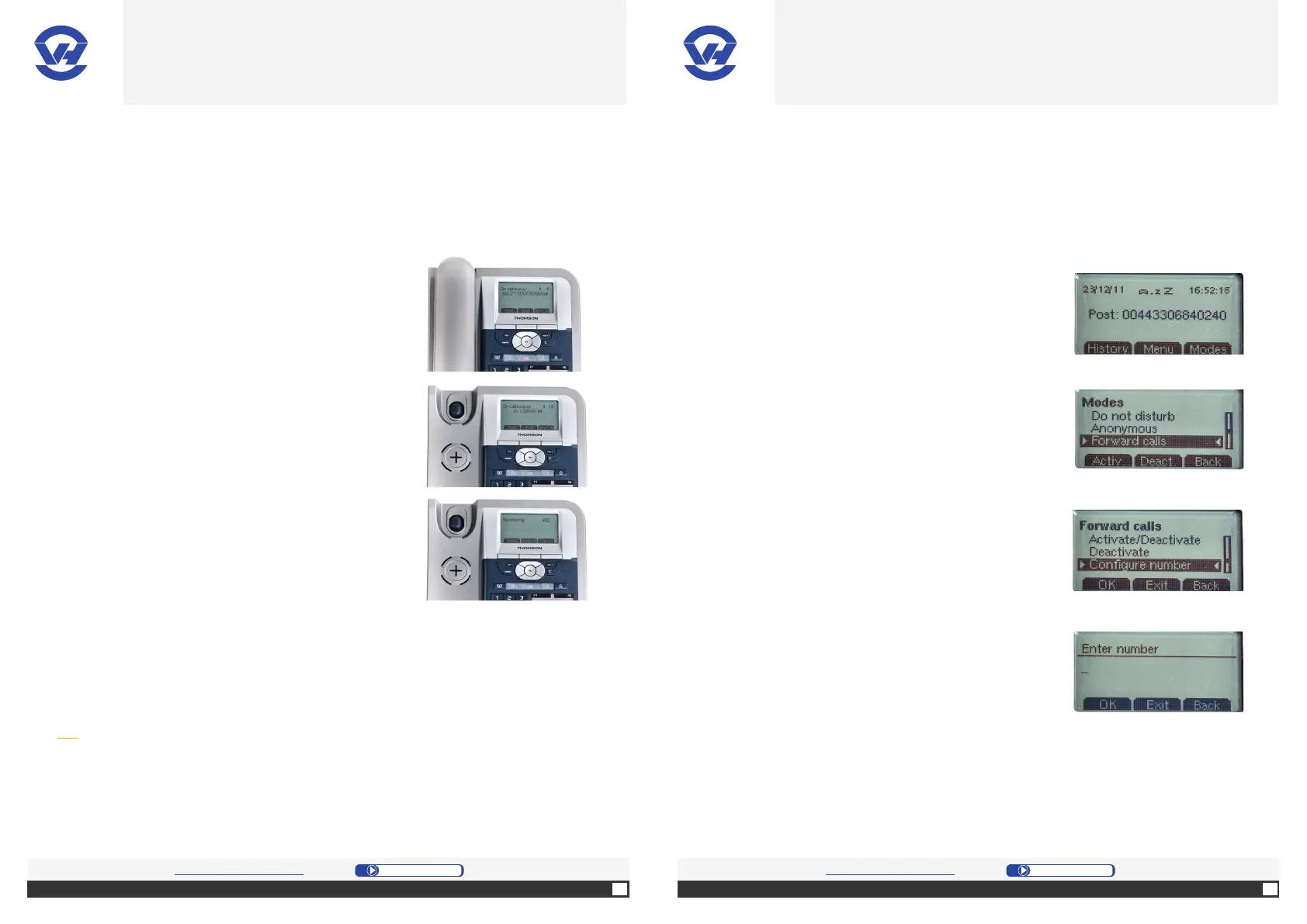
A. Manage the call transfers
1. Take the call, put the caller on hold pressing the
“Hold” [le selec on bu on (4)].
2. Press “NewCall” [le selec on bu on (4)] and press
the OK bu on (1).
4. Transfer the call by pressing “Transf” [press right
naviga on key and the selec on bu on (4)].
3. Type the number with the numeric keypad (13)
or from the Phone Book (14), and press the OK
bu on (1).
Note: when the call forwarding service is active, an icon will be present on the
screen of the phone and the number forwarded to will be displayed instead of the
extension number. Return to this menu to enable or disable this service.
B. Manage the call forwarding
1. Press “Modes” [right selec on bu on (4)].
2. On the screen, select “Forward calls” in the menu
by confi rming with the OK bu on (1).
3. On the screen, select “Confi gure number” in the
sub-menu by confi rming with the OK bu on (1).
4. Type the desired telephone number to forward
all the calls to with the numeric keypad (13), and
press the OK bu on (1). Call forwarding is now
ac vated.
OVH.CO.UK OVH.CO.UK
OVH Limited - 3 Southwark street - London - SE1 1RQ - Registration number: 5519821 - VAT number GB 918 7594 74.


 To Next Page