12
13
h p://www.ovh.co.uk/telephony/ Mon - Fri: 9am to 6pm
020 7357 6616
h p://www.ovh.co.uk/telephony/ Mon - Fri: 9am to 6pm
020 7357 6616
OVH Limited - 3 Southwark street - London - SE1 1RQ - Registration number: 5519821 - VAT number GB 918 7594 74.
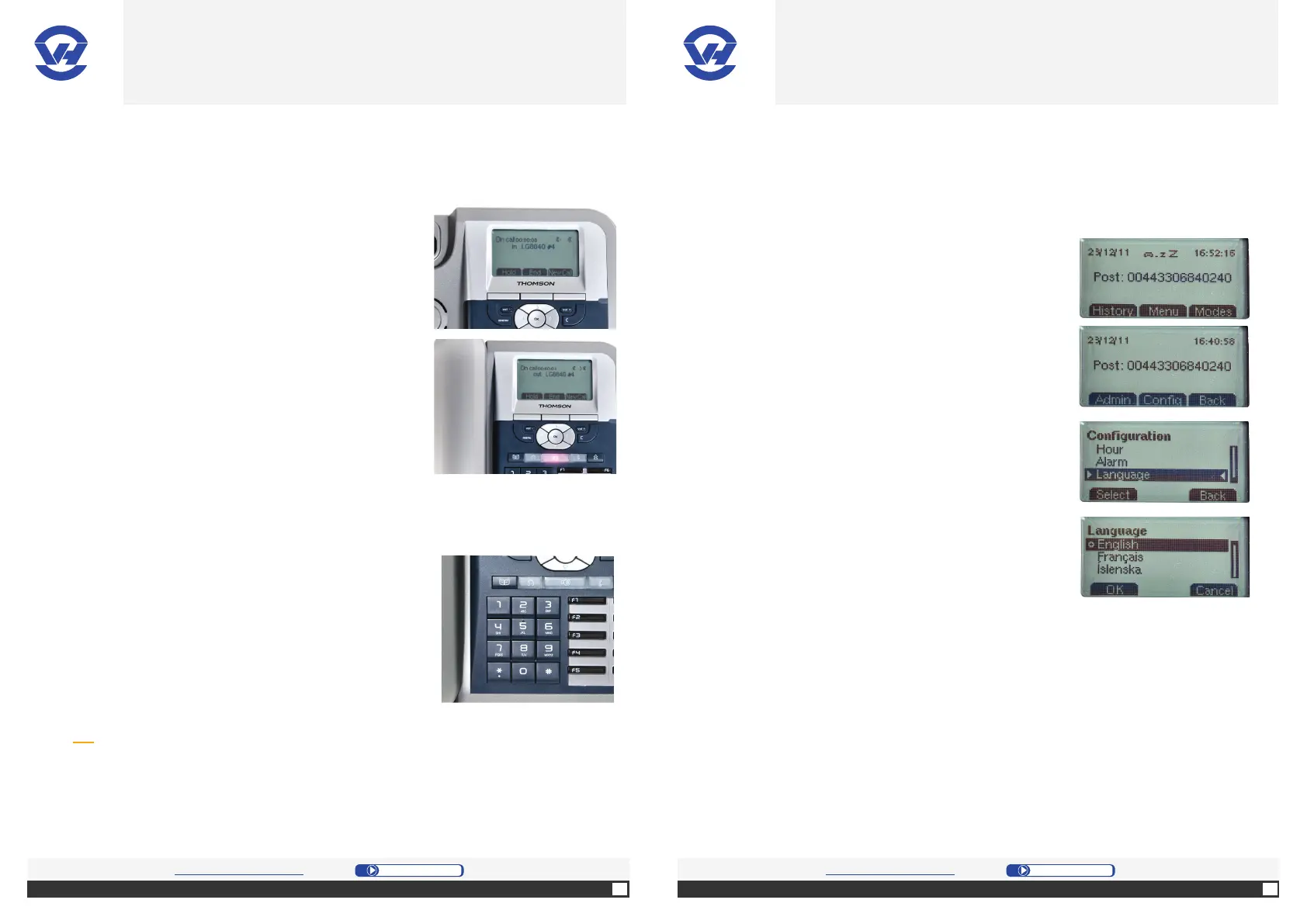
When on a call, you can:
1. Press button “Hold” to put the person on hold.
You can make a second call with “NewCall”
[left selection button (4)] or take the line with
“Retriv” [right selection button (4)].
1. Press “End”.
D. Manage the ongoing calls
To access your voicemail, to listen your new or old
messages and to customize your gree ng message,
you simply call “123” and you’ll be guided by the
voice server.
Calls to the voicemail are free.
E. Access your voicemail
Tip: from an outside line, you can also access or set your voicemail by dialing 0330
684 0106. In order to identify you, the voice server will ask you to enter the number
of your “Plug & Phone” and the password of your voicemail (this password can be
configured in your Manager: SIP => choose the line => Voicemail => Password for
answering machine).
A. Change the phone language
4. On the screen, select the desired language from
the submenu and confi rm your choice with the OK
bu on (1).
You don’t have to set the date and me of your phone: your “Plug & Phone” phone
will be automa cally set to the right date and me.
1. Press the Menu bu on (7).
2. Select “Confi g” [middle selec on bu on (4)].
3. On the screen, select the “Language” menu by
pressing “Select” [le selec on bu on (4)].
OVH.CO.UK OVH.CO.UK
OVH Limited - 3 Southwark street - London - SE1 1RQ - Registration number: 5519821 - VAT number GB 918 7594 74.


 To Next Page