6
7
h p://www.ovh.co.uk/telephony/ Mon - Fri: 9am to 6pm
020 7357 6616
h p://www.ovh.co.uk/telephony/ Mon - Fri: 9am to 6pm
020 7357 6616
OVH Limited - 3 Southwark street - London - SE1 1RQ - Registration number: 5519821 - VAT number GB 918 7594 74.
(1) Port for connec ng a headset.
(2) Port for connec ng the handset.
(3) to connect an addi onal
func on keys module (op onal).
(4) to connect the phone to
your ADSL Box or router.
(5) Port PC RJ45 connect your computer to the
network via the phone (op onal).
(6) AC power port to connect the AC adapter
(included).
(1)
(2)
Tip : If you connect a PoE switch (Power over Ethernet) on the network
jack (4), the phone will be operating without plugging an AC adapter.
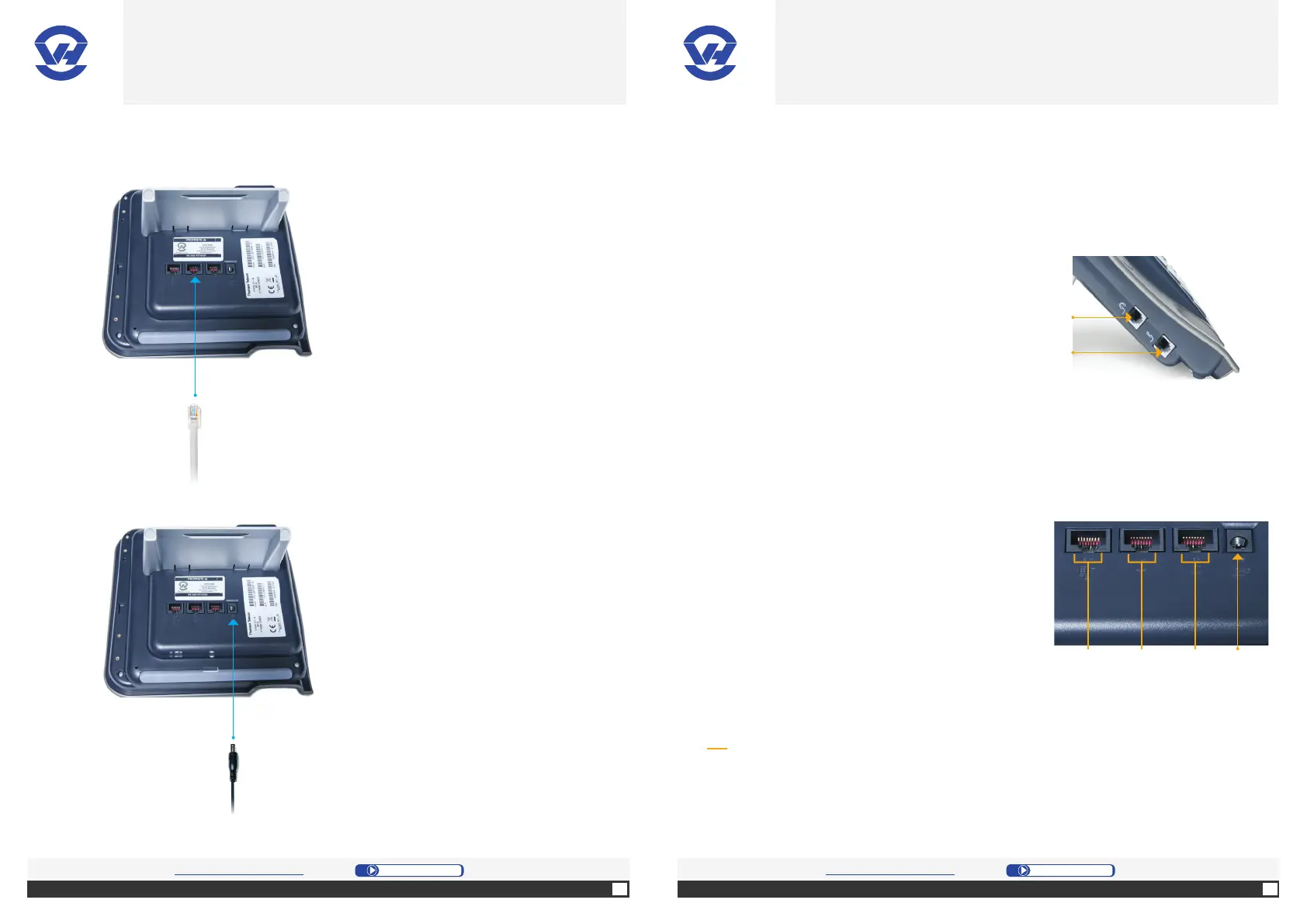
1. Connect the Ethernet cable (1) to the
port RJ45 (4) on the base (4). It’s the
2nd connector from the le .
2. Connect the AC adapter (5) to the
power port (6) on the base (4).
It’s the 4th connector from the le .
(3) (4) (5) (6)
OVH.CO.UK OVH.CO.UK
OVH Limited - 3 Southwark street - London - SE1 1RQ - Registration number: 5519821 - VAT number GB 918 7594 74.


 To Next Page