© 2019 Thorlabs
4 Operating Instruction
9
Wavelength Selection
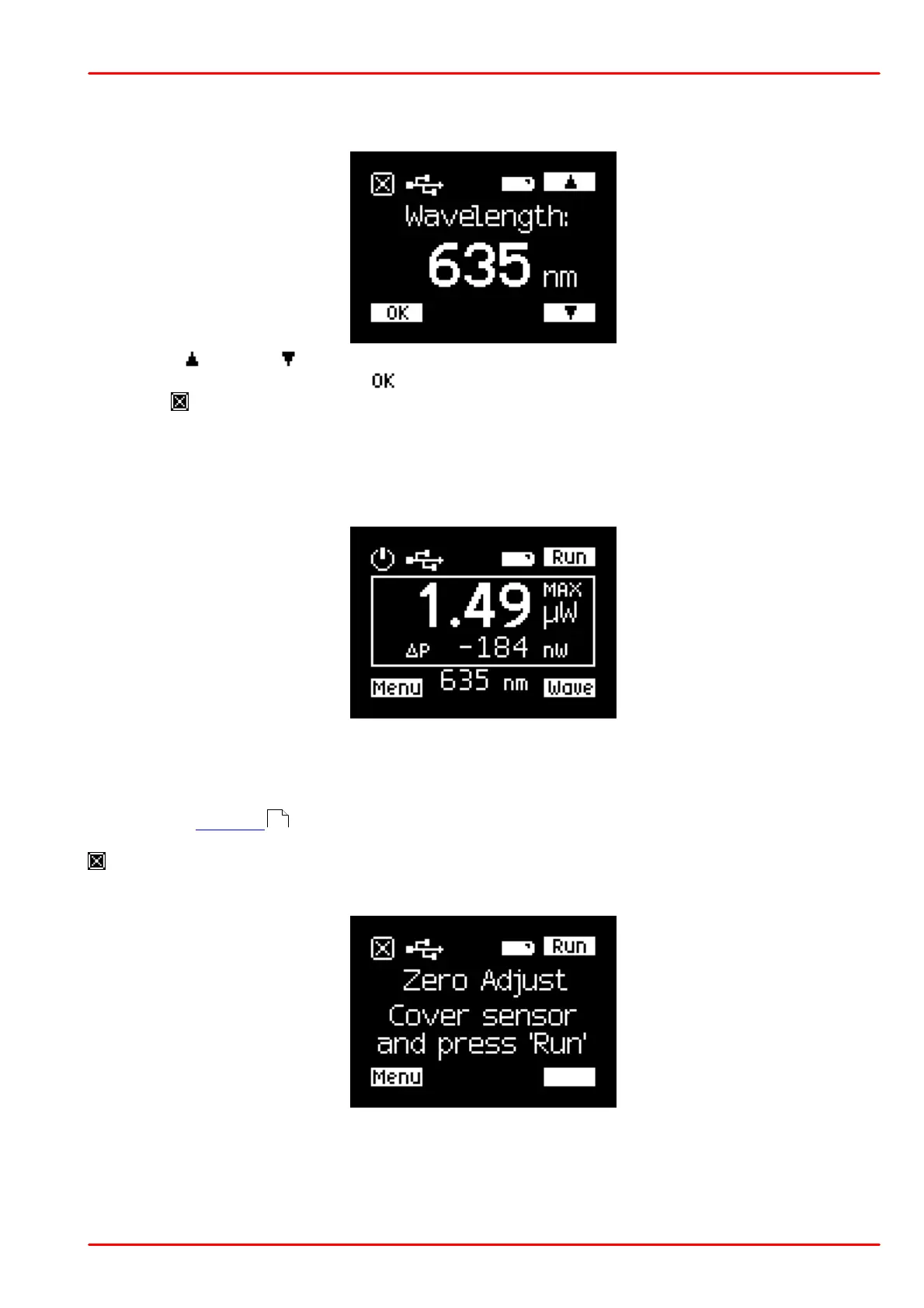
To set the correct wavelength, push the "Wave" button.
Use the up or down button to adjust the wavelength of the incident light. Confirm the entry
by pressing the button next to the icon or cancel the entry by pressing the button next to the
ESC icon .
Max-Hold function: As long as the button Hold is pressed, the PM160x detects the maximum
power. After the button is released, the MAX power is displayed together with the "delta", the
difference between the actual and the MAX value.
Push the Run button to return to the normal measurement mode.
Menus
Push Menu (button 9 ) to scroll through the menu screens. Each time this button is pressed,
the next menu item appears. Return to the measurement screen by pressing the button next to
.
Menu "Zero Adjust"
This function is used to compensate the photo diode's dark current (PM160) or the thermal
sensor's offset voltage (PM160T, PM160T-HP). Cover the sensor aperture and press Run.
4



 To Next Page