© 2019 Thorlabs4
PM160x
3 Operating Elements
3.1 PM160 Operating Elements
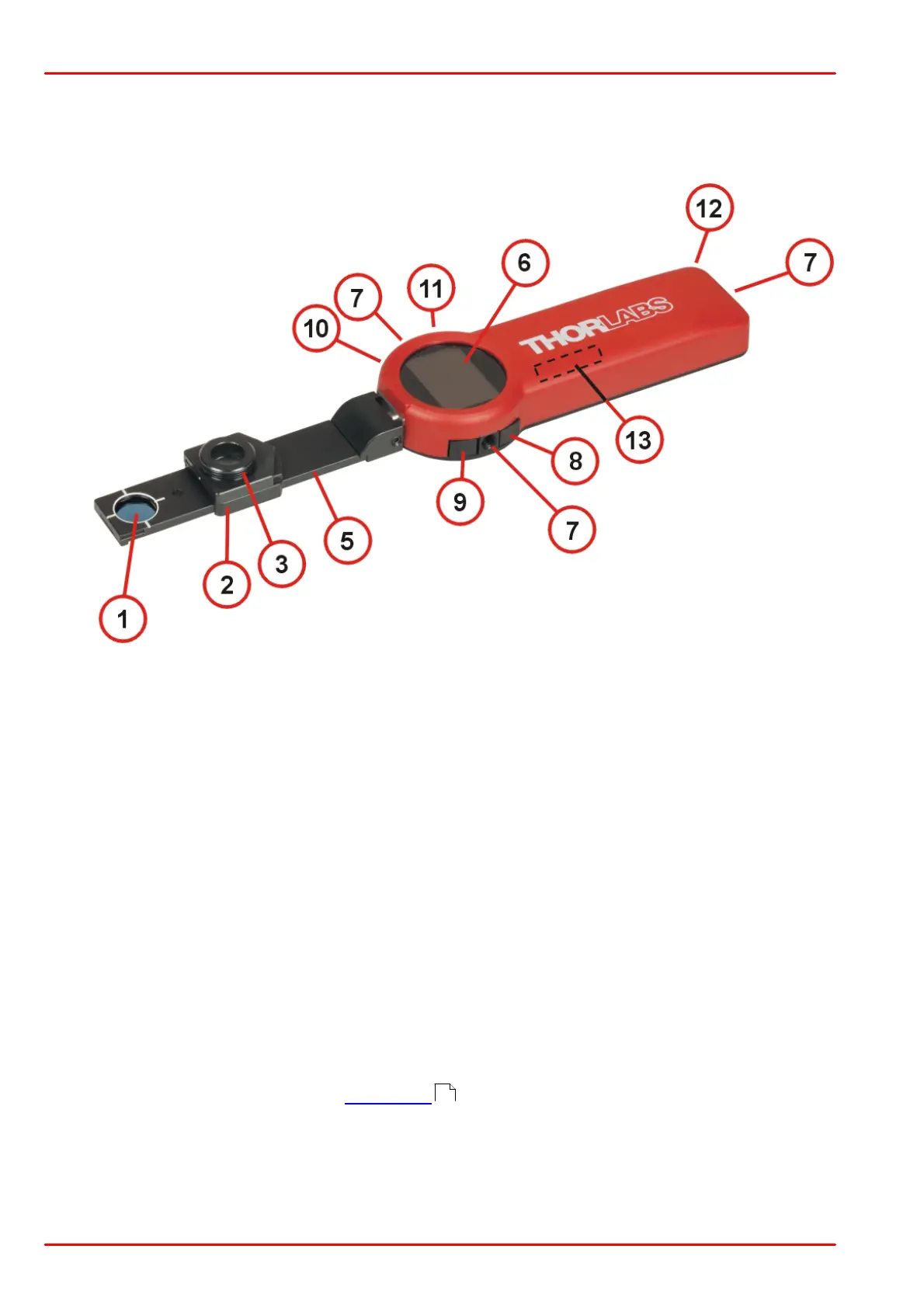
270° rotatable arm with build-in sensor and optical filter
Combined imperial/metric 8-32 / M4 threads for mounting (3 places)
Push buttons for local control, see chapter Rear View
Integrated bluetooth antenna
The position of the slideable optical filter (2) is detected in order to correct the power read-out
accordingly.
The push buttons 8 to 11 are soft keys, their function is shown in the display. The functions as
stated on the rear panel are the defaults when the PM160 is switched off. The position for the
functions changes when the display orientation is changed.
The SM05 adapter can accommodate a Thorlabs fiber adapter.
10



 To Next Page