Thundercomm EB5 Edge AI Box Hardware User Manual
- 17 -
Chapter 4. Hardware Operation
Power On
Please check that EB5 and the power adapter in the package are in good condition. Perform boot operation
according to our operation guide. EB5 starts automatically when it is plugged in.
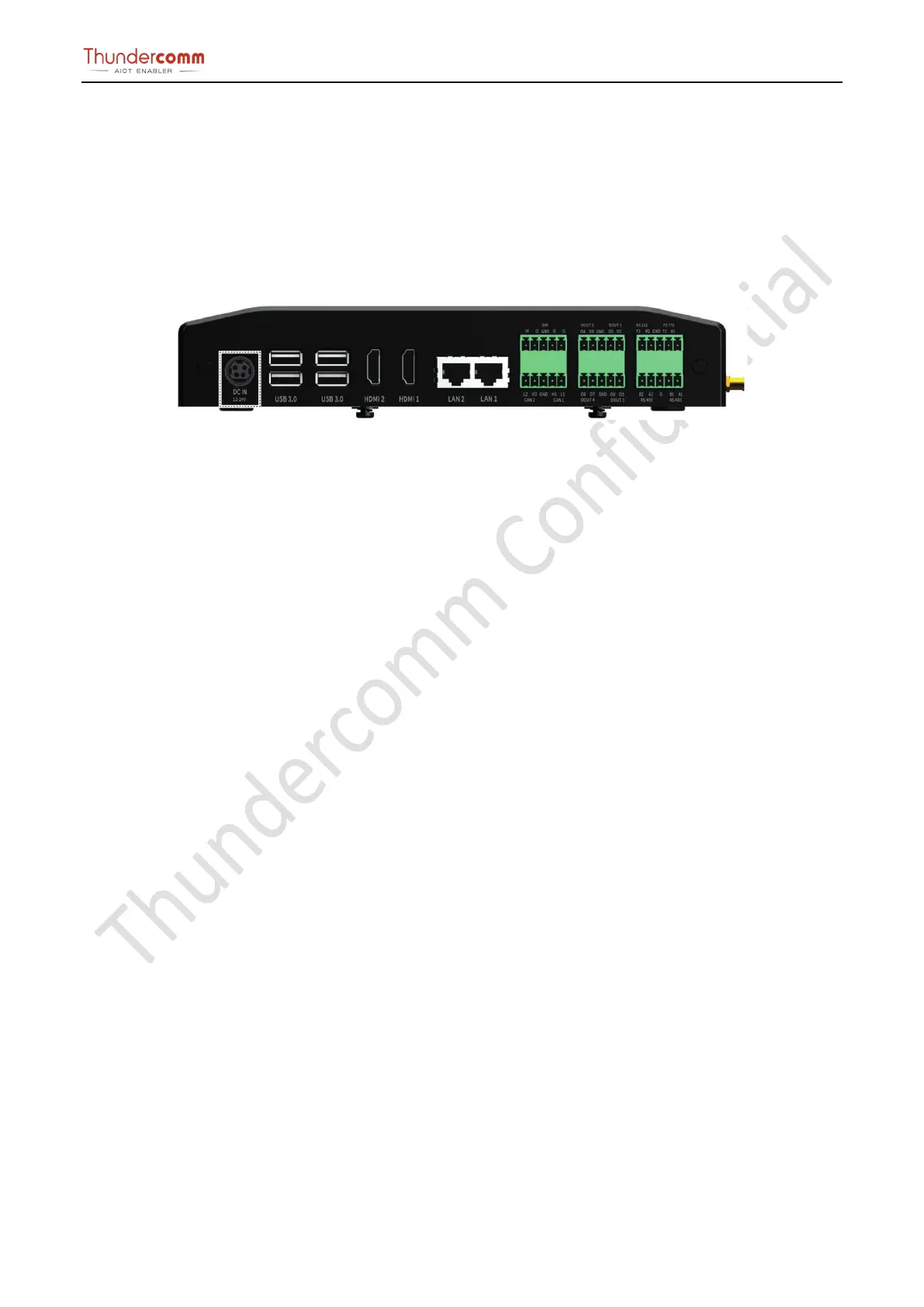
Step 1. Plug the power adapter into the power socket.
Figure 4-1. Power Button Location Instruction
Step 2. Check the working status of the power indicator.
NOTE: Power indicator:
LED light (green): EB5 is working
LED light (off): EB5 is powered off
Remarks:
Power button function is under development. You can turn off the EB5 by unplugging the power cord.


 To Next Page