39
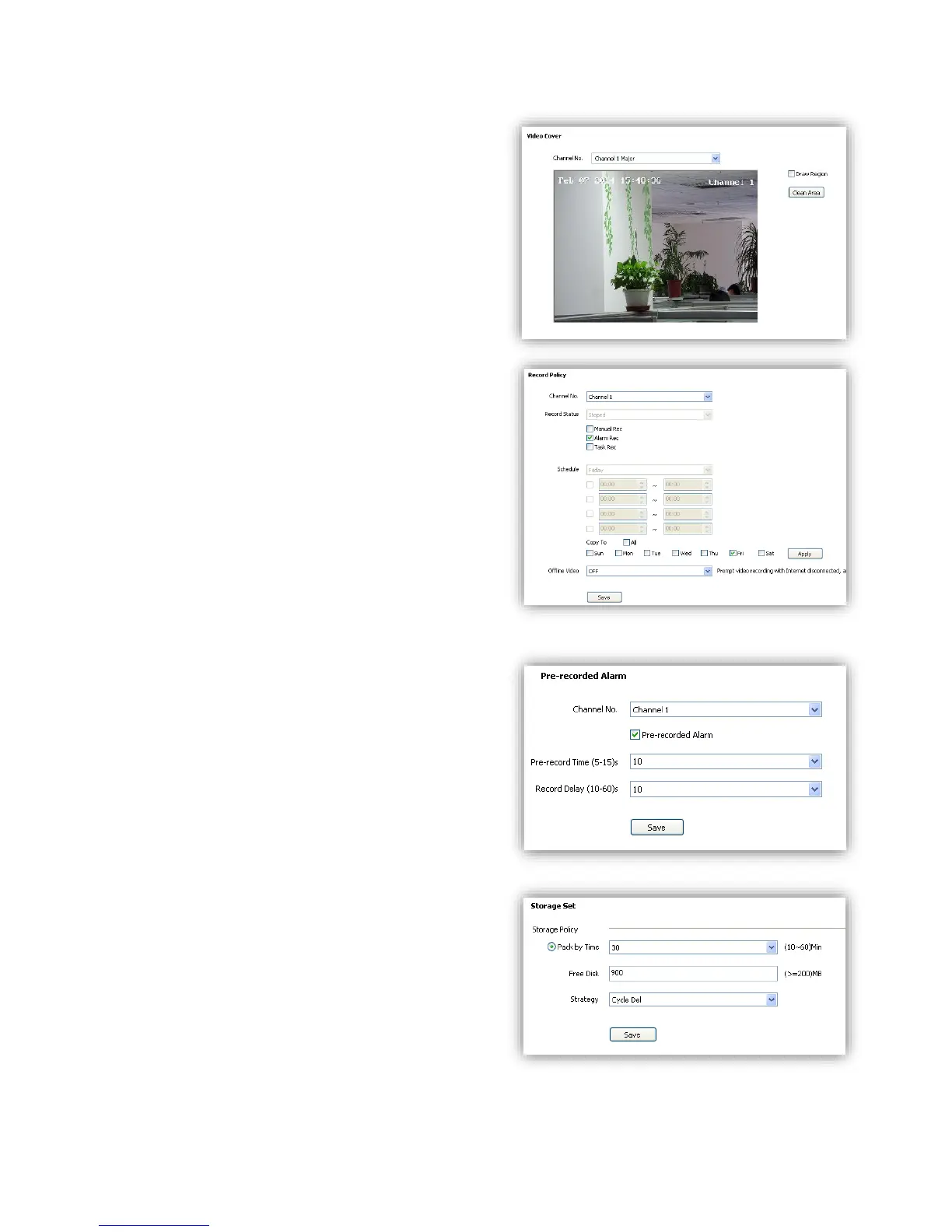
6.4.3 Video Cover
Add up to 4 cover areas on the screen.
(1)<Channel No.> Choose target channel.
(2)<Draw Region> Check to enable.
(3)Draw cover area on screen
(4)<Clean Area> Delete all cover areas.
6.5 Storage Management
6.5.1 Record Policy
Setup recording schedule.
(1)<Channel No.> Choose target channel.
(2)<Record Status> Display current record status.
(3)Select recording type(multiple-choice)
<Manual Rec> Check to start recording.
<Alarm Rec> Recording will be activated by
alarm.
<Task Rec> Timing recording, 4 time periods
settable for one day.
(4)<Offline Video> When it is ON, the device will
follow the schedule of <Task Rec> when offline.
(5)<Save> Save.
6.5.2 Pre-recorded Alarm
<Pre-recorded Alarm> record before alarm, or
continue to record after alarm.
(1)<Channel No.> Target channel.
(2)<Pre-recorded Alarm> Check to enable.
(3)<Pre-record Time> Record before alarm.
(4)<Record Delay> Continues to record after
alarm.
(5)<Save> Save.
6.5.3 Storage Set
<Pack by time> Pack the record files by time.
<Free Disk> Pack the record files by size.
<Strategy> Select how to handle the record files
when the disk is full.
<Stop Rec> Stop record new files.
<Cycle Del> Delete the earliest record files.
<Cycle Del (Except Alarm)>
Delete the earliest record files except event record
files.



 To Next Page