43
Cancel blacklist or whitelist
Anytime click<Allow All> and <Save> to cancel all the blacklist and whitelist.
Note: Please restart device after setup blacklist or whitelist.
6.7 User management
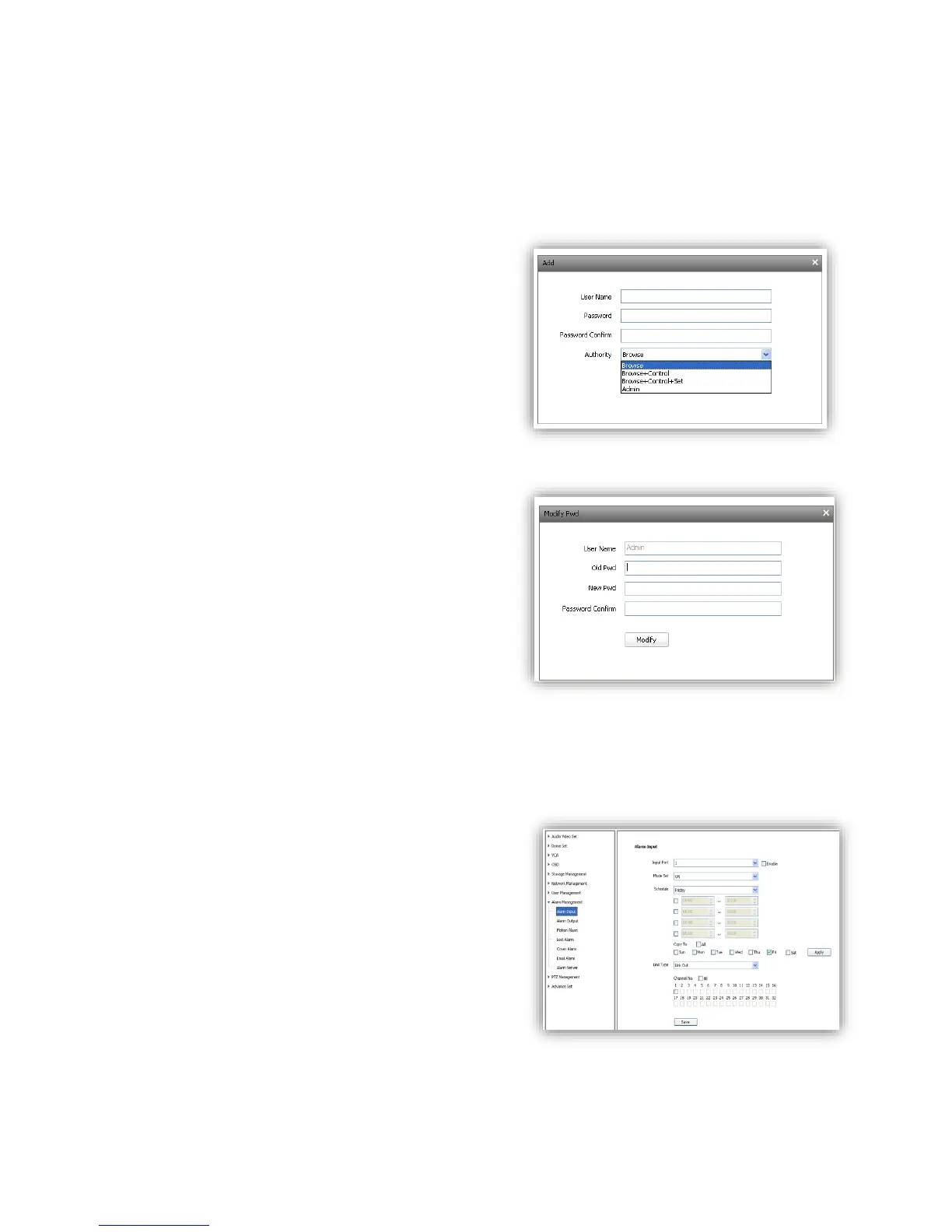
6.7.1 Add User
<User name> add user, only English letter and figure
are available.
<Password> only English letter and figure are
available.
<Authority>:
Browse: Can only watch the videos.
browse+ control: Watch video and control PTZ.
browse+ control+ set: Allow all operation except
user management.
Administrator: All operations available.
6.7.2 Modify password
Select the user you want to modify in the user list,
click <Modify Pwd>,input the old password, new
password, password confirmation, then
click<Modify>.
6.7.3 Delete User
Select targeted user in user list and click【Delete】
to delete.
6.8 Alarm Management
6.8.1 Alarm Input
IP Camera alarm input has port1~8, alarm mode
include closed circuit alarm and open circuit alarm.
<ON>is closed circuit alarm.
<OFF>is open circuit alarm.
<Link Out>/<Link PTZ> activate alarm device or PTZ.



 To Next Page