40
<Save>
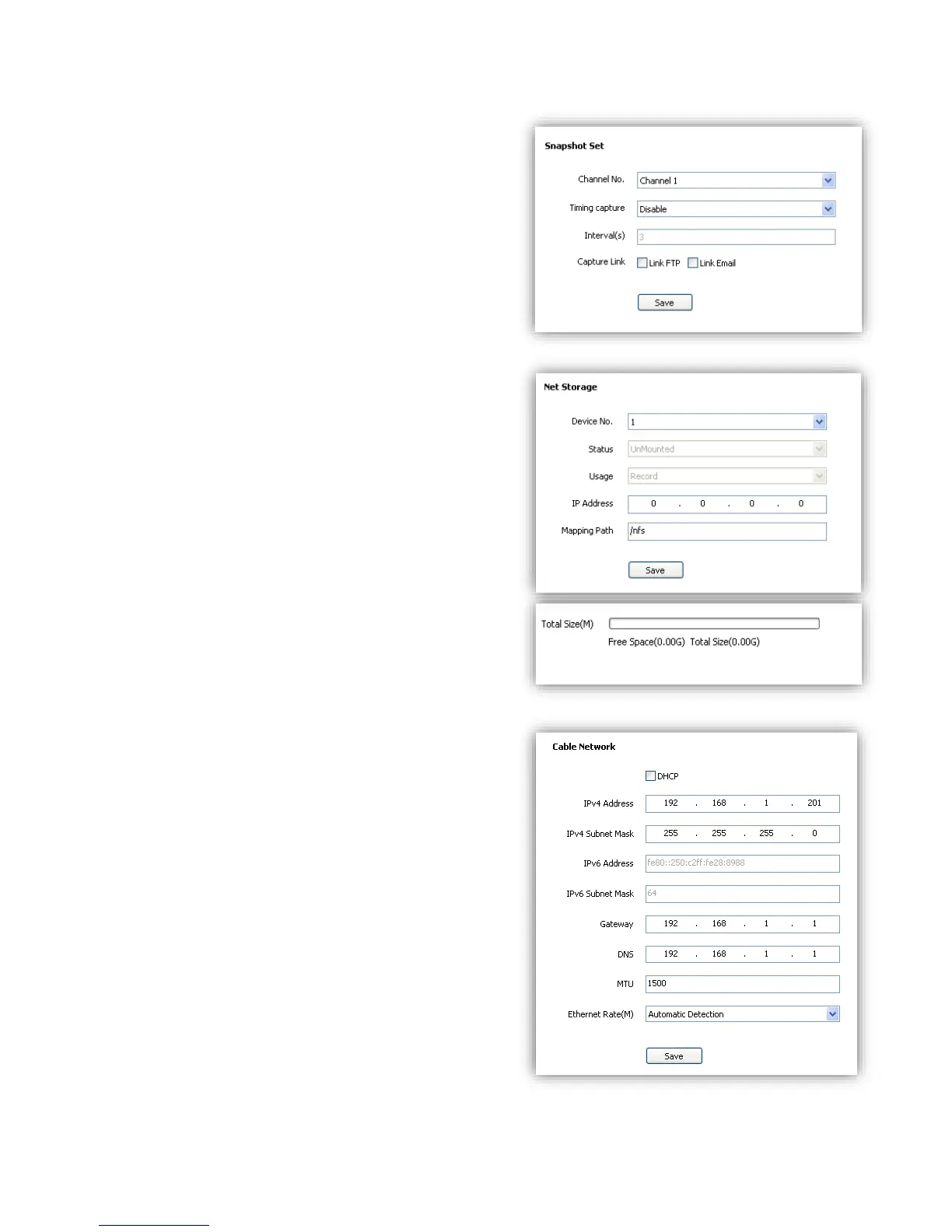
6.5.4 Snapshot Set
(1) <Channel No.> Select target channel.
(2)<Timing capture> Enable timing capture
(3)<Interval(s)> Set how much internval times
between two snapshots.
(4)<Link FTP>snapshot and upload to FTP server.
(5)<Link Email>snapshot and send to target email.
(4)<Save>
6.5.5 Disk Information
<Initialize Disk> format the disk
6.5.6 Network Storage
(1)<Device No.> Select disk.
(2)<Status> Show current disk status information
(3)<Usage> Shows purpose of disk.
(4)<IP Address> Setup IP address of <Network
Storage>.
(5)<Mapping Path> Setup disk path of mapping.
(6)<Total Size(M)> Shows used and total capacity of
the disk.
(7)<Save>
6.6 Network Management
6.6.1 Cable Network
<DHCP> check to enable DHCP server will
automatically allocate IP address for devices.
<IPv6> Display IPV6 address and subnet mask.
<MTU> Maximum Transmission Unit, range from
500~1500, default value is 1500.
<Ethernet Rate> Select mode and rate of Ethernet
card, default mode is <Automatic Detection>, speed
unit is MB.
Notes: Devices will restart after change <Ethernet
Rate>.



 To Next Page