12
Prepare for Printing
Make sure printer switched on
and connected to computer.
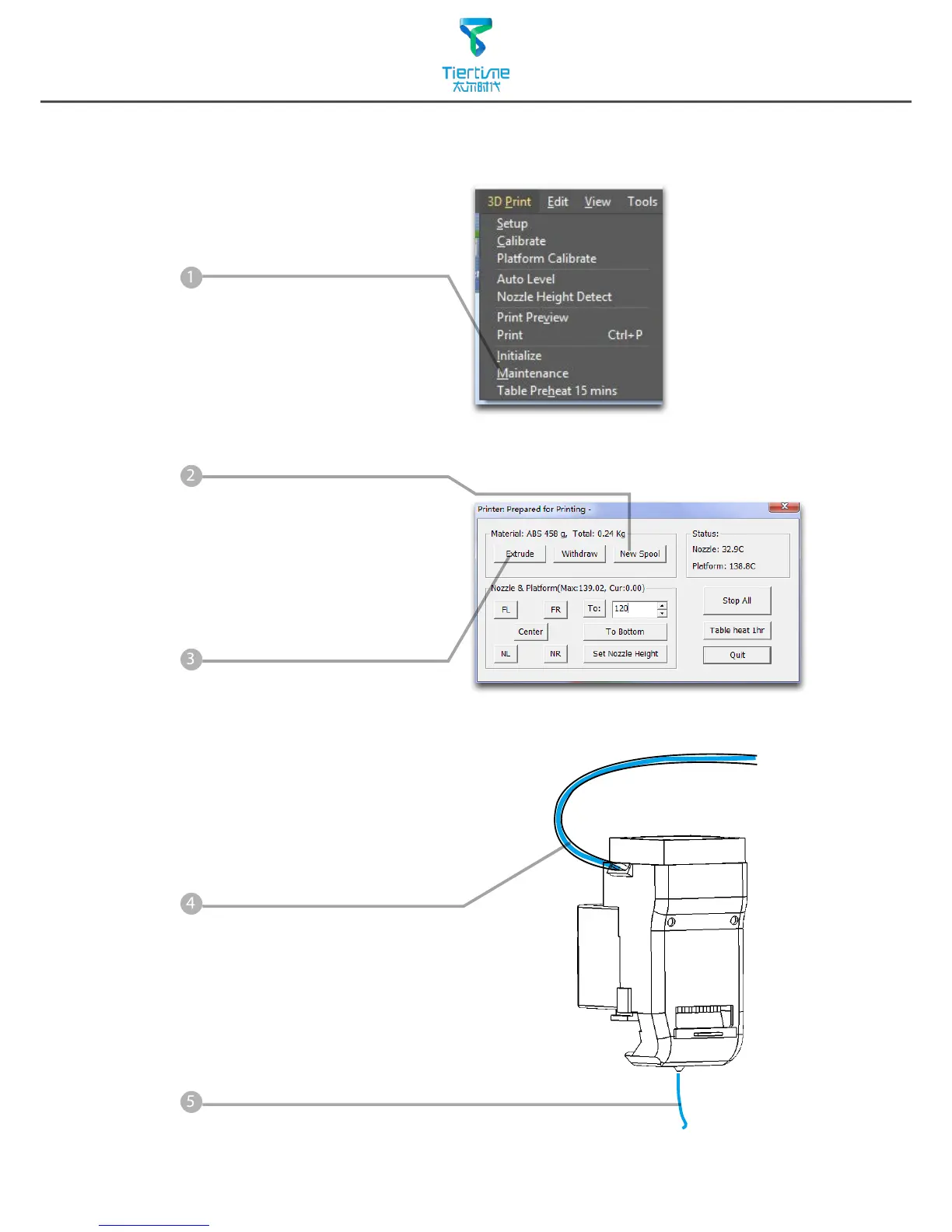
Select Main Menu - 3D Print -
Maintainance.
Click "Extrude" button, the print
head will start to heat up, within
5 minutes its temperature will
reach 260
o
C, then printer will
buzz and the print head start to
extrude.
Gently insert the fliament into
the small hole on the print head.
The filament will be feed into
the print head automatically
when it reach the extruder gear
inside the print head.
Check the nozzle for plastic
extrusion. If plastic is coming
out from the nozzle that means
filament loading correctly and
ready for printing.
(The extrusion will stop
automatically.)



 To Next Page