13
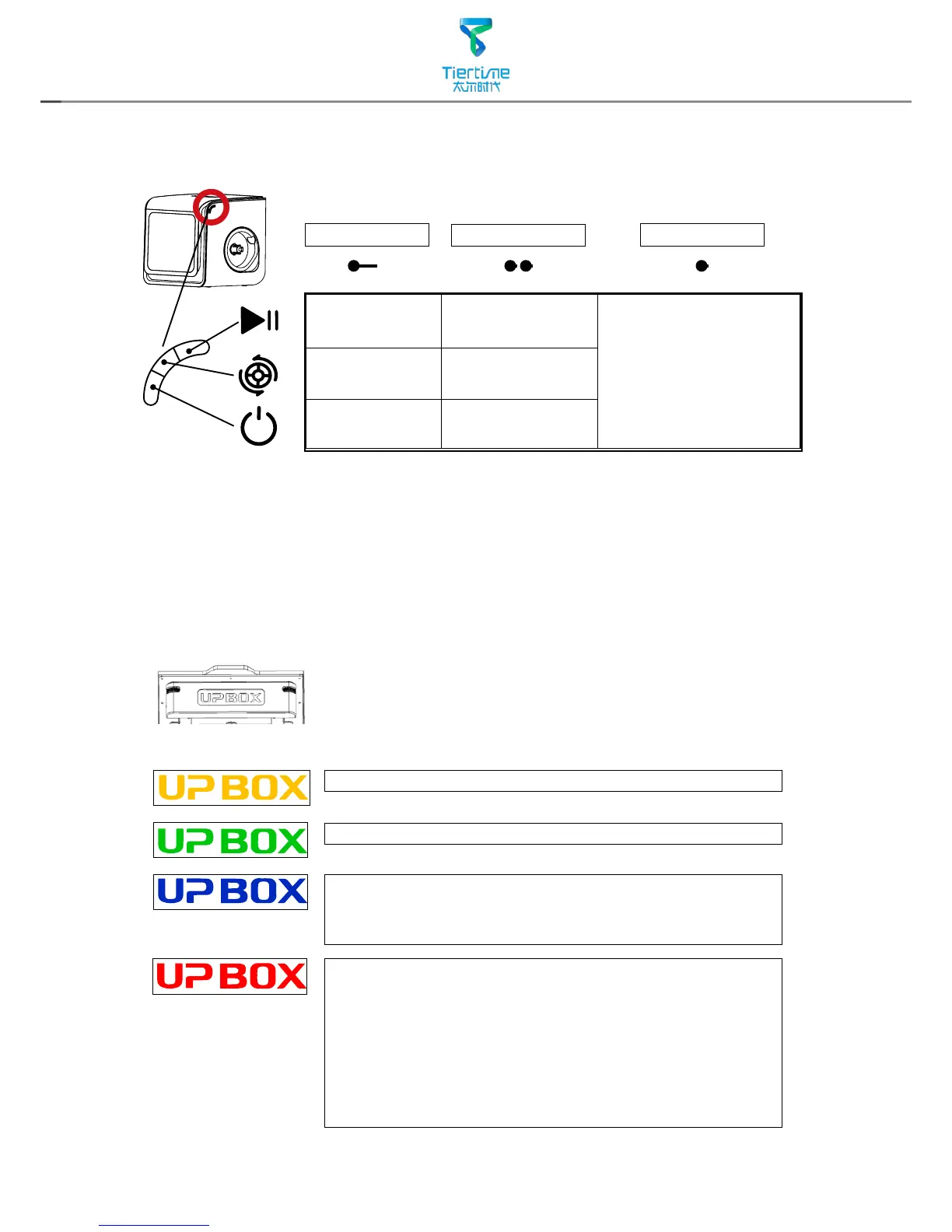
Stop Printing Pause/Resume
Printing
Single click any
button will switch on
the internal lighting
for 3 minutes
Extrude
Filament
Withdraw
Filament
Initialize
Printer
Reprint last job
Single Click
Breathing: Printer switched on, uninitialized.
Breathing: Printer initialized, ready for printing.
Single Letter Rotation: Data transfer and printing
in progress.
Breathing: Paused.
Error. If a single letter is always on, it may
represent following errors:
U: Print Head Error
P: Motion System Error
B: Print Head Temp. Error
O: Build Platform/Chamber Temp. Error
X: SD Card Error
Long Press
Double Click
LED Light Bar
Different color and behavoiur of the "UP BOX"
light bar indicate different status of printer.
Printer Control Buttons



 To Next Page