29
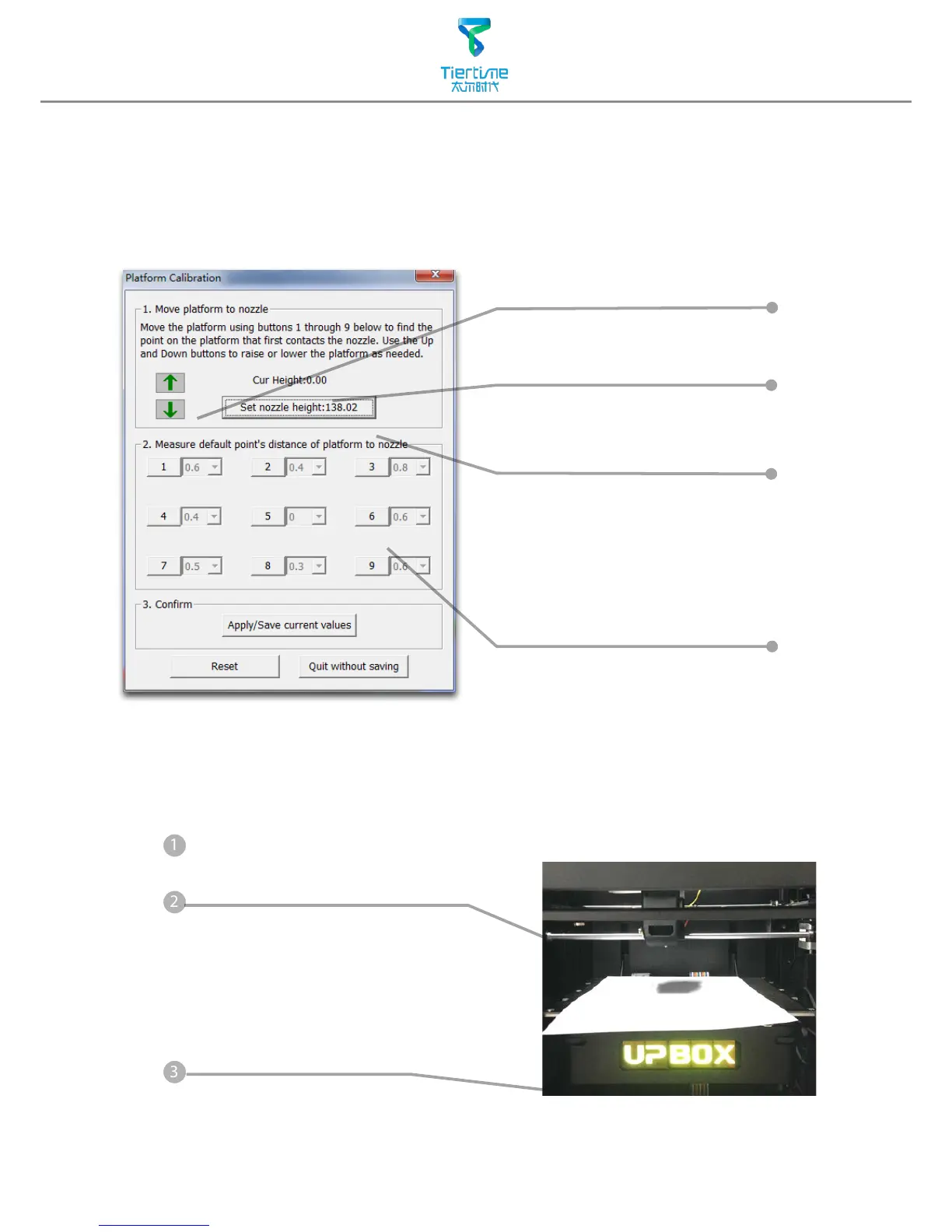
D. 9 calibration point buttons,
represent 9 positions on platform,
after clicking them the nozzle
will move to the corresponding
positions. The drop down menu
beside the button is for setting
leveling compensation values.
A. Moving Platform UP/DOWN:
click/hold the button, platform
will move accordingly.
B. Display the current platform
height.
C. Setting nozzle height: click this
will set the current platform
height as the nozzle height.
Appendix A - Fine Manual Calibration
1. Setting nozzle height.
2. Setting compensation values.
Open: Menu - 3D Print - Platform Calibrate
1. Protocol for setting nozzle height:
Initialize printer
Put a print paper on the platform.
Open the calibration interface and
press the UP key, note the current
height value, stop the platform at
about 190.



 To Next Page