Fluidity 2014-2015
- 34 -
2) Replacing the headset bearings
- Remove the stem by loosening the screws (where applicable, remove the
brake and derailleur cables)
- Pull the stem upwards, taking care not to damage the compression plug
and spacers
- Loosen the QUICKSET cup using the small levers supplied with the
module (P/N: 60003067)
- Slide the cup off the steerer tube
- Pull the fork free from the frame
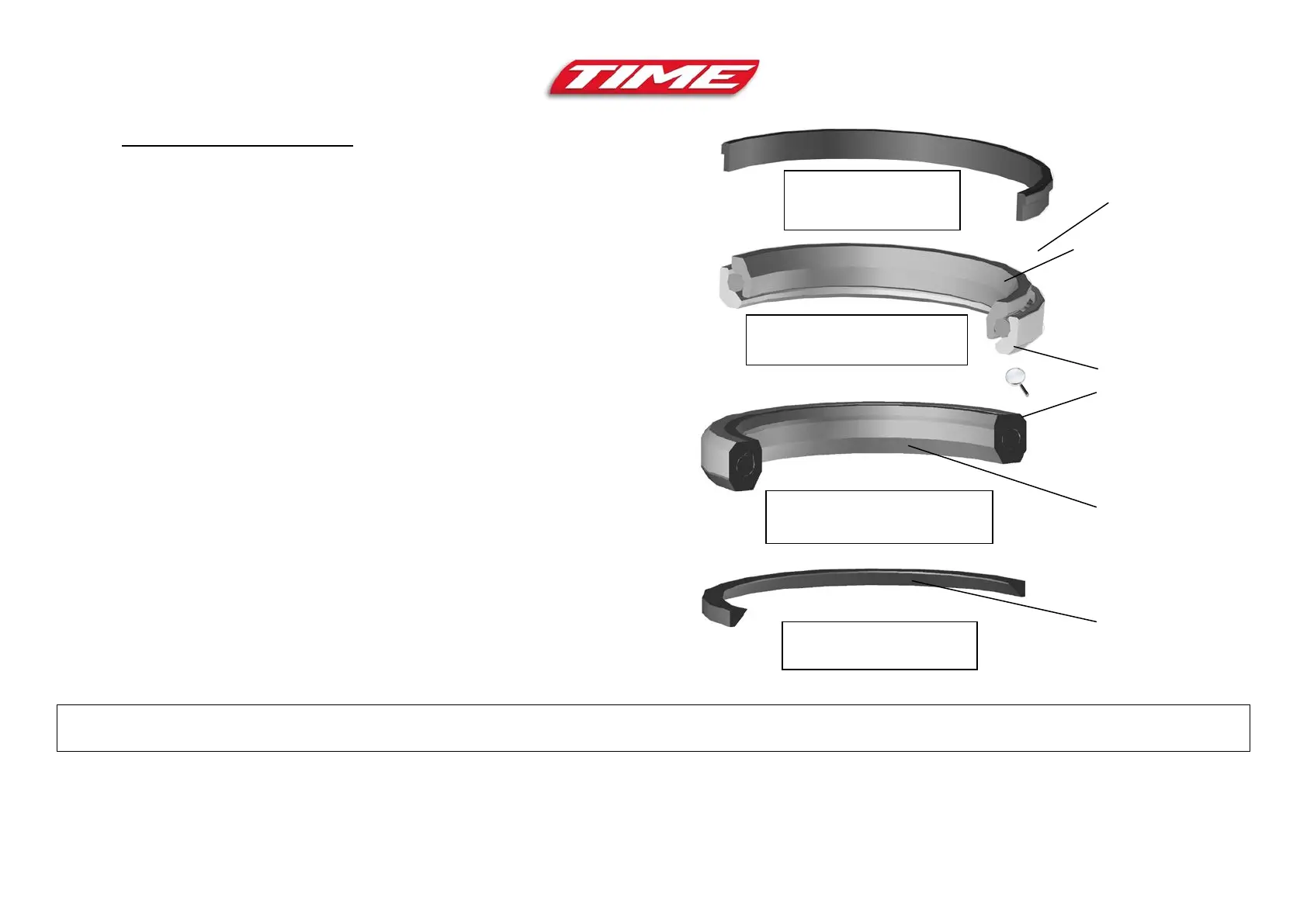
- Remove the bearings and protective skirt
- Clean the seatings and lubricate with cycle grease
- Install the chamfer protective skirt at the lower end of the fork
- Install the lower headset bearing Ø45 (P/N: 61005887), making sure to
position the outer chamfer facing up (fig. 22)
- Insert the fork inside the frame
- Install the upper headset bearing Ø42 (P/N: 61004739), with the outer
chamfer facing down (fig.21)
- Install the QUICKSET cup deflector (P/N: 55006884) on the head tube
(small diameter facing down)
- Slide the QUICKSET cup along the steerer until it stops against the
threaded ring
- Fasten the cup using the small levers (P/N: 60003067) until is stops
against the bearings
- Fine tune the headset play
- Fit the stem back on
Important: TIME frame headset bearings are specific!
Never install adaptable bearings or bearings from a different brand as this could jeopardise the safety and cause permanent damage to your frame
Upper bearing Ø 42
P/N: 61004739
P/N: 55006884
diameter
Lower bearing Ø 45
P/N: 61005887
Protective skirt
P/N: 55006027



 To Next Page