5.4.3. VIEW
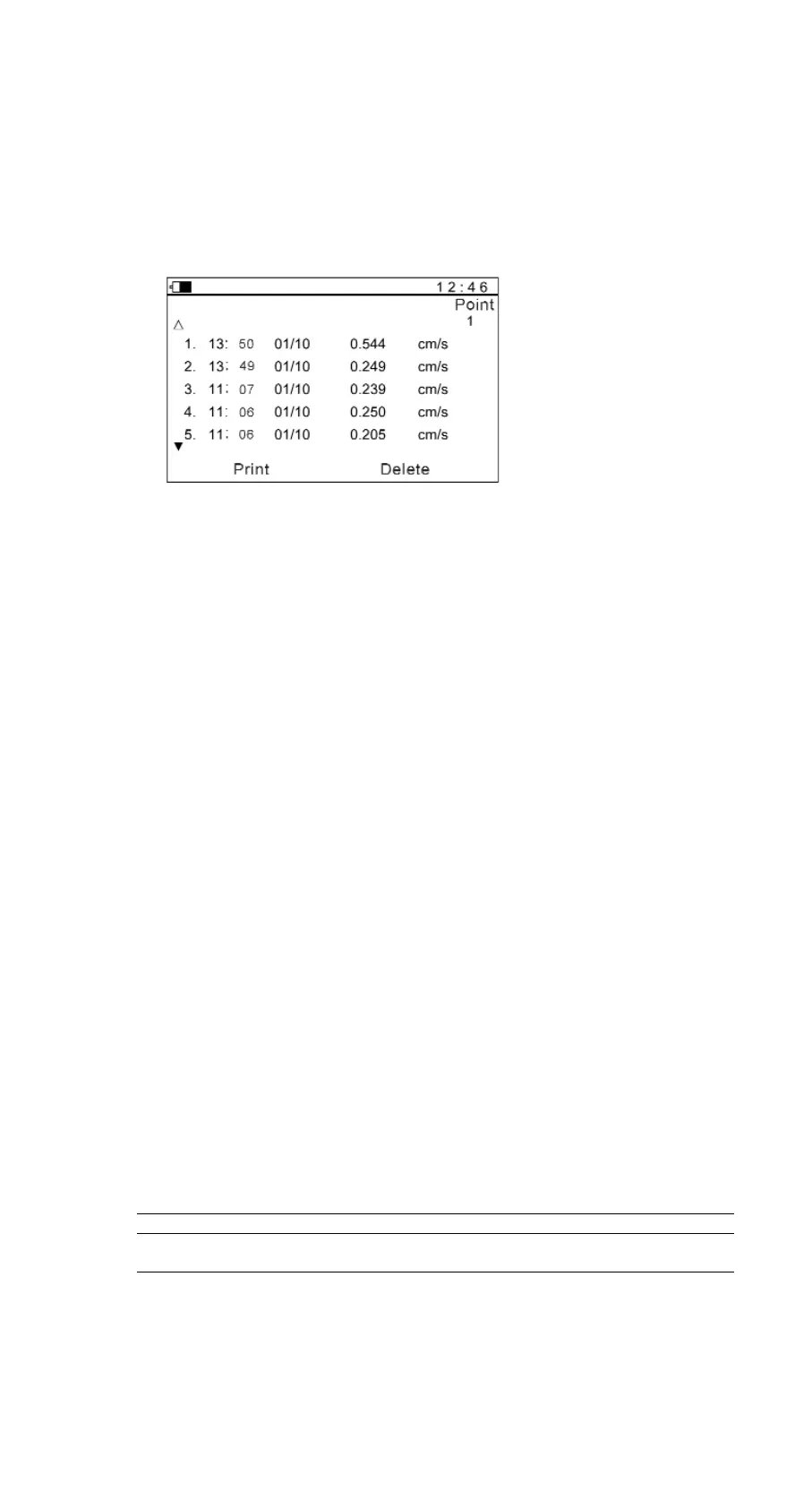
Users can look through the measurement results stored in the memory by selecting
"View". The information of each measurement result comprises point number,
testing time and certain results (see Figure 5-7). Users could print out the list. Also,
the data can be deleted.
Figure 5-7
5.4.4. SYSTEM
5.4.4.1. Measurement settings
- Parameter: Velocity, Displacement and Acceleration. Affection of this
setting is shown in 5.4.4.3.
- Transmission bands: According to application, select the bands of frequency.
- Limit: When the limit is set, the meter could display status bar to
inspect the status of the running equipment easily. As
soon as the tested value is beyond the limit, the meter
request to enter into diagnosis (see Figure 5-2).
5.4.4.2. Point increment
If select "Yes", when a testing operation of the current point number is
finished, the point number will increase automatically, and go into the
waiting state of the next point number. Up/Down keys can also change
the testing point number.
If select "No", point number will not increase automatically. When tests
are performed continuously, the measurement results will be regarded
as different testing results of the same testing point number.
5.4.4.3. Display modes
There are three display modes: Common mode (Table 5-1, Figure 5-8),
Special mode (Table 5-2, Figure 5-9) and Spectrum mode (Figure 5-2).
Table 5-1 Common mode
Selected parameter velocity displacement acceleration
Display area RMS of velocity peak - peak value peak value of
of displacement acceleration
Manual TV-300 13


 To Next Page