11
In order to set up the software, firstly, ensure the camera and
computer are connected to the same Wireless Internet Router.
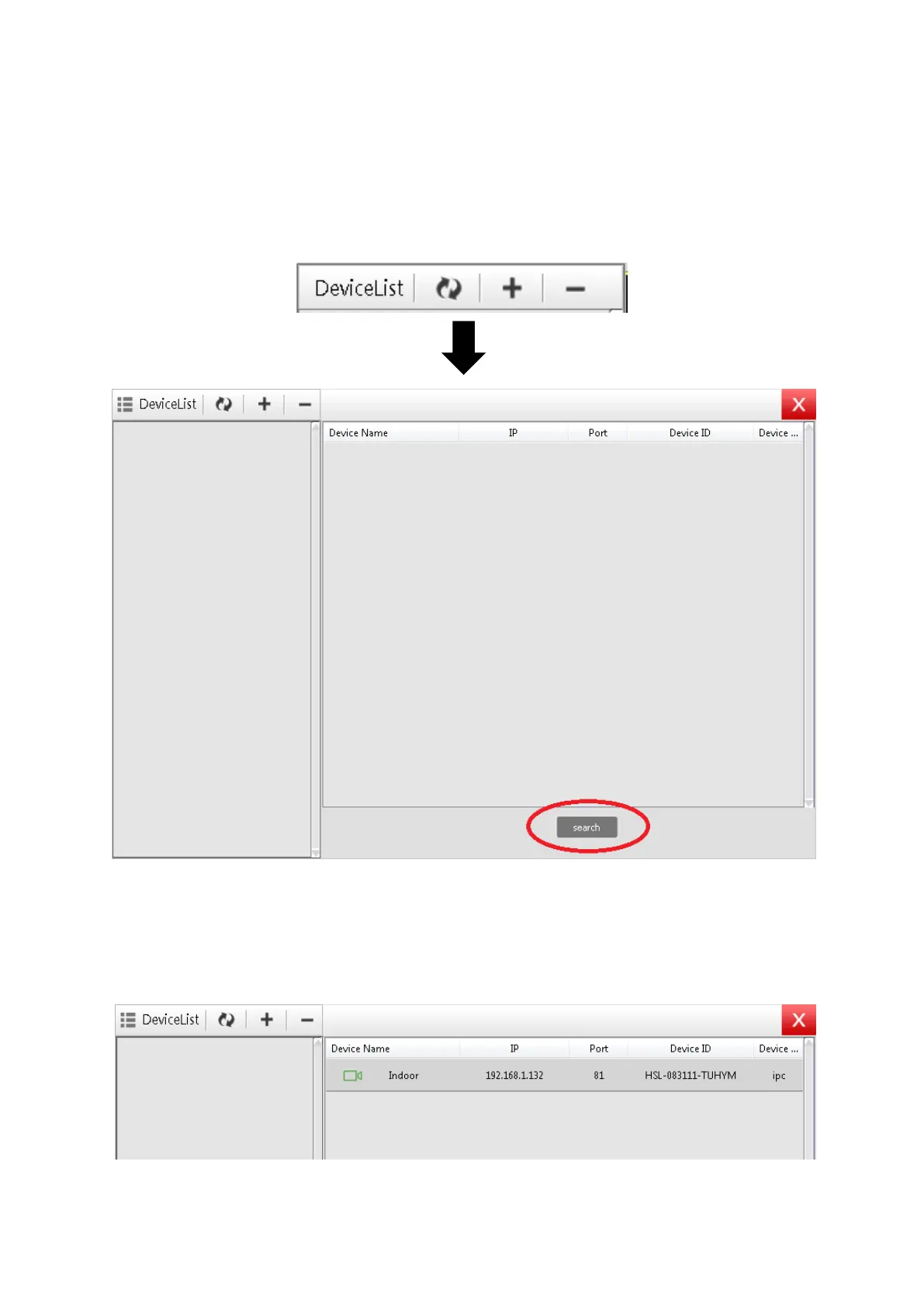
Click the ‘Plus’ icon on the top right-hand corner of the screen. This
will bring up another window, then click ‘Search’.
This will bring up any cameras connected to that Wireless internet
network. Then simply double-click on the Camera you would like to
setup.



 To Next Page