12
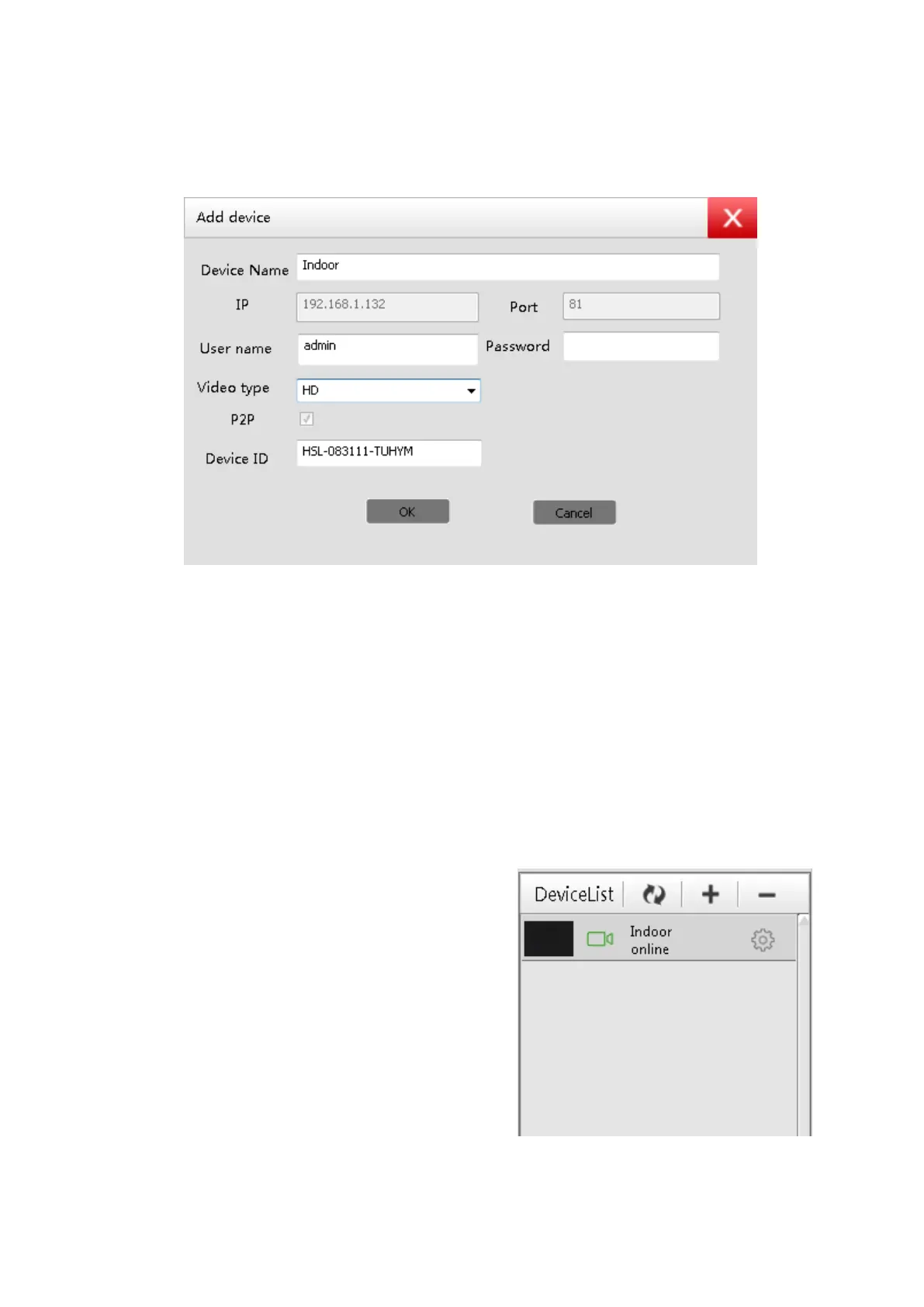
This will bring up another window (see below). Check the Settings
then click OK to add the camera to the Device List.
- The default device name can be changed to whatever you
prefer
- The Username and Password can be found at the bottom of
your camera.
- Each camera will have its own unique Device ID
In order to view the camera, simply
put your mouse over the camera
name in the Device List (see image)
Then drag it into one of the black
windows for the image to appear.
Double-click on the image to enlarge.



 To Next Page