14
11. Operation
Programme Modes
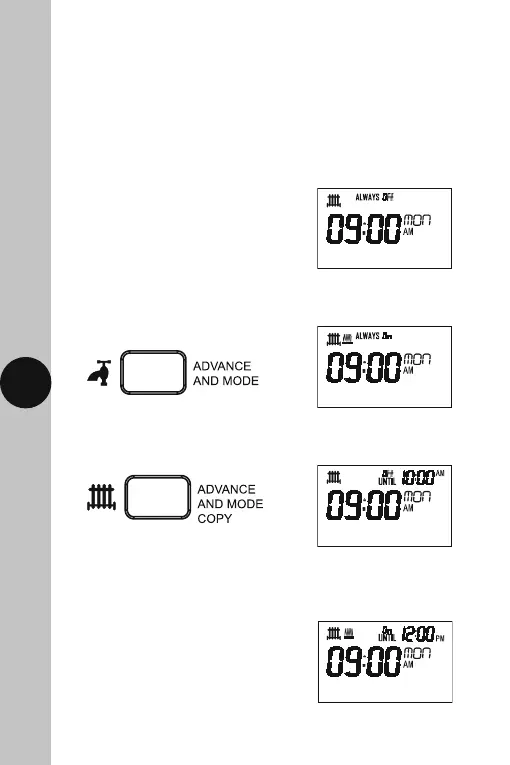
• There are 4 Programme modes available.
You can cycle through all 4 Programme
modes by pressing the Advance and
Mode Copy button.
The output status will be
as follows;
Always OFF
Permanent OFF
Always ON
Permanent ON
OFF until next ON
OFF until next
programmed ON
ON until next OFF
ON until next
programmed OFF
Note:
• If no button is pressed, it will time out after 60 seconds and return
to the mains screen showing day, time and output status.
• The display light will also time out after 15 seconds after the last button
is pressed.
• The Set button can be pressed twice to exit the copy function
at any stage.
Press the Heating Advance
and Mode Copy button, to cycle
through the 4 program modes.
Press the Hot Water Advance
and Mode Copy button, to cycle
through the 4 program modes.



 To Next Page