22 TimePilot me and a endance systems TimePilot me and a endance systems 23
Keyboard method—virtual clock with or without keypad
Click the “virtual clock” on your screen to make it ac ve, then enter your employee 1.
ID number using either the number keys across the top of the computer keyboard or
the keypad at the right side of most full-sized keyboards. Employee ID numbers can be
found by double-clicking the employee’s name in TimePilot Central.
The employee’s name will appear on the TimePilot PC screen.2.
Press the “+” (plus) key to clock in or the “-” (minus) key to clock out. Clicking the 3.
“View” bu on will show the employee his or her Current Transac ons.
Clocking in with an iBu on
If you’ve set up the system to work with iBu ons and the Blue Dot Receptor, here’s how to
clock in:
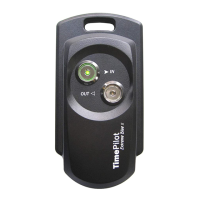
Tap your iBu on to the Blue Dot Receptor. Your name will appear on the TimePilot PC 1.
screen.
Click the “In” or the “Out” bu on on the screen.2.
Or
Press the “+” (plus) key on the computer’s numeric keypad to clock in or the “-” (minus)
key on the keypad to clock out.


 To Next Page