24 TimePilot me and a endance systems TimePilot me and a endance systems 25
TimePilot Central
In earlier sec ons, you learned about the hardware part of your TimePilot me and a endance
system. Now it’s me to learn about the other half: the TimePilot so ware. The essen al
func ons of the TimePilot so ware--se ng up employees in the system, checking or correc ng
their clock-in and clock-out data, genera ng reports--are the same no ma er which meclock
system you use.
The fi rst step is to install the so ware.
Installing the so ware
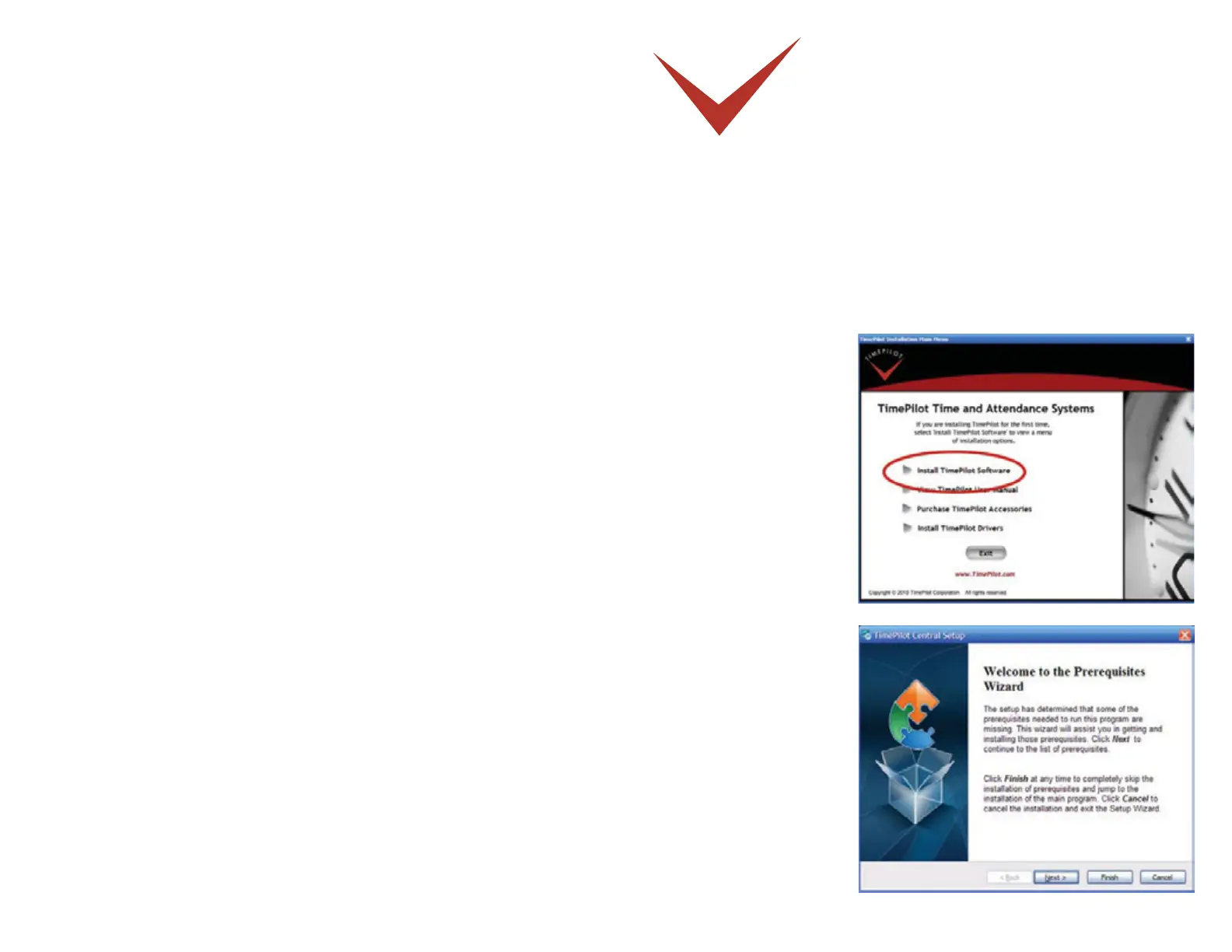
Place the CD into 1.
your computer’s CD
drive. The installa on
program should start
up automa cally. Click
the “Install TimePilot
So ware” bu on. (Shown
at right.)
The program will check 2.
your system to see if
it already contains the
appropriate drivers. If
you’re missing any drivers,
you’ll be off ered the
opportunity to install them
now. (Shown at right.)


 To Next Page