6 TimePilot me and a endance systems TimePilot me and a endance systems 7
“Yes” when you’re asked, “Do you want employees to clock in and out at this computer using
the TimePilot PC clock?” A er it’s installed, you’ll see a registra on screen; simply click the
“Evalua on” box and you’re good for the next 30 days.
If you wish to purchase TimePilot PC, call us at 630.879.6400. You will receive the registra on
code that converts the so ware from a trial version to the regular retail version, a copy of the
program on CD and a printed version of the manual. The setup informa on entered into the
trial version, as well as the data collected, will automa cally be transferred to the permanent
version of the so ware.
For more on TimePilot PC, please see Page 17 or visit our web site, www.TimePilot.com.
TimePilot Extreme
How does the system work?
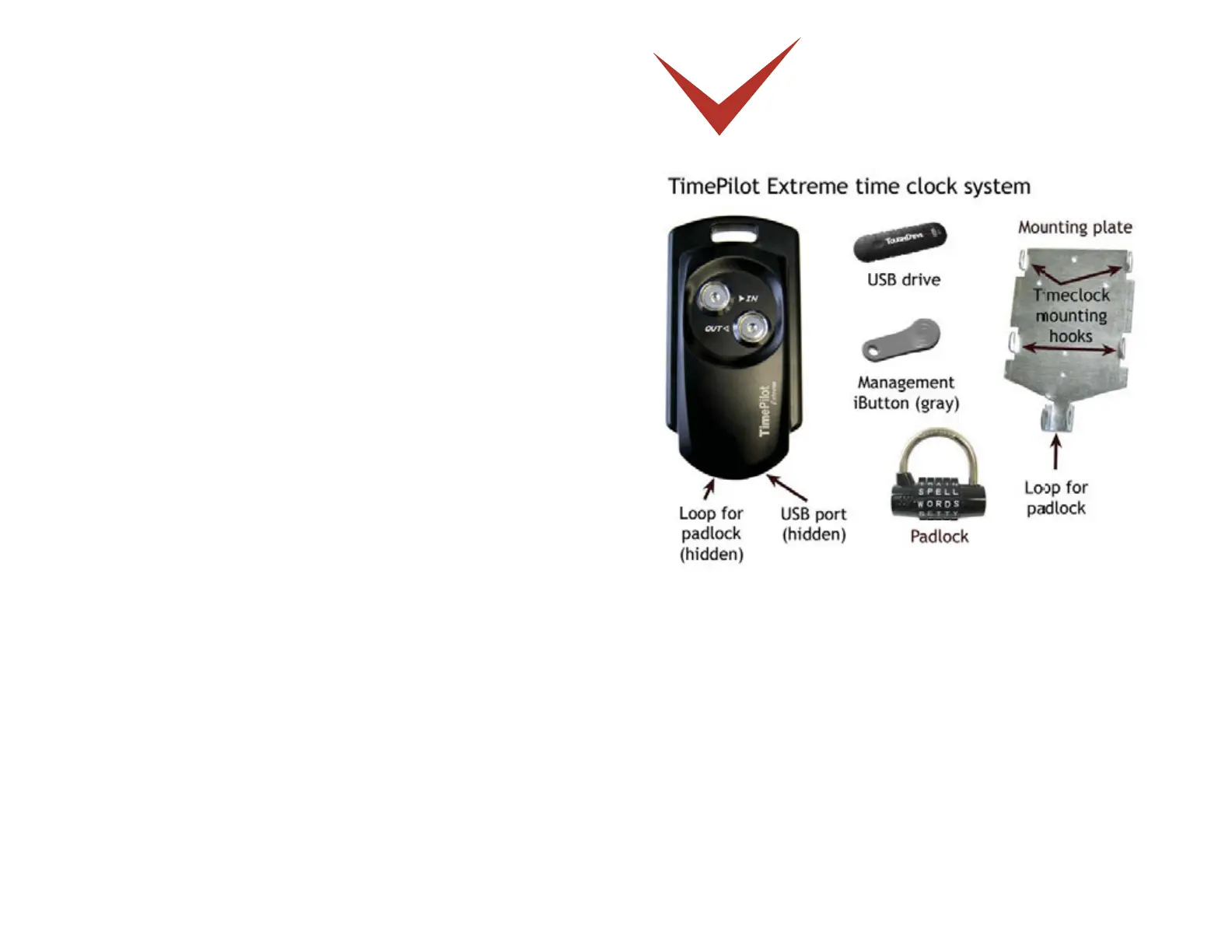
The moun ng plate is screwed to a wall, stud, empty junc on box or other fl at surface. The
Extreme me clock is set up with the TimePilot USB drive (as described in the Quick Start
Guide), placed on the moun ng plate and locked in place with the padlock.
Employees clock in and out with their iBu ons (see the next page for details) and the clock-in
and clock-out data is saved in the clock’s memory.
When it’s me to do payroll, a supervisor downloads the data onto the TimePilot USB drive and
imports it into a PC running the TimePilot Central so ware. (See Page 8 for details.)
The supervisor uses TimePilot Central to make any necessary correc ons or changes to the
a endance data, then uses the so ware to extract the pay period’s data and generate reports
or prepare the data for payroll.


 To Next Page