4
Quick start
Attach AC adaptor cable to jack
on back of the TM80 and plug
the other end into a wall socket
2: time
• Press and hold the Time Zone
button until time zone display
flashes.
• Press << or >> to select your
time zone. Press Time Zone
again.
• Move the DST switch on back
of the unit to +1 or -1 (adds
or subtracts an hour)
3: set alarm
• Press Alarm 1 or Alarm 2
button until alarm time display
flashes.
• Press << or >> to select wake
up time (PM indicated at right
of time display)
• Press Wake-to Button to
select alarm source
4: sound files
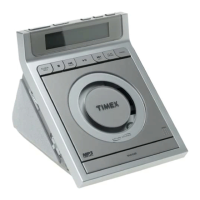
Dock a USB flash drive or SD
card that contains MP3 or WMA
files. Press Play/Pause Button to
play.
1: power
• Press the Radio button for
radio mode and to select band
• Press << or >> button to tune
to a desired station (HOLD for
seek).
• Press and hold a preset button
to assign station as preset.
Press a preset button to listen
to the related preset station.
5: radio


 To Next Page
 Loading...