EasyManua.ls Logo

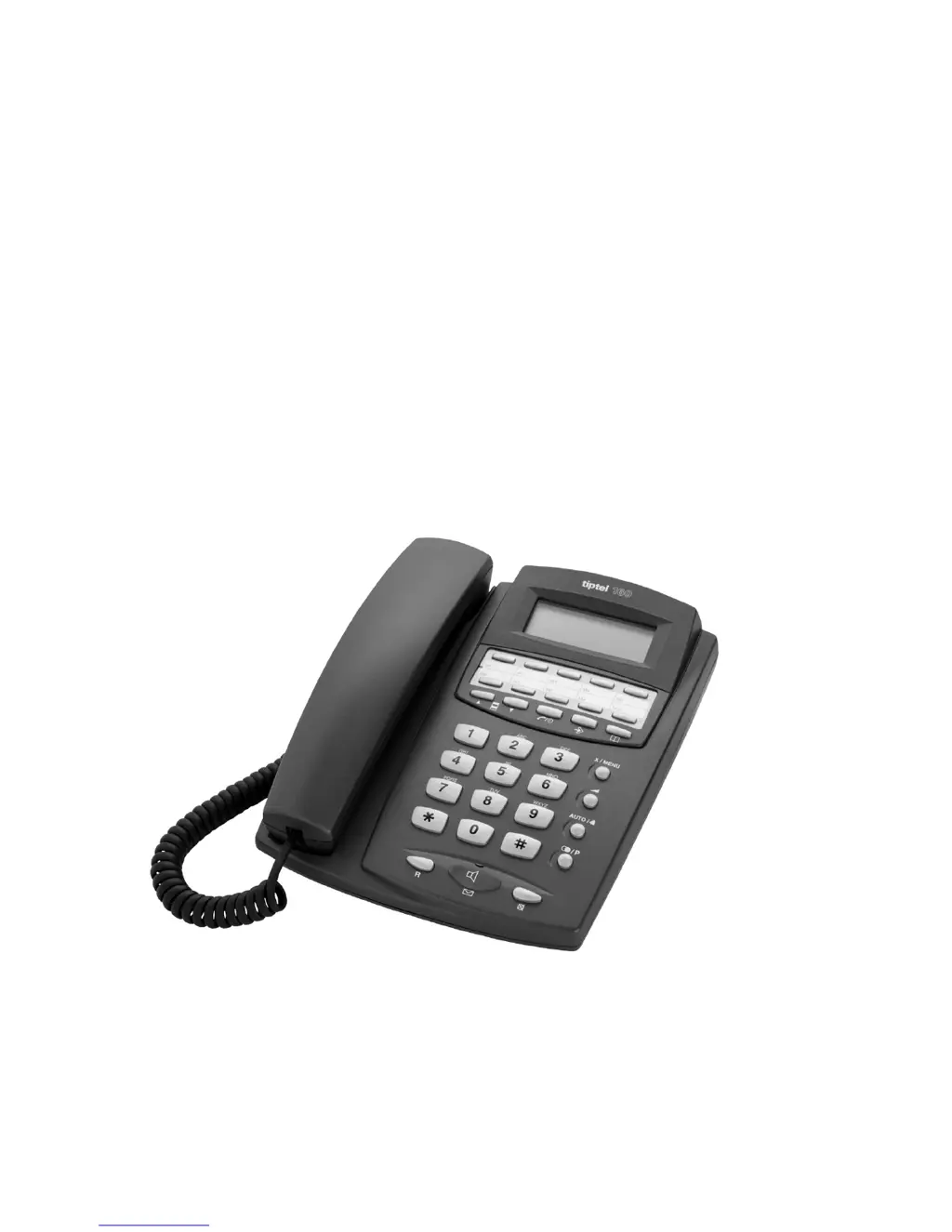
TIPTEL 160 - User Manual

TIPTEL 160
196 pages
Go to English
Print Icon
To Next Page IconTo Next Page
Loading...
Bedienungsanleitung (D/A/CH)
Manuel d’utilisation (F/B/CH)
Gebruiksaanwijzing (NL/B)
Manual (English)
Εγχειρίδιο Χρήσης (GR)
Manual (PT)
Brukerveiledning (NOR)
tiptel 160
tiptel

Table of Contents

Questions and Answers

  • R
    Ralph BarnesAug 16, 2025
    Why my TIPTEL Telephone receives calls but cannot make calls?
    • J
      James RivasAug 16, 2025
      If your TIPTEL Telephone receives calls but can't make them, the dial mode might be incorrect. Try changing to the appropriate dial mode.
  • B
    bfloresAug 19, 2025
    What to do if my TIPTEL 160 does not ring and there is no sound?
    • C
      Christopher TurnerAug 19, 2025
      If your TIPTEL Telephone is not ringing and there is no sound, ensure that all cables and plugs are correctly connected to the telephone socket. If needed, try using another plug. Also, check that the ring tone volume is not set to silent.
  • K
    Kimberly SullivanAug 22, 2025
    How to fix buzzing or interference on TIPTEL Telephone loudspeaker?
    • D
      Danielle KelleyAug 22, 2025
      If you are experiencing buzzing or other interference on the loudspeaker of your TIPTEL Telephone, it might be due to interference from devices like cordless telephones or monitors. Try changing the installation location of your telephone.
  • H
    Hannah BullockAug 25, 2025
    Why does my TIPTEL Telephone not display the call number when I receive a call?
    • M
      Marcus SheppardAug 26, 2025
      If your TIPTEL Telephone is not displaying a call number when you receive a call, it could be due to several reasons: the network operator or PABX might not support the function, the caller may have suppressed their number, the call might be from a public telephone, or the call is made via a telephone network that does not support transferring call numbers. Check with your network operator or PABX to see if the function is supported or needs to be authorized.
  • D
    Dr. Jessica GreenAug 28, 2025
    What to do if my TIPTEL 160 has incorrect connection when dialing from PABX?
    • O
      otorresAug 28, 2025
      If you are experiencing an incorrect or no connection when dialing from your TIPTEL Telephone through a PABX, it's possible that the prefix for the public network has not been entered. Try entering the prefix.
  • M
    Martha HaleAug 31, 2025
    Why TIPTEL 160 Telephone does not ring in PABX?
    • A
      aaronalvaradoAug 31, 2025
      If your TIPTEL Telephone does not ring when used with a PABX, the ringing signal might not be assigned to the extension. Check the PABX programming to ensure the ringing signal is properly configured.
  • C
    Carla BallardSep 3, 2025
    How to turn off MWI lamp on TIPTEL 160?
    • M
      michaelpachecoSep 3, 2025
      If the MWI lamp on your TIPTEL Telephone is on all the time, it could be due to a wrong setting of the MWI-switch or incorrect telephone line polarity. Try changing the MWI-switch from PR1 to PR2 or vice versa.
  • C
    charlottemaddoxSep 6, 2025
    How to fix no display on TIPTEL 160 Telephone when going off-hook?
    • L
      Lori ColonSep 6, 2025
      If there is no display on your TIPTEL Telephone when you go off-hook, it could be due to a lack of contact with the telephone socket. Check all cables and plugs, and if necessary, try another plug.
  • K
    Kyle MooreSep 9, 2025
    How to adjust display contrast on TIPTEL 160 Telephone?
    • A
      Ann WestSep 9, 2025
      If the display on your TIPTEL Telephone is too weak or dark, the contrast may be set incorrectly. Try adjusting the contrast settings.
  • S
    Stacey YoungSep 12, 2025
    Why does my TIPTEL 160 display show the wrong year?
    • J
      james13Sep 13, 2025
      If your TIPTEL Telephone display shows the wrong year but the date and time are correct, it is likely that the network operator or PABX is sending date and time information but not the year. Set the year manually, as there is no protocol to send the year information. This is not a fault.

Summary

Safety instructions

Getting started

Product features

Details the key functionalities and capabilities of the telephone device.

Function setup

Operation

Make a Call

Instructions on how to initiate and conduct phone calls.

Answer a Call

Procedure for receiving and responding to incoming calls.

End a call

Steps to properly terminate an ongoing phone conversation.

Flash (R-key); Transfer a call

Uses R-key for call waiting or transferring calls on PBX systems.

Redial; Auto redial

Redials the last dialed number or automatically redials unanswered calls.

Speed Dial Memories

Stores and dials frequently used phone numbers with one touch.

Caller ID list

Displays and manages incoming call information and numbers.

Phone book

Manages a list of contacts with names and phone numbers.

Reset complete device back to factory settings

Restores the phone to its original factory default settings.

Message Waiting Indication

Troubleshooting

Factory settings

Technical data

TIPTEL 160 Specifications

General IconGeneral
TypeCorded Telephone
Caller IDYes
Phonebook entries50
SpeakerphoneYes
RedialYes
RingerAdjustable
Volume ControlYes
Power SourcePhone line

Related product manuals