Getting started
7
e
n
g
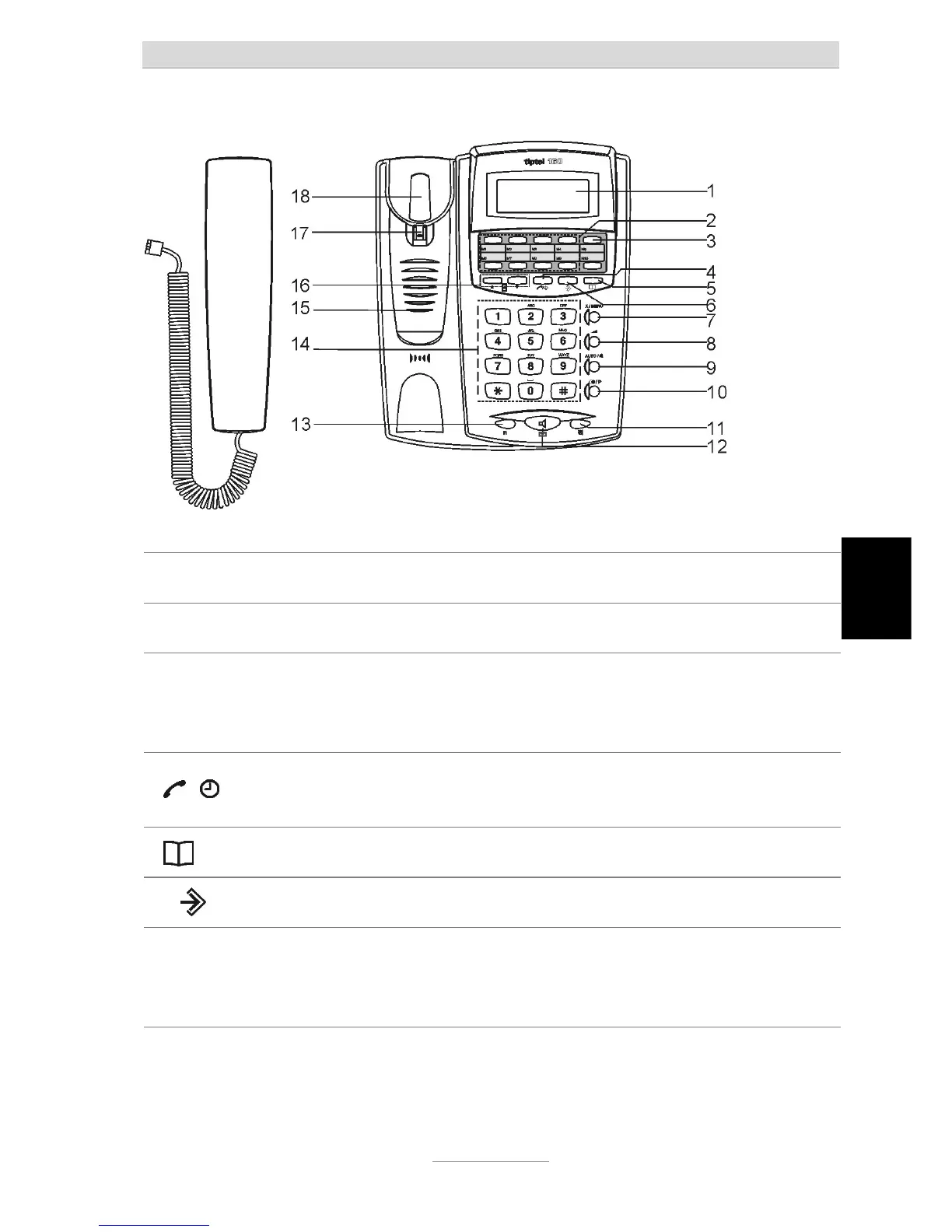
Button allocation
1. LCD Display Displays the phone number, date and time and other information.
2. Paper Label the speed dialing keys.
3. One-Touch
speed dial memories
(M1-M10)
Phone numbers may be stored for speed dialing.
4. /
a. When reviewing the caller data, press to dial out the number.
b. Press for min. 3 secs to enter the alarm time setting operation.
5
.
Press to enter the phone book operation.
6.
Press to store telephone numbers in the one-touch memories.
7. X / MENU
a. Press to delete or edit the phone book and one-touch memories.
b. Press for min. 3 secs to enter the main function settings.
c. In main function settings press to enter and confirm the data.



 To Next Page