ARTICULATED ARM OPENERS USER MANUAL
7
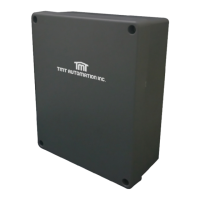
2. CB19 CONTROL BOX
1. Decide the installation position of control box first, it is suggested to be installed near the gate and should
be protected from possible damage. Be aware of the motor cable length before deciding the installation position.
2. Remove the cover by unscrewing the four screws on the cover. See Figure 1(1).
3. Use a screwdriver to puncture the holes beneath the bottom of the control box. See Figure 1(2).
4. Secure it on the wall.
5. Motor Wiring Connection:
1).Motor Power only (M+, M-) See Figure 1(2)
Gate openers: Refer to Figure 1(4) and connect the wires separately to the terminals on the PCB.
Motor 1: Connect the motor wire (White +) to the terminals M1+, and (Yellow -) to the M1-.
Motor 2: Connect the motor wire (White +) to the terminals M2+, and (Yellow -) to the M2-.
2) Motor with Limit Switch (M+, M-, Limit1, Limit2, GND) See Figure 1(3)
Gate openers: Refer to Figure 1(4) and connect the wires separately to the terminals on the PCB.
Motor 1: Connect the motor wire (White +) to the terminals M1+, and (Yellow -) to the M1-.
Connect the Limit switch wires red, white, and black to the terminal Limit1, Limit2, and GND.
Motor 2: Connect the motor wire (White +) to the terminals M2+, and (Yellow -) to the M2-.
Connect the Limit switch wires red, white, and black to the terminal Limit3, Limit4, and GND.
3) Motor with Hall sensor (M+, M-, 5V, Signal, GND) See Figure 1(4)
Gate openers: Refer to Figure 1(4) and connect the wires separately to the terminals on the PCB.
Motor 1: Connect the motor wire (White +) to the terminals M1+, and (Yellow -) to the M1-.
Connect the Limit switch wires red, green, and black to the terminal 5V, S1, and GND.
Motor 2: Connect the motor wire (White +) to the terminals M2+, and (Yellow -) to the M2-.
Connect the Limit switch wires red, green, and black to the terminal 5V, S2, and GND.
6. Accessories Wiring Connection
Prepare all the wires of the accessories beforehand and connect the wires to the gear motors and accessories on
the PCB as shown in Figure 1(4). All of the wiring connections of the accessories are not requested to
distinguish the positive (+) and the negative (-) polarity.
1). Flashing Light: Connect the two wires from the flashing light to the terminal L+ and L- on the PCB.
2). Electric Latch: Connect the two wires from the electric latch to the terminal Lo + and Lo- on the PCB.
3). Photocells: See Figure 1(4)
(A) If installed one set Photocell to Ph1, please choice 1 in FC.
(B) If installed one set Photocell to Ph2,.please choice 1 in FD.
(C) If installed two sets Photocell, please choice 1 for FC and FD.
(D) If No Photocell has been installed,please choice 0 in FC and FD.



 To Next Page