4
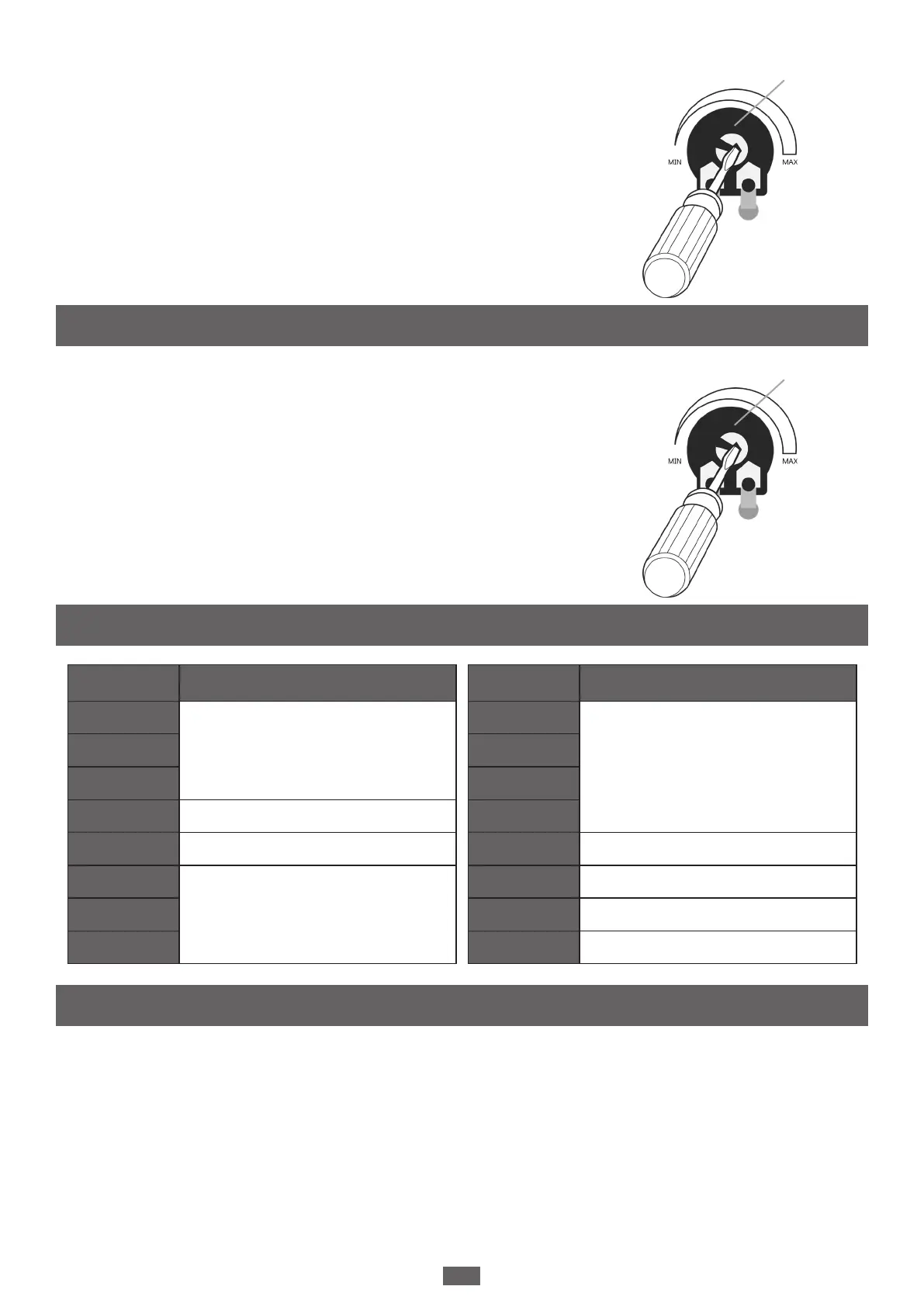
The AUTOCLOSE DIAL determines the time before the operators
close automatically. Insert a slot head screwdriver into the
potentiometer and turn to adjust the autoclose timer, as seen in the
diagram below. When you set the dial to MIN, then AUTOCLOSE is
turned OFF and the gate will only close when operated.
NOTE: When the TIMER is set to MAX, the AUTOCLOSE TIMER is set
to 300 seconds.
We recommend you set the stall force in accordance with the
conditions at hand. If you live in an area with high winds or debris
that may affect the travel of your gate, you can increase the stall
force as needed.
NOTE: In compliance with existing safety standards, even if you set
the stall force set to the maximum, the gate will still stall once a
certain threshold is met to avoid excessive injuries due entrapment.
The following accessories are available for purchase:
• Guiding Light and Antenna
• Solar Kit
• Push Button Control
• Photosensor
AUTO CLOSE TIME
STALL FORCE
Accessories
4. Autoclose Dial
5. Electrical Connection Specications
Terminal Connection specications
Lit+/-
Max36V /Max5AM1+/M1-
M2+/M2-
Lat+/- Max36V /Max7A
5V Max5V/Max50mA
S1/S2
Max5V/Max0.5mALMT 1/2
LMT 3/4
Terminal Connection specications
STOP
Max5V/Max1mA
SE
DKEY
SKEY
PH1 Max12V/Max1.2mA
PHVCC Max14V/Max0.5A
PH2 Max12V/Max1.2mA
PHVCC Max14V/Max0.5A


 To Next Page