5
To pair the factory remotes that comes with the kit, follow the instructions below:
1. Make sure that the control board is properly powered: the batteries should be connected
and have sufcient voltage. (LED2 should stay on)
2. Make sure that the remote controllers have their batteries installed and working. Our
remotes come with a clear plastic divider out of the factory to avoid battery drain. Please
remove it before attempting to use.
3. To check if the remote is properly powered, press any button and see if the LED lights up
on the remote.
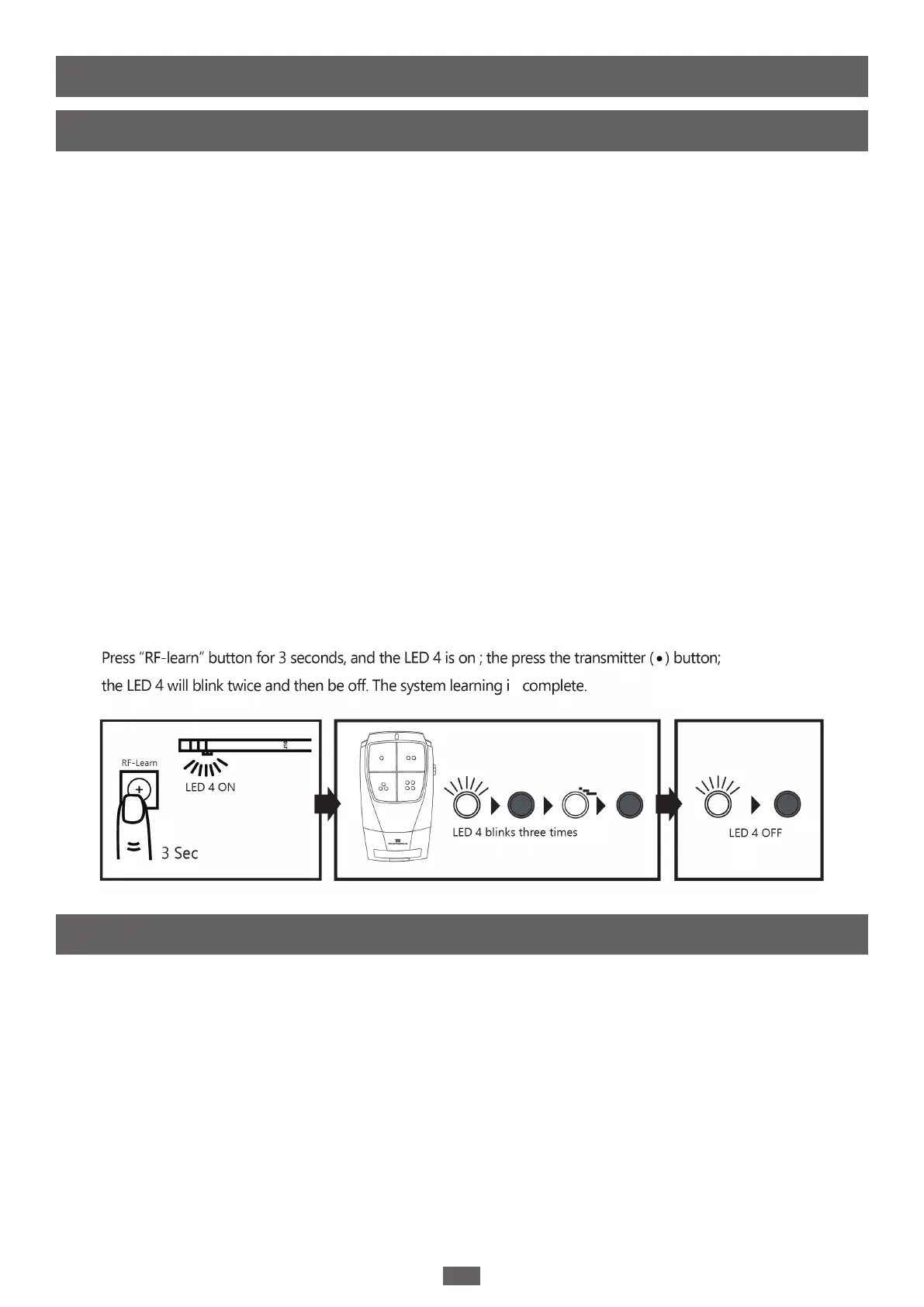
4. Press the LEARN REMOTE button on the control board for three seconds, the LEARN
REMOTE LED will light up. When the LEARN REMOTE LED lights up, you can pair the
remote.
5. To pair the remote, hold the RF-Learn button located on the right side of the control
board until the REMOTE LED lights up.
6. Press Button 1 on the remote until the LED 4 on the remote blinks 3 times.
7. After the LED 4 blinks and turns off, the remote controller is done learning.
8. Repeat the process to learn additional remote controls.
9. When the remote is properly connected, the blue LED will blink three times every time
the control board receives a signal from the remote.
You can unpair all remotes by using the LEARN REMOTE button. Following the instructions
below:
1. Hold the LEARN REMOTE button for 10 seconds.
2. After holding the LEARN REMOTE button, the LED should light up, which indicates that
the control board is in learning mode. If you continue to hold the LED until the LEARN
REMOTE LED turns off, then you have managed to unpair ALL the remotes from the
control board.
II. Pairing Remotes
1. Using Factory Remotes
2. Unpairing Remotes
S


 To Next Page