49
25. LINKAGE BETWEEN REMOTE MICROPHONE AND ITS EXTENSION
When adding the RM-210 Remote Microphone Extension, link it with the RM-200M Remote Microphone using
the extension cable and mounting hardware supplied with the RM-210.
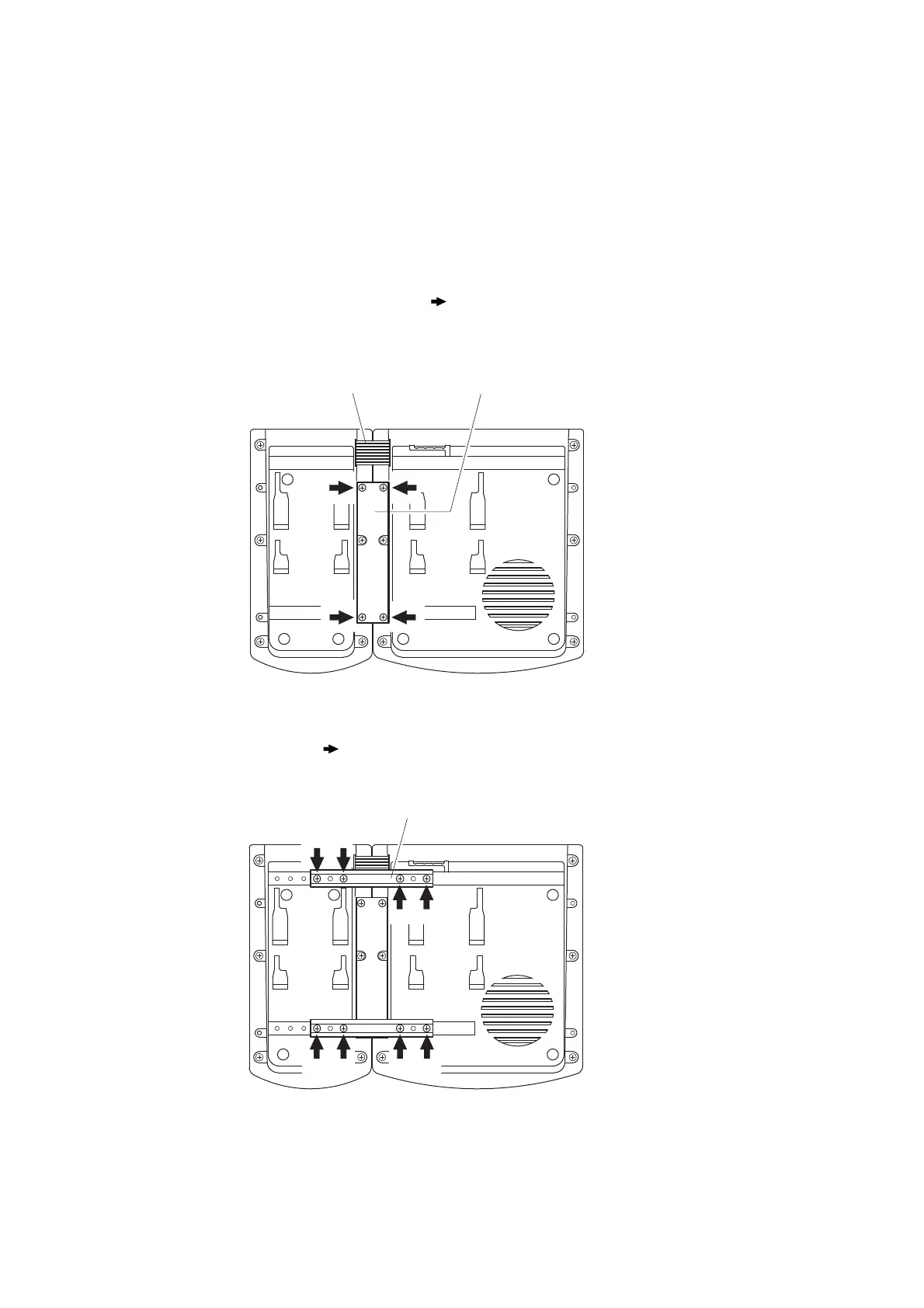
Step 1. Turn over both the RM-200M and the RM-210, and keep them in close contact with each other.
Step 2. Connect between both units using the extension cable.
Step 3. Using 4 supplied screws (marked with [ ] in the figure) and Linkage Bracket B, link both units
together.
Step 4. Using 8 supplied screws ([ ] marking) and 2 pieces of Linkage Bracket A, fix both units securely.
Note: If incorrect or loose connection is found between both units, loosen all the bracket fixing screws to
disassemble the units and then link them again with the screws.



 To Next Page