8
Notes
●
Contact your TOA dealer as for large-capacity cards of other makers.
●
All the cards available for the EV-300R and EV-300P (our conventional models) can be used for this unit.
●
Up to two memory cards can be installed in the unit.
2.4.3. Before using the SRAM memory card
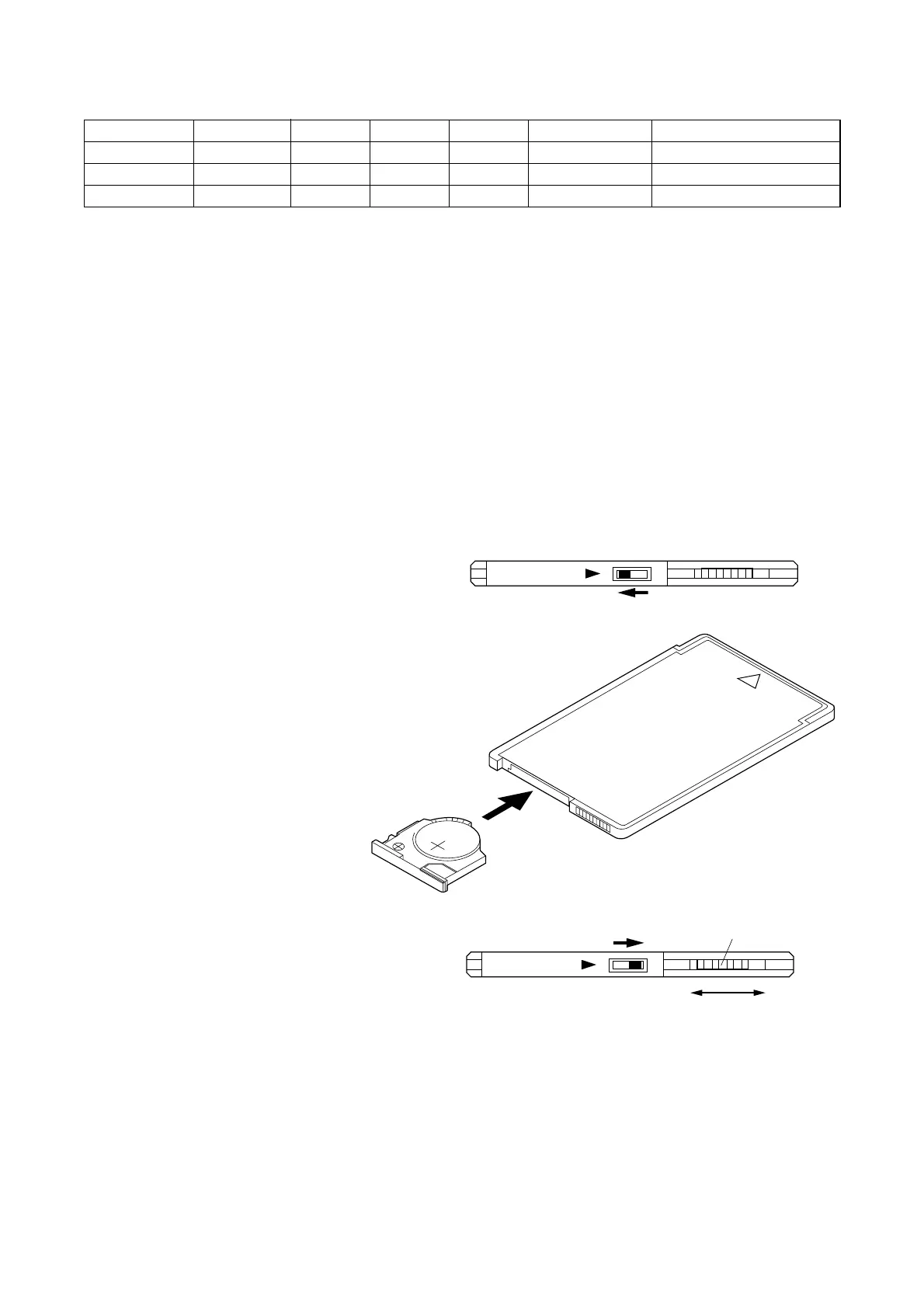
[Backup battery installation]
1. Shift the LOCK switch to the left to pull the battery holder out of the card.
2. Place the supplied backup battery in the holder with the [+] side up, then reinsert the holder into the card.
3. Shift the LOCK switch back to the right to lock the
holder.
4. Release the write protect switch to
enable writing.
Caution
●
If the write protect switch is set to the
WP position, the card cannot be
used for recording. Use the WP position to avoid the
accidental erasure of important recording.
●
Note that neither the battery nor the battery holder is
supplied with the EV-F series cards.
Capacity (byte) Card type Long Normal High Extremely High Maker/Model No.
8M ATA flash 0:16:26 0:10:57 0:08:13 0:05:29 (TOA/EV-F8M)
20M ATA flash 0:43:24 0:28:56 0:21:42 0:14:28 (TOA/M-A20M)
40M ATA flash 1:27:05 0:58:04 0:43:33 0:29:02 (TOA/M-A40M)
2.4.2. Usable memory cards vs. maximum per-card recording time (hour:minute:second)


 To Next Page