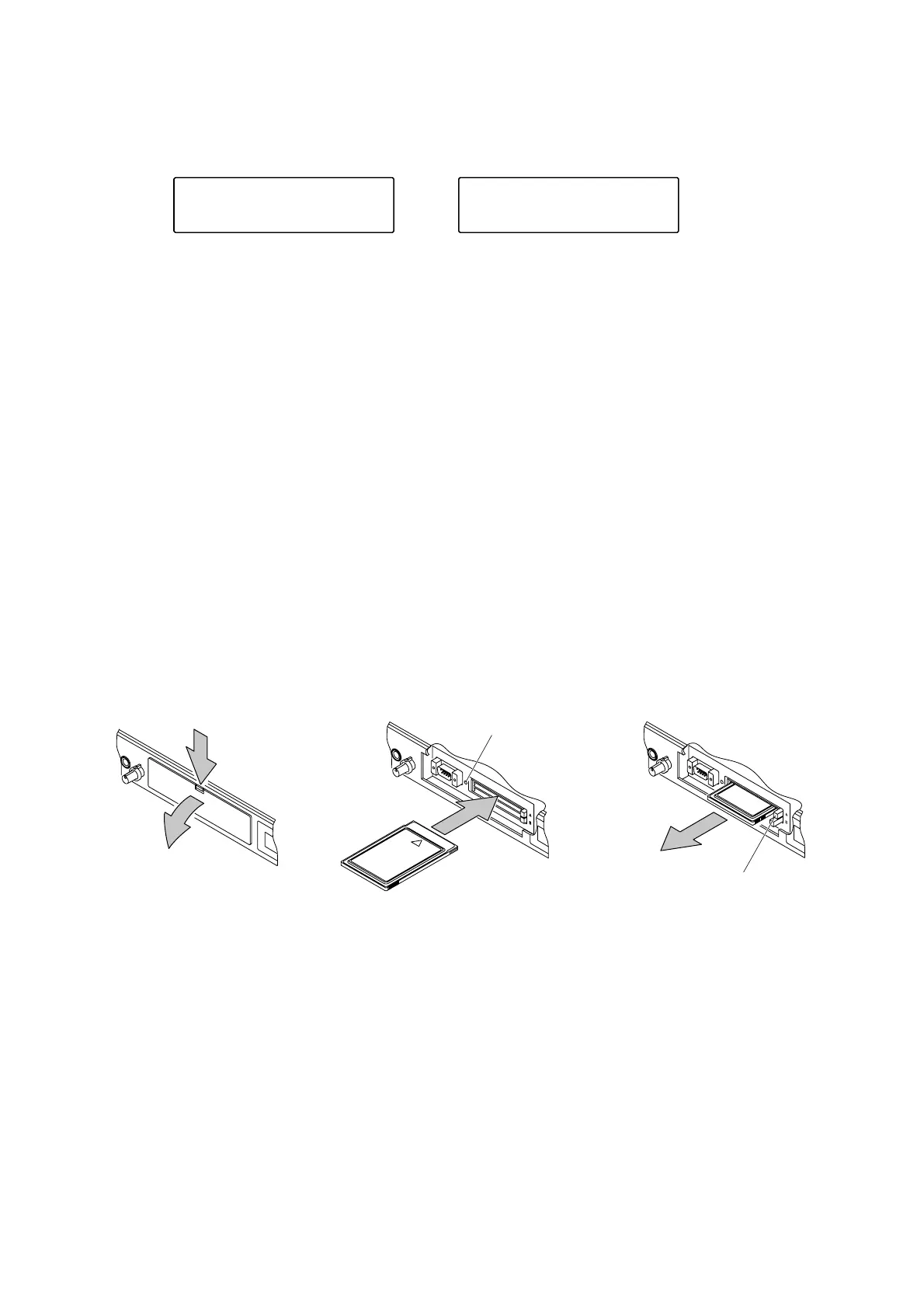
1. Push down the front cover
tab to remove the cover.
2. Insert or eject the card as shown in the figures.
Important.
It is suggested that the battery be replaced immediately when the indication of [CARD A BAT. OUT] is
displayed.
・Each SRAM memory card (EV-M256, EV-M512, EV-M1024, and EV-M2048) has a built-in auxiliary battery
that protects the recorded contents from erasure during the backup battery replacement.
・The auxiliary battery is a rechargeable battery. Charging the battery by inserting it into this unit for 30
minutes or more protects the recorded contents for about ten minutes during the backup battery
replacement.
・When replacing the backup battery, be sure to insert the auxiliary battery into this unit (energized state) for
30 minutes or more to keep the auxiliary battery fully charged before replacing.
・Each battery's life is as follows.
EV-M256 : Approximately 5 years
EV-M512 : Approximately 4 years
EV-M1024: Approximately 2 years
EV-M2048: Approximately 1 year
・Use the commercial lithium battery BR2325 or CR2325 when replacing the backup battery.
2.4.4. Inserting and ejecting the memory card
Remove the front cover when inserting or ejecting the memory card.
2.4.5. Handling precautions for the memory card
●
Do not use alcohol to clean the surface.
●
Do not expose the card to sunlight.
●
Replace the battery as soon as it shows a sign of exhaustion. (EV-F series is excepted.)
●
Do not get the card wet.
●
Use a dedicated soft case to keep the card. (This not only prevents the attachment of foreign substance to
the terminal, but also protects the memory card from static electricity.)
Caution: Do not move the card while the access indicator lamp remains lit or is flashing. Data in the card may
be lost.


 To Next Page