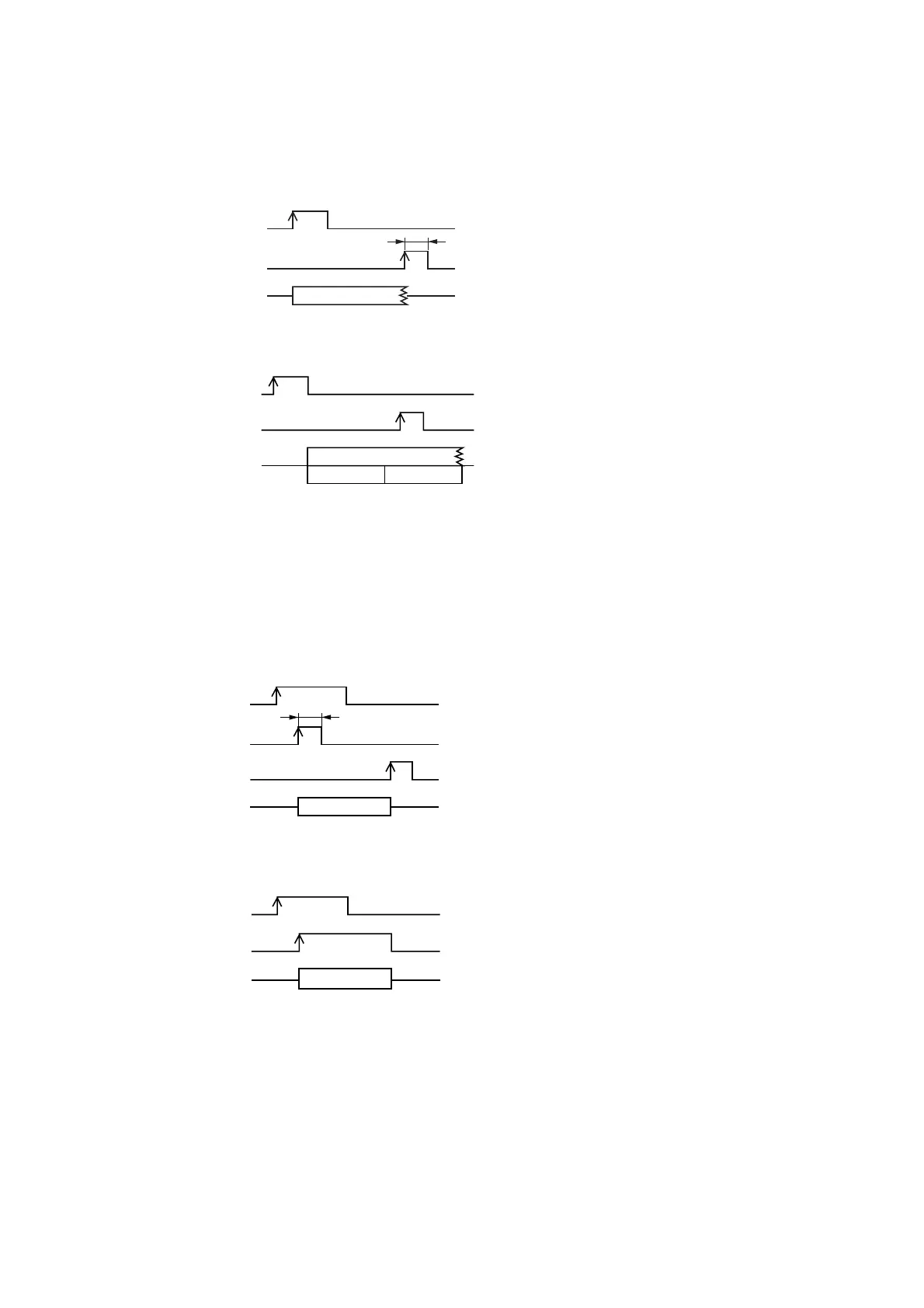
[Remote stop]
You can set Stop mode when in one-shot-pulse-activated Playback Activation Mode (Playback Activation
Mode 1-4).
8.5.4. Binary Mode
[Remote recording]
Sentences cannot be re-recorded over previously-recorded sentences. Be sure the previous recording is
erased before re-recording. Up to 256 sentences (A001-A128 and B001-B128) can be remotely recorded.
Sentences A001-128 are recorded on the Slot A memory card, and sentences B001-B128 on the Slot memory
card. To start recording, short the Recording Control input after the Activation Control input is shorted.
・Playback stops immediately after the Stop Control
input is shorted (OFF → ON).
・Programs cannot be played back while the Stop
Control input is shorted.
・Shorting the Stop Control input stops playback
after the sentences in the currently playing
program are completed.
・Programs cannot be played back while the Stop
Control input is shorted.
・Recording begins by shorting the Activation Control
input (OFF → ON), then the Recording Control
input.
・To stop recording, press the [STOP] key or short the
Stop Control input 1 or 2.
・Recording automatically stops when the remaining
recording time reaches 0.
・Playback cannot be activated during recording.
・Recording begins by shorting the Activation Control
input, then the Recording Control input. Recording
continues while the activation control input is
shorted.
・Recording automatically stops when the remaining
recording time reaches 0.
・Recording is terminated when the Stop key is
pressed and either the Stop Control Input 1 or 2 is
closed.
・Playback cannot be activated during recording.


 To Next Page