9
1. Switch off the amplifier power.
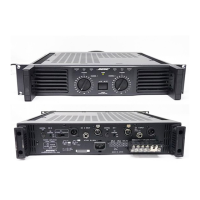
2. Remove the handle cover.
3. Remove two screws holding the handle to the amplifier.
4. Remove the handle.
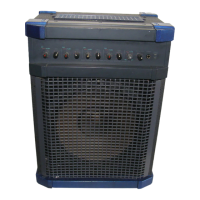
5. Install the supplied screws (M4 x 20).
6. Attach the handle cover to the unit.
1. Switch off the amplifier power.
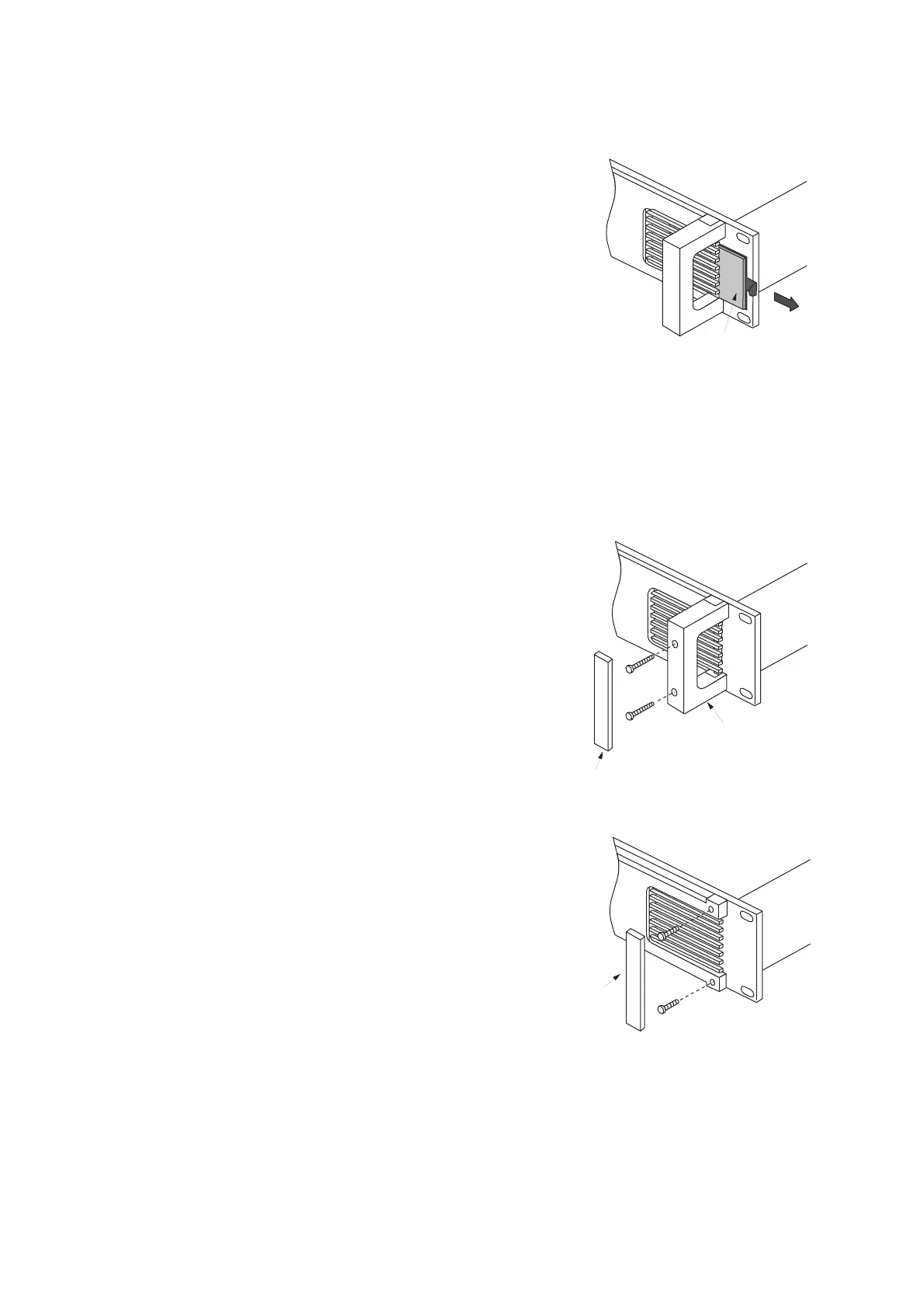
2. Pull the filter from the front panel as shown in the figure.
3. Clean the filter.
4. Fit the filter in place.
[Precautions] Make sure that the fan is turned off when removing the filter.
8. CLEANING THE FILTER


 To Next Page