EasyManua.ls Logo

Toa M-633D - 13 Resetting to Factory Default Settings; 14 Installation; Mounting in a Rack

Toa M-633D
32 pages
Print Icon
To Next Page IconTo Next Page
To Previous Page IconTo Previous Page
Loading...
24
14. INSTALLATION
14.1. Mounting in a Rack
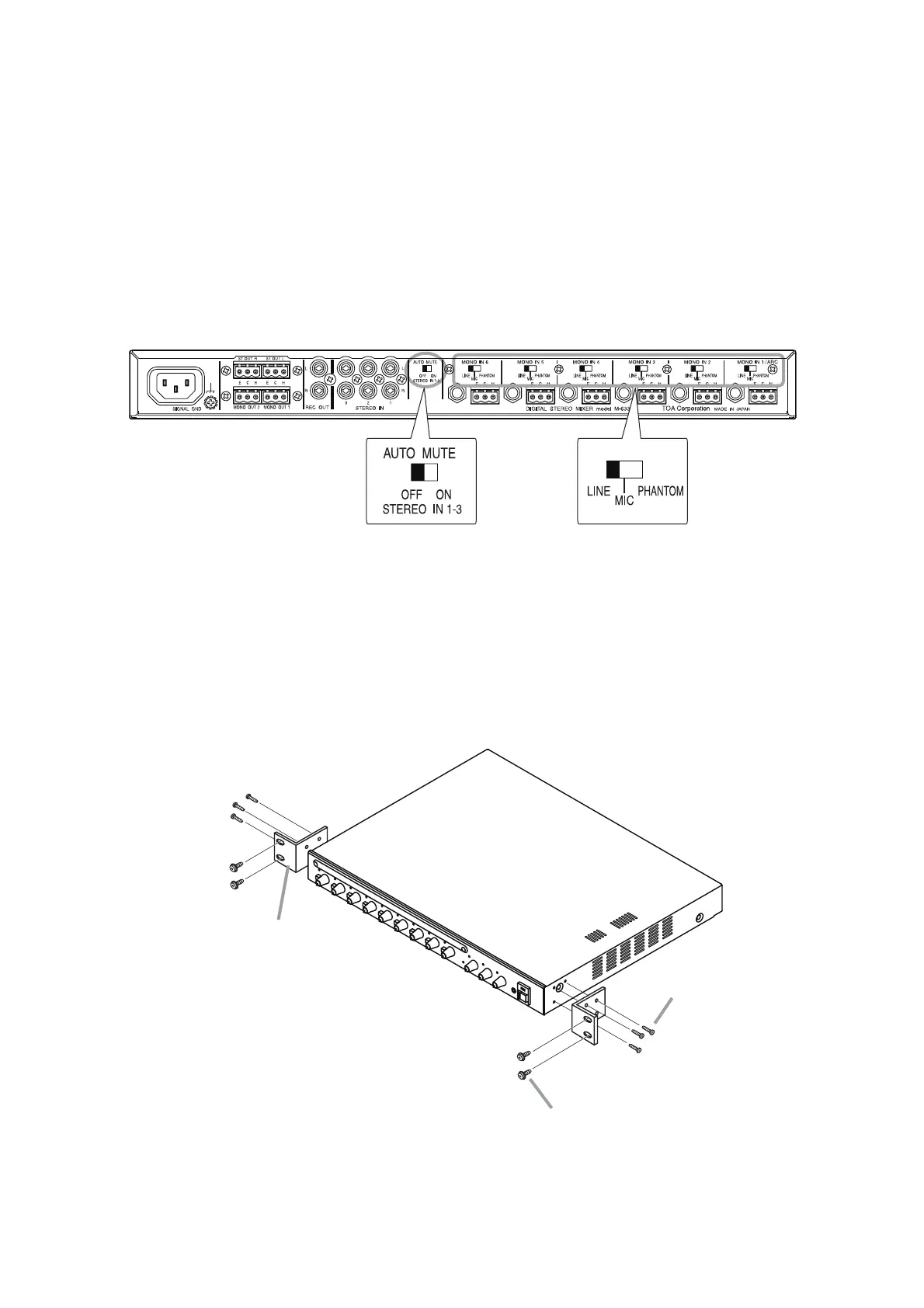
Mount the unit in an equipment rack using the supplied rack mounting screws.
Rack mouting screw 5 x 12 with washer
(supplied*)
Rack mouting bracket
M-633D
(supplied)
Machine screw M3 x 8
* Not supplied with the unit of US version (M-633D CU).
(supplied)
1
2
Step1. Attach the rack mounting brackets to the unit's sides.
Step2. Mount the unit in a rack.
13. RESETTING TO FACTORY DEFAULT SETTINGS
Step 1. Disable the ARC function. (See p. 20.)
Step 2. Disable the FBS function. (See p. 21.)
Step 3. Turns off the Automatic mute function.
Shift the rear-mounted AUTO MUTE switch to the OFF position.
Step 4. Disable the ACG function
Shift all the Input sensitivity selector switches of the rear-mounted MONO IN 1 – 6 to the "LINE"
position.

34
The settings are returned to the factory default settings.

Related product manuals