3-16
Chapter 3
OPERATION
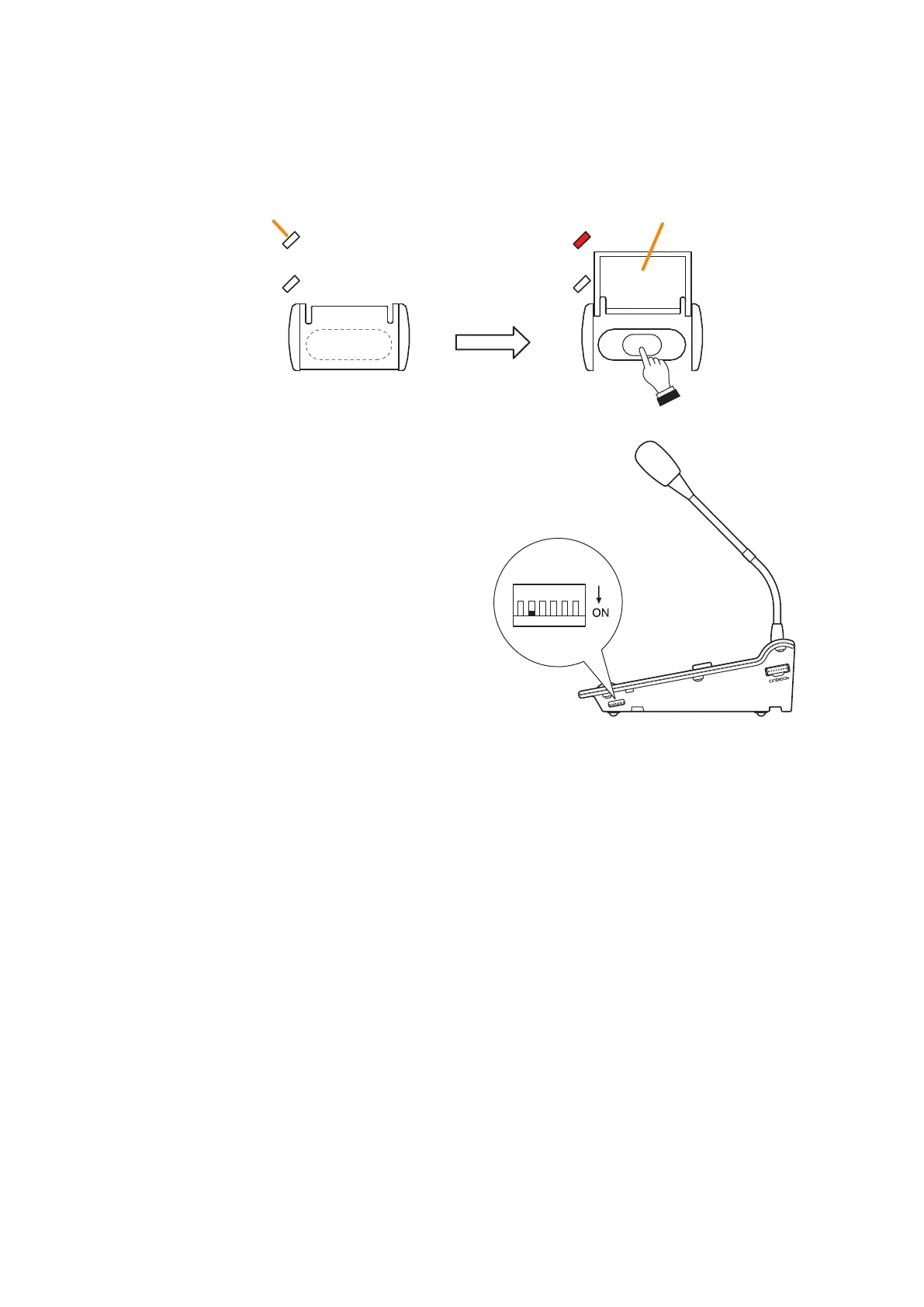
4.2.MakingAll-zoneEmergencyBroadcastfromtheRM-300X
Open the cover of the All-zone Emergency Broadcast key, then while holding down the key, wait about 4
seconds until the Failure indicator lights red and begin to make microphone announcements.
Cover
All-zone Emergency Broadcast key
Lights red
Failure Indicator
123456
Notes
• The RM-300X's DIP switch 5 (factory default: ON)
must be preset to ON to enable the CPU OFF function
(all-zone emergency broadcast).
• Theeventbeingactivatedfromtheremotemicrophone
will be cleared when the system is placed in the
CPU OFF state, and not restarted when its state is
released.



 To Next Page