- 6 -
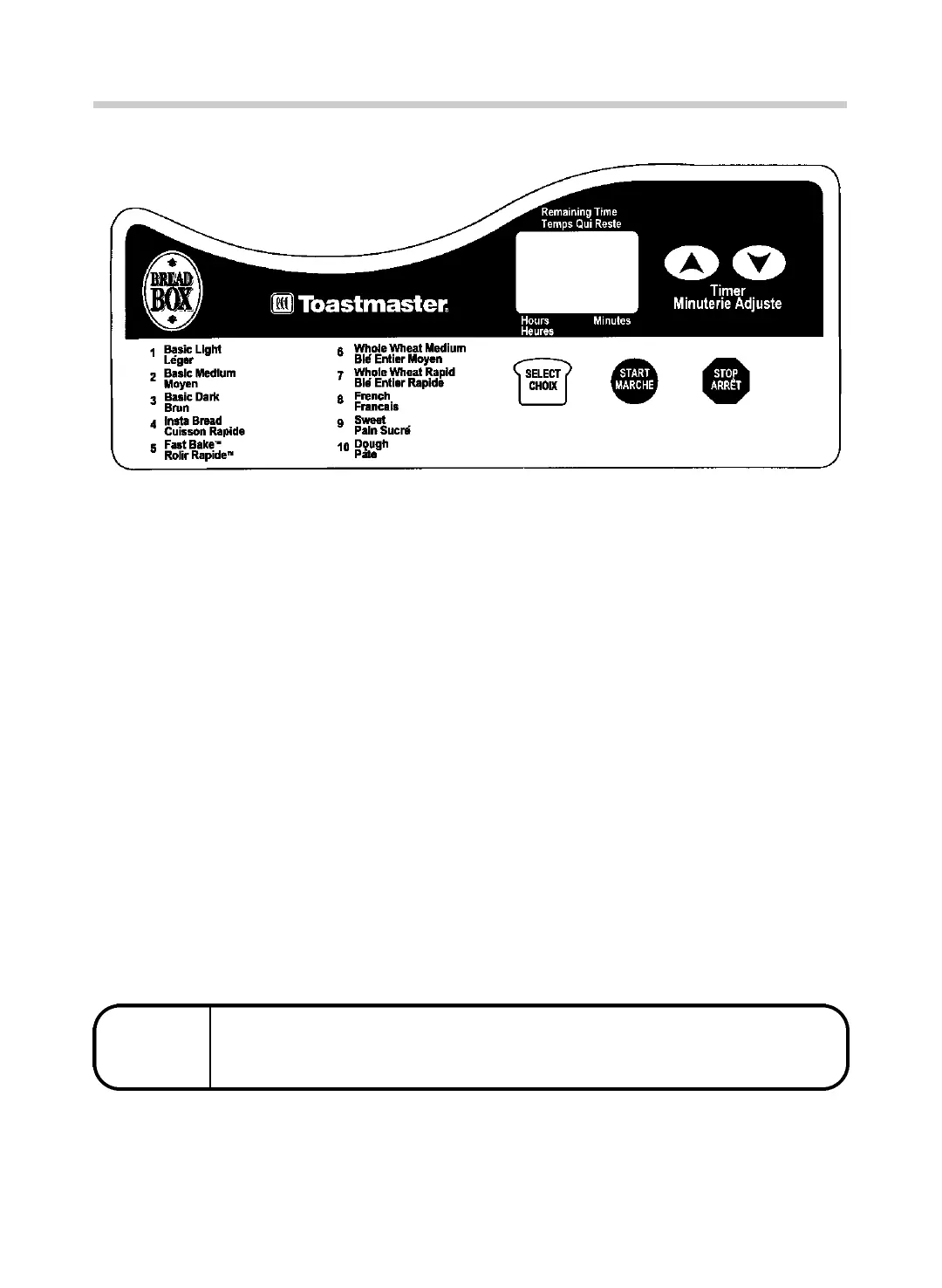
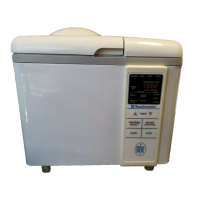
n C O N T ROL PA N E L
P ROGRAM SELECT RECALL
If you have started your bread and are not sure which program you have selected, you may recall this
i n fo rm a t i o n . Press the SELECT pad at any t i m e. The number of the program will appear in the display
w i n d ow. Press the SELECT pad again to return to amount of time left for completion of progra m .
If you want to cancel the selected program, press the STOP pad and hold it
d own for more than 2 seconds at any time during the cycle.
When a bread maker is packaged for shipment, a clear plastic film is placed over the control panel
as protection; carefully peel it off.
P RO G R A M
C A N C E L
T I M E R
After progra m
has been
selected, press
timer arrows to
d e l ay progra m .
The time will
a d vance by 10
m i nute inter-
va l s. P r e s s
S TA RT and
the colon will
bl i n k .
D I S P L AY
W I N D OW
Indicates the
number of pro-
gram, amount
of time left fo r
c o m p l e t i o n ,
and display
s i g n a l s.
S E L E C T
Press to
select the
p r o gra m .
S TA RT
After selecting
the progra m
and timer (if
needed), press
to start the
p r o gram or
timer count
d ow n .
S TO P
Press fo r
more than 2
s e c o n d s
d u ring the
cycle to
cancel a
p r o gra m .



 To Next Page