• Programming Dough
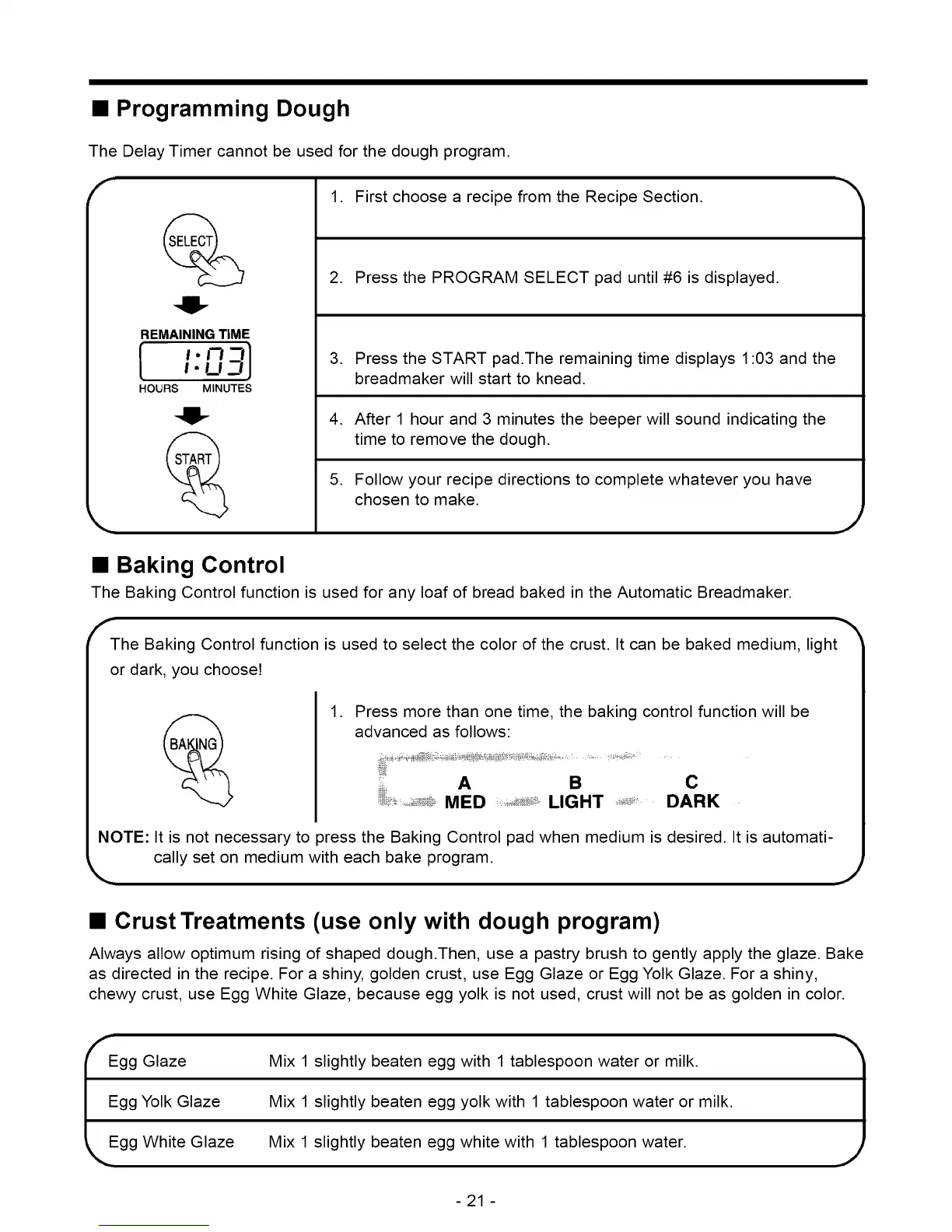
The Delay Timer cannot be used for the dough program.
F
REMAININGTIME
1.1771
_.u7 l
HOURS MINUTES
1. First choose a recipe from the Recipe Section.
2. Press the PROGRAM SELECT pad until #6 is displayed.
3. Press the START pad.The remaining time displays 1:03 and the
breadmaker will start to knead.
4. After 1 hour and 3 minutes the beeper will sound indicating the
time to remove the dough.
5. Follow your recipe directions to complete whatever you have
chosen to make.
J
• Baking Control
The Baking Control function is used for any loaf of bread baked in the Automatic Breadmaker.
f'-The Baking Control function is used to select the color of the crust. It can be baked medium, light _'_
or dark, you choose!
.
Press more than one time, the baking control function will be
advanced as follows:
A B C
MED LIGHT DARK
NOTE: It is not necessary to press the Baking Control pad when medium is desired. It is automati-
cally set on medium with each bake program.
J
• Crust Treatments (use only with dough program)
Always allow optimum rising of shaped dough.Then, use a pastry brush to gently apply the glaze. Bake
as directed in the recipe. For a shiny, golden crust, use Egg Glaze or Egg Yolk Glaze. For a shiny,
chewy crust, use Egg White Glaze, because egg yolk is not used, crust will not be as golden in color.
gg Glaze
gg Yolk Glaze
gg White Glaze
Mix 1 slightly beaten egg with 1 tablespoon water or milk.
Mix 1 slightly beaten egg yolk with 1 tablespoon water or milk.
Mix 1 slightly beaten egg white with 1 tablespoon water.
1
-21 -



 To Next Page