“Find”
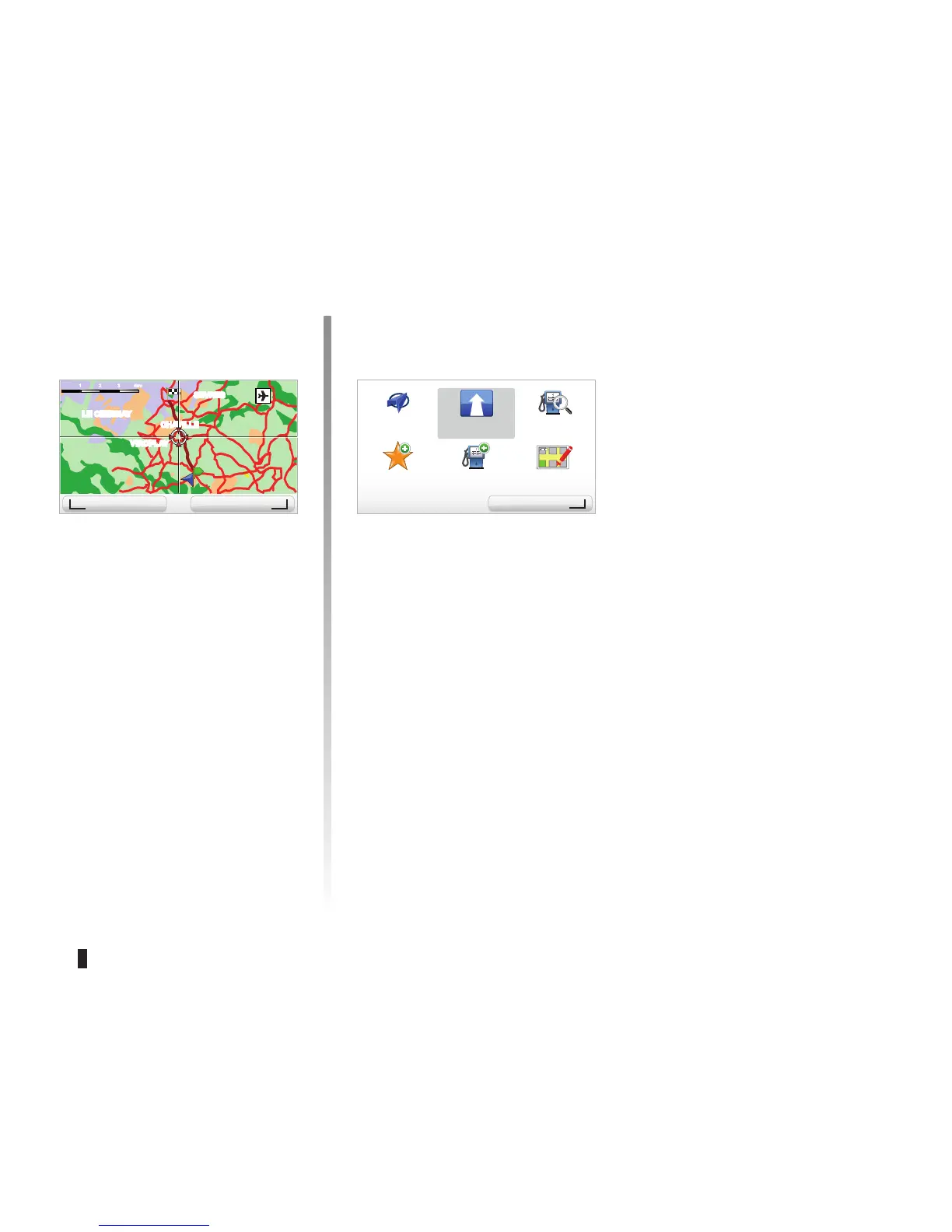
You can centre your map on a specific
location; press the left soft button (Find)
and this menu will allow you to centre:
– your home,
– a favourite,
– an address,
– a recent destination,
– a point of interest,
– your current location.
BROWSE MAP (2/2)
“Cursor position”
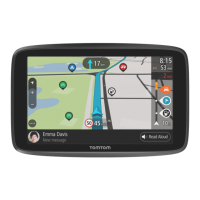
To access the “Cursor position” from
the map browser, press the OK button.
This menu enables you to:
– centre the map on the vehicle loca
-
tion,
– navigate to a point on the map,
– search for a point on the map,
– add a point on the map to the favour
-
ites,
– add a point on the map to the POI,
– correct the location of your vehicle.
Find Options/Zoom
Cursor position:
Center on car location
Navigate there Find...
Add as
Favorite
Add as
POI
Correct lo-
cation
Cursor position:
Options



 To Next Page