SYSTEM SETTINGS (2/6)
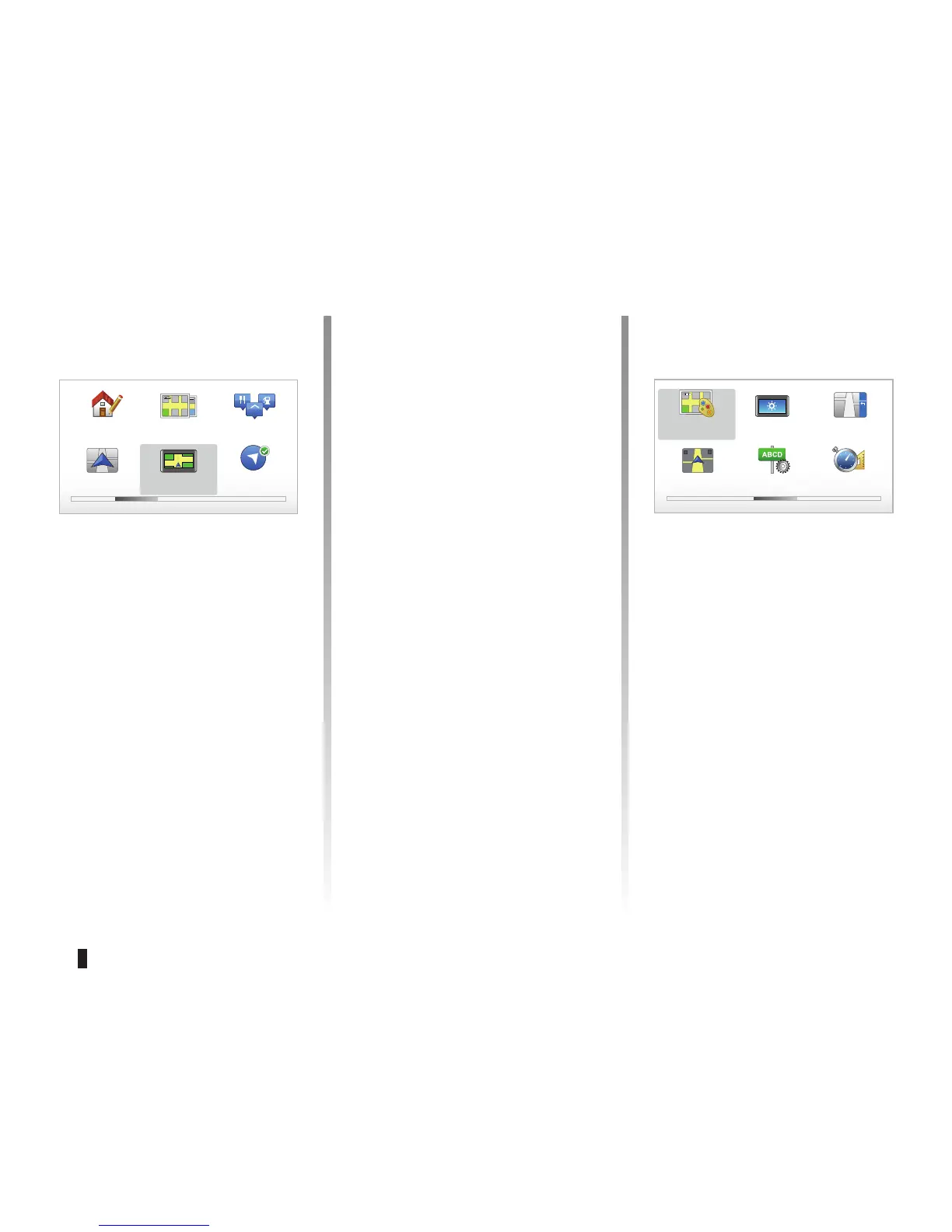
“Change Home location”
This menu allows you to change your
home address.
“Switch map”
Use this menu if you are installing sev-
eral maps on your SD card. To change
map, select "Switch map”, then the map
required.
“Manage POIs”
This menu allows you to add, change or
delete POIs or POI categories.
Preferences 2 of 5
2D map set-
tings
Manage
POIs
“Change car symbol”
This menu allows you to change the ve-
hicle symbol.
“2D map settings”
This menu allows you to display the
navigation map in 2D or 3D.
“Enable compass”
This menu allows you to activate or de-
activate the compass during naviga-
tion.
Change
Home loca-
tion
Switch map
Enable com-
pass
Change car
symbol
“Change map colors”
Select “Change map colors”, then
choose either use day colours or use
night colours. You can download new
colours. To select a downloaded colour,
select an additional colour scheme,
then the colour required.
“Brightness preferences”
This menu allows you to select the
brightness of your navigation system
depending on the brightness of the light
outside.
Preferences 3 of 5
Change map
colors
Brightness pref-
erences
Status bar pref-
erences
Automatic zooming Name prefer-
ences
Set units



 To Next Page