UPDATING THE SYSTEM (2/3)
Saving your system data
This menu allows you to save your
system data to your computer and to
restore it.
We strongly recommend that you
save your system data on a very
regular basis.
Saving the data allows it to be re-
covered if, for example, your SD
card is lost.
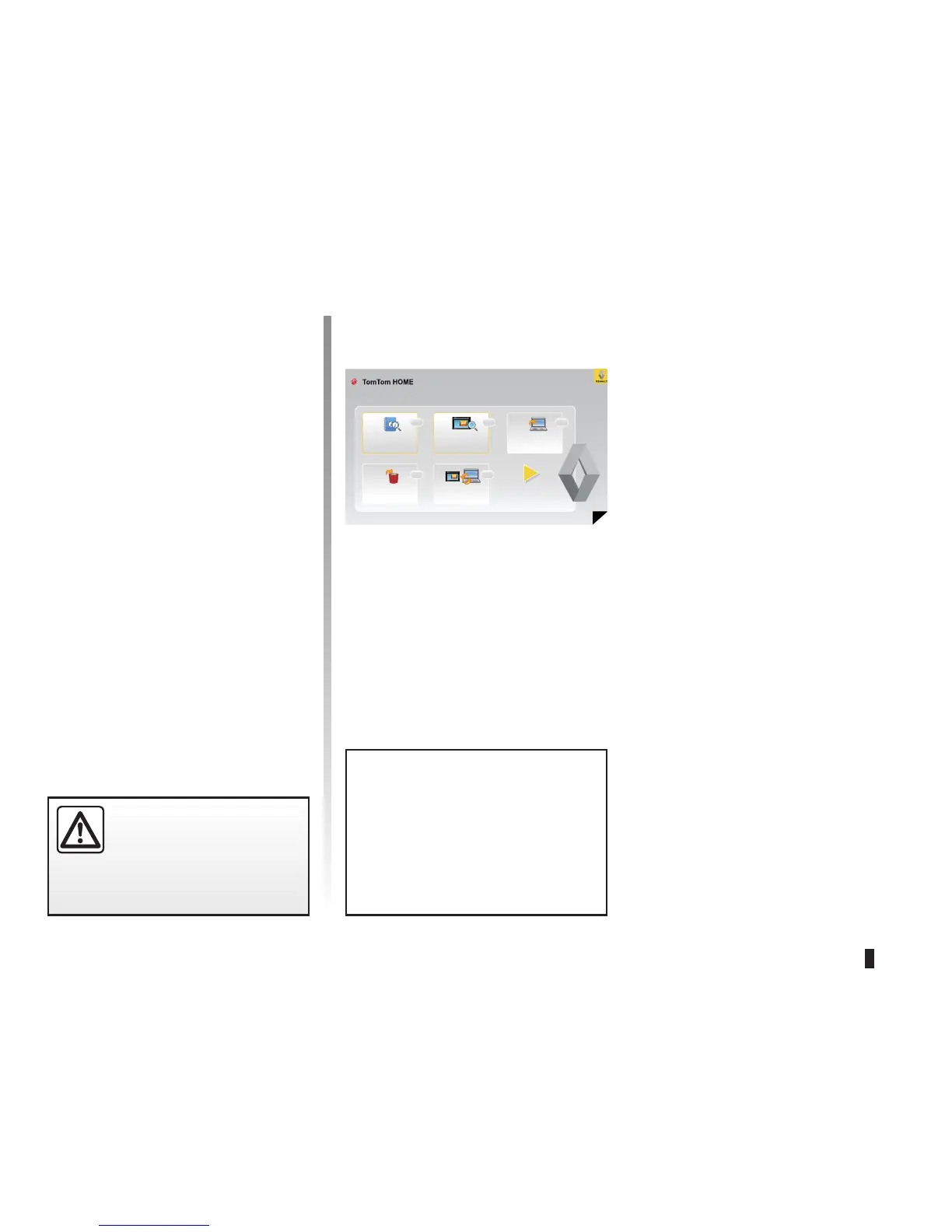
This is the main menu of TomTom HOME Page 2 of 3
Read the manual
for my Carminat
TomTom
Copy to computer
Remove items
In certain countries it is ille-
gal to download and enable
the camera warning option
and this could lead to pros-
ecution.
Back up and restore
Show contents
of my Camrinat
TomTom
Main functions available
Downloading maps
Click on the “Add Mapps” icon to access
the menu which will allow you to down-
load maps.
Downloading voices, points of
interest, etc.
Click on the “Add Traffic, Voice, Safety
cameras, etc.” icon to access the menu
which will allow you to:
– download voices to customise your
system,
– download points of interest,
– etc.
Help
Help
HelpHelp
Help



 To Next Page