Help me!
HELP ME!
“Where am I?”
Your system shows your current loca-
tion (address) and gives the GPS coor-
dinates (latitude/longitude).
The “Emergency phone numbers” menu
gives different service centres:
– “Emergency services”,
– “Nearest police station”,
– “Nearest doctor”,
– “Nearest hospital”,
– “Nearest public transport”,
– “Nearest car repair services”,
– “Nearest dentist”,
– “Nearest pharmacy”,
– “Nearest vet”.
“Drive to help”
Use your system to navigate by road to
a service centre:
– “Nearest car repair services”,
– “Nearest hospital”,
– “Nearest doctor”,
– “Nearest police station”,
– “Nearest pharmacy”,
– “Nearest dentist”.
You can use “Help me!” to look for to
find and make contact with a service
centre.
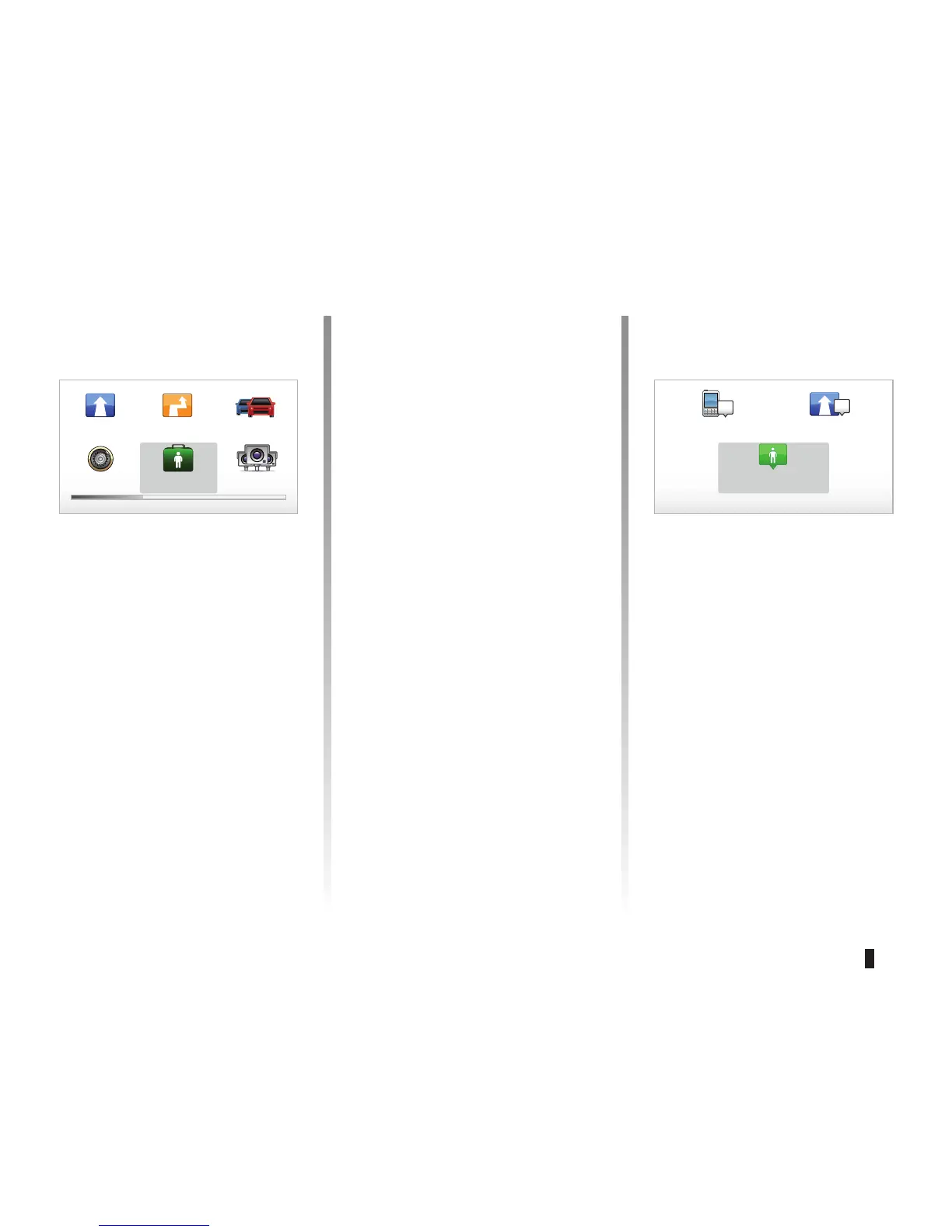
From the Help me!” menu, you can
select: “Emergency phone numbers”,
“Drive to help” and “Where am I?”.
“Emergency phone numbers”
When you select a service centre, your
current location and the
phone number of the point of inter-
est (POI) are displayed. You can also
select this service centre as a destina-
tion by pressing the soft button.
Main Menu 1 of 3
Navigate to...
Find alternative Traffic
info
Change pref-
erences
Help me! TomTom Safety
Cameras
Current position:
Emergency phone
numbers
Drive to help
Where am I?
Help me!



 To Next Page